You find your company settings under My company → Settings. On your phone, tap More → Settings.
Company details
Under Company details you find the official details of your company:
- Company name: as registered with the Chamber of Commerce
- Address, Postal code, City, Email and Phone number
- CoC number: required for companies in the Netherlands
- VAT number, which appears on your invoices, or the Company is exempt from VAT checkbox
- Invoice email address: where invoices from Trainin are sent. If you leave it empty, Trainin uses the general email address.
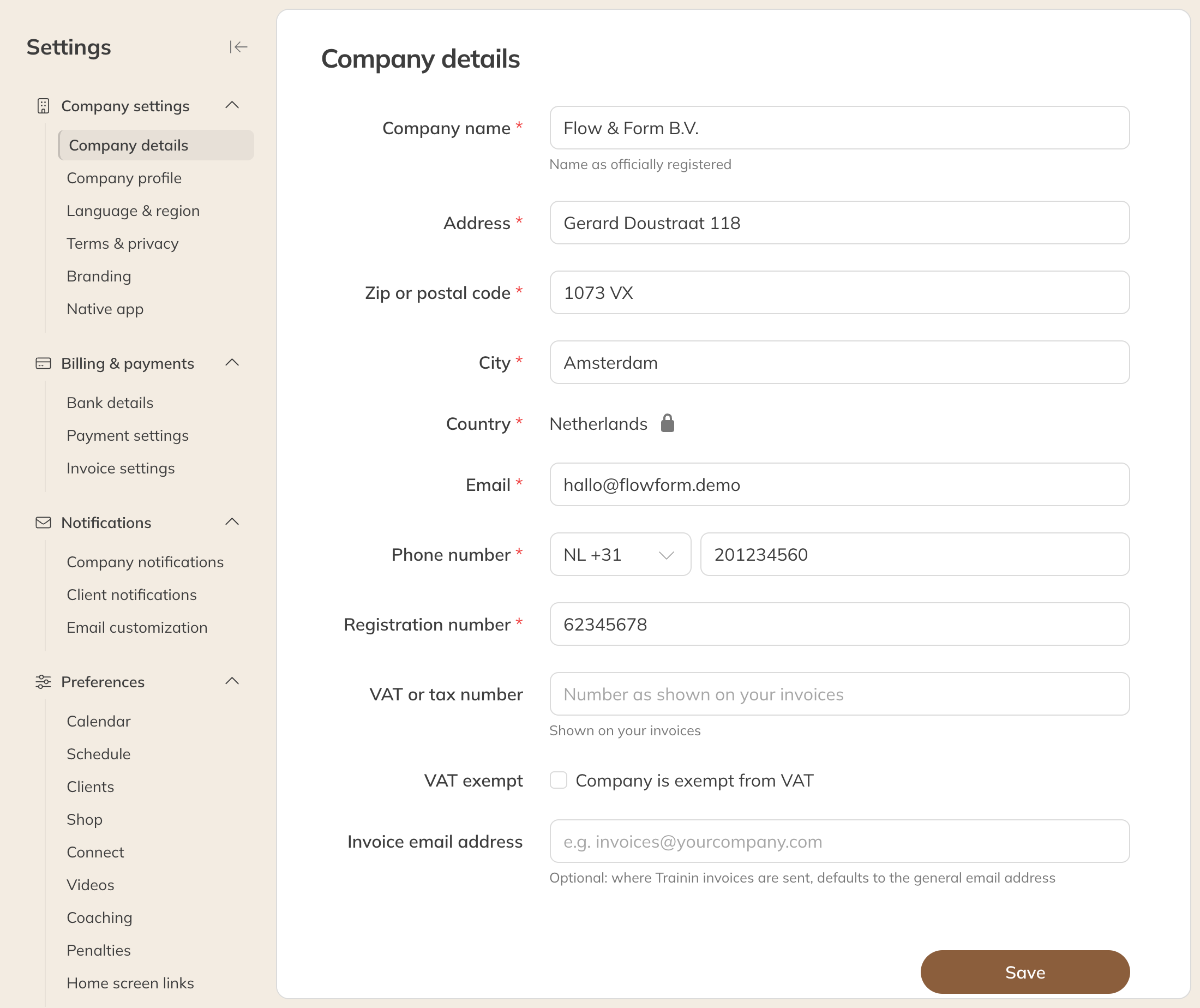
Company details
Clients see these details on your public company profile. The email address is also where you receive company notifications.
Note: You can't change the Country yourself.
Tip: You set the name clients see in the app separately: under Company profile (Public name) and under Branding (App & portal name).
Language & region
- Default client language: the language in which new clients see the client portal and your public pages, such as the schedule page and the shop. Clients can choose a different language themselves in their account settings.
- Date & time format
- You can see Timezone and Currency here, but they can only be changed by Trainin. Contact support for this.
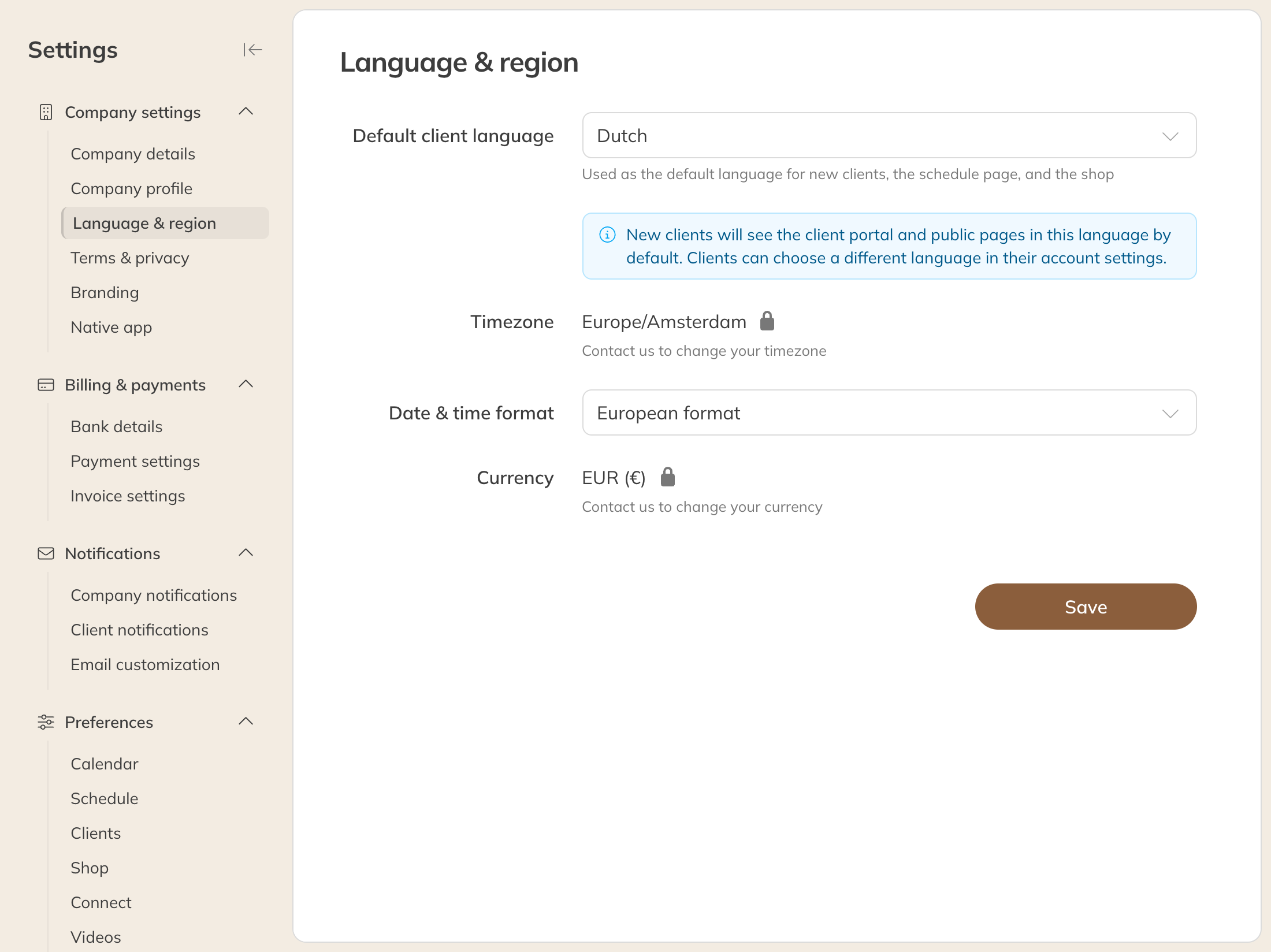
Language & region