Open the activity via My company → Activities and scroll to Booking settings. Changes apply immediately, also to sessions already scheduled.
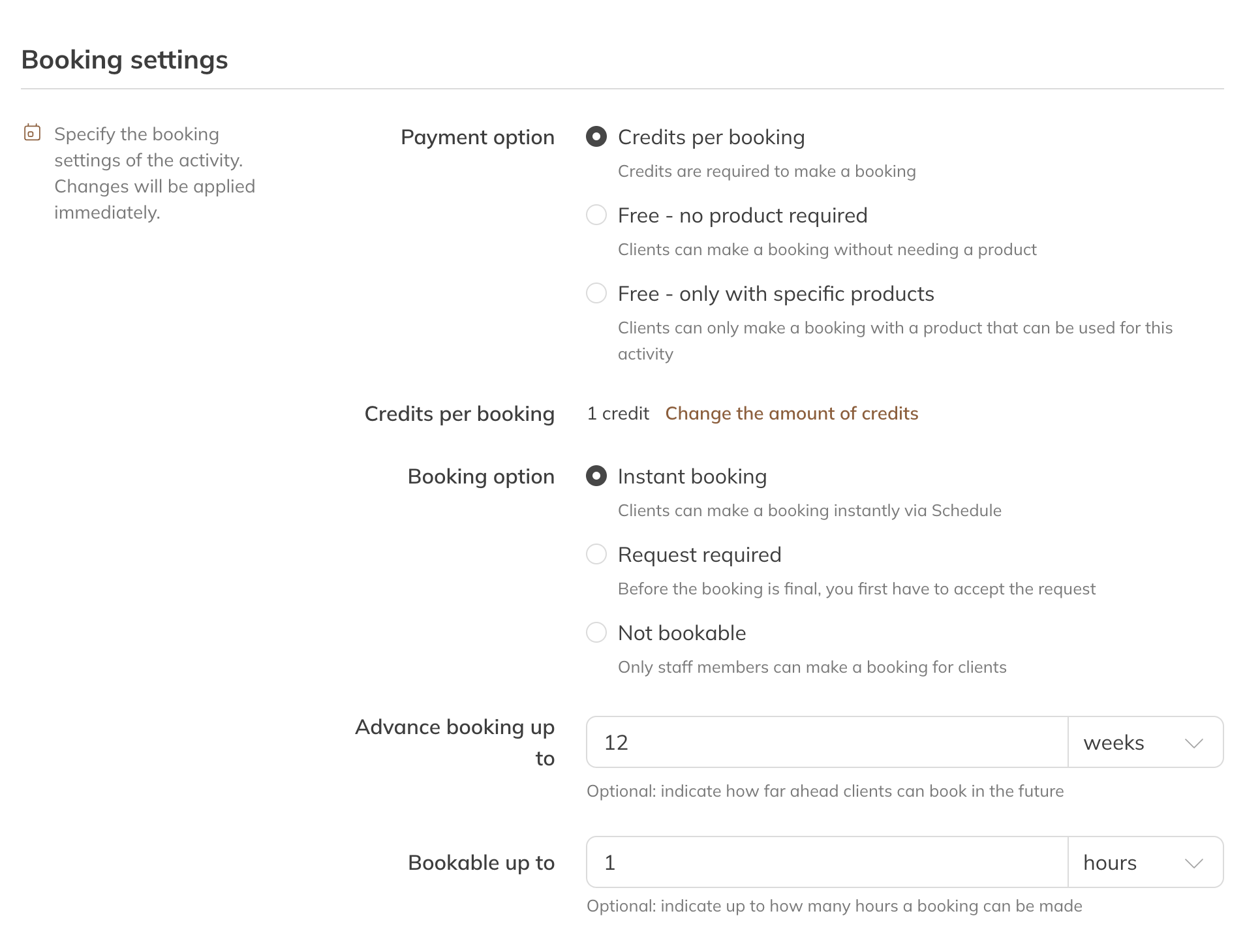
Payment option, booking options and bookable up to
Payment option
| Option | What happens |
|---|---|
| Credits per booking (default) | A booking costs credits from one of the client's products. 1 credit by default; use Change the amount of credits to choose a different number. |
| Free | Anyone with an account can book, even without a product. |
| Free - linked products only | No credits are deducted, but the client does need a product that's linked to the activity. |
The two free options are available from the Pro plan.
Note: An activity set to Free is only visible to clients who are logged in. Visitors to your website don't see it in a widget.
Booking options
| Option | What happens |
|---|---|
| Direct | Clients book themselves and the booking is final straight away. |
| Request | Clients send a request. The booking is only final once you accept it. |
| Not bookable | Only staff can add a client. |
Advance booking up to and Bookable up to
- Advance booking up to: how far into the future clients can book, in hours, days or weeks. By default 12 weeks for group classes and 4 weeks for private and rental.
- Bookable up to: how long before the start clients can still book. 2 hours by default.
Note: If Bookable up to (for a group class, added to the length of the class) is equal to or longer than Advance booking up to, clients can never book. You then see a warning.
Tip: Staff can always add clients, even outside these times.
More settings
Under More settings at the bottom of the booking settings you'll also find:
- Only for selected client groups: clients outside these groups don't see the activity in the schedule.
- Available spots: open fewer spots than the group size.
- Booking for multiple people: a client can book several spots at once. Only with a single session or credit pack, not with a membership.
- Participants visible to client: clients see who's taking part. Only participants who gave permission for this in their profile.
- Session numbering in series: puts the session number in the name, handy for courses.
For a private activity, you'll also find Location choice during booking and Only book with assigned instructor here.
With the Pro or Premium plan, Enable priority booking lets you give clients with a priority product their own rules: booking earlier, booking later or a different cancellation policy.