Only want a class to go ahead if enough people come? Then set a minimum group size. Trainin checks it at a set time before the start and cancels the session if the minimum isn't reached.
- Open the group activity via My company → Activities.
- Under Booking settings, turn on Set minimum group size.
- Under Minimum group size, enter the minimum number of participants.
- Under Check minimum group size up to, enter how many hours before the start the check takes place.
- Click Save.
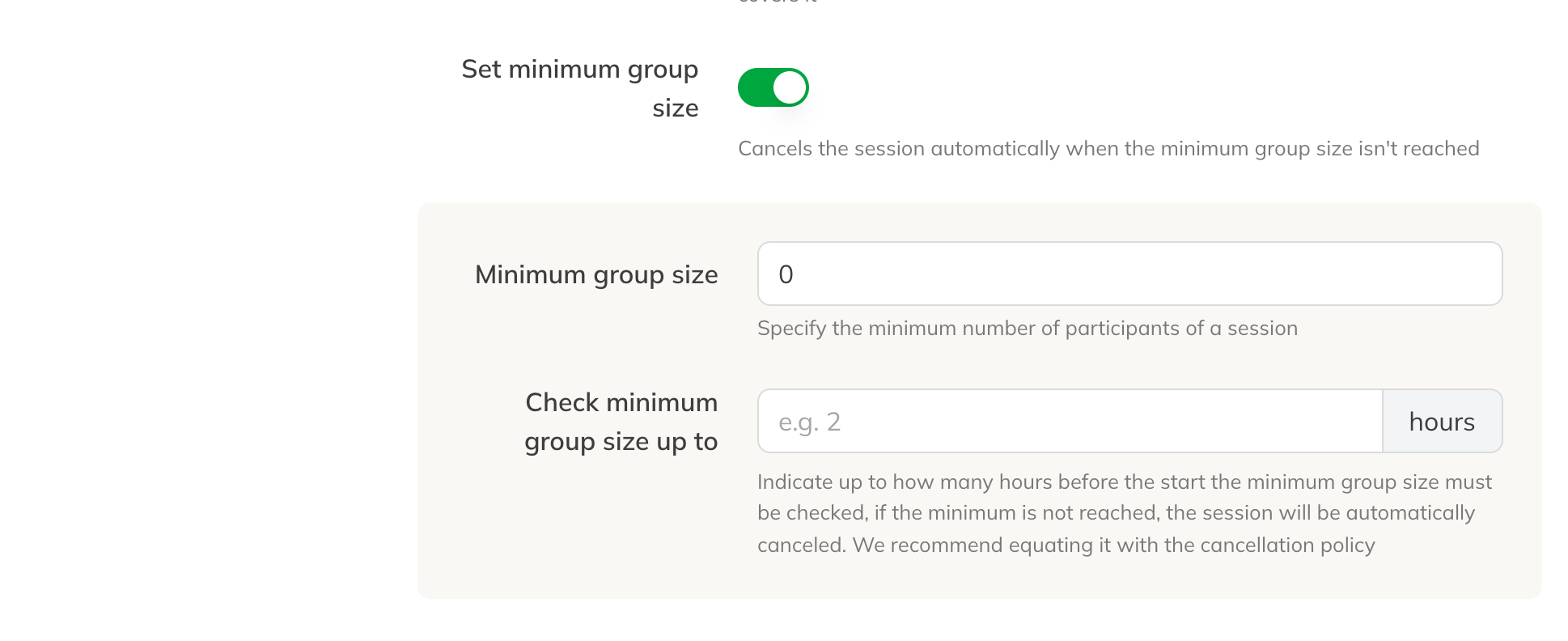
Setting the minimum group size
What happens
- At the set time, Trainin counts the participants. This happens once per session. If you leave the time empty, it's 2 hours before the start; the minimum is 1 hour.
- If there are fewer participants than the minimum, the session is cancelled.
- Participants get their credits back and an email that the session has been cancelled.
- Your team gets a notification that the session was cancelled because the minimum group size wasn't reached.
- If someone books after the check, nothing changes anymore: the session goes ahead.
Tip: Set the check to the same time as your cancellation deadline. Then nobody can cancel free of charge after the check, and the group stays as it is.
Note: A new minimum group size also applies to sessions already in the calendar.