With the Point of sale you sell retail items, bar products and credits at the front desk. The point of sale is included in the Pro and Premium plans.
- Go to Finances and choose New sale → Point of sale. You can also find the point of sale under the + at the top right.
- At the top, choose Retail / bar or Credits and click the products.
- Under Client details, choose a client, or Walk-in for someone without an account. You can't sell credits to a walk-in.
- Choose how they pay and click Confirm.
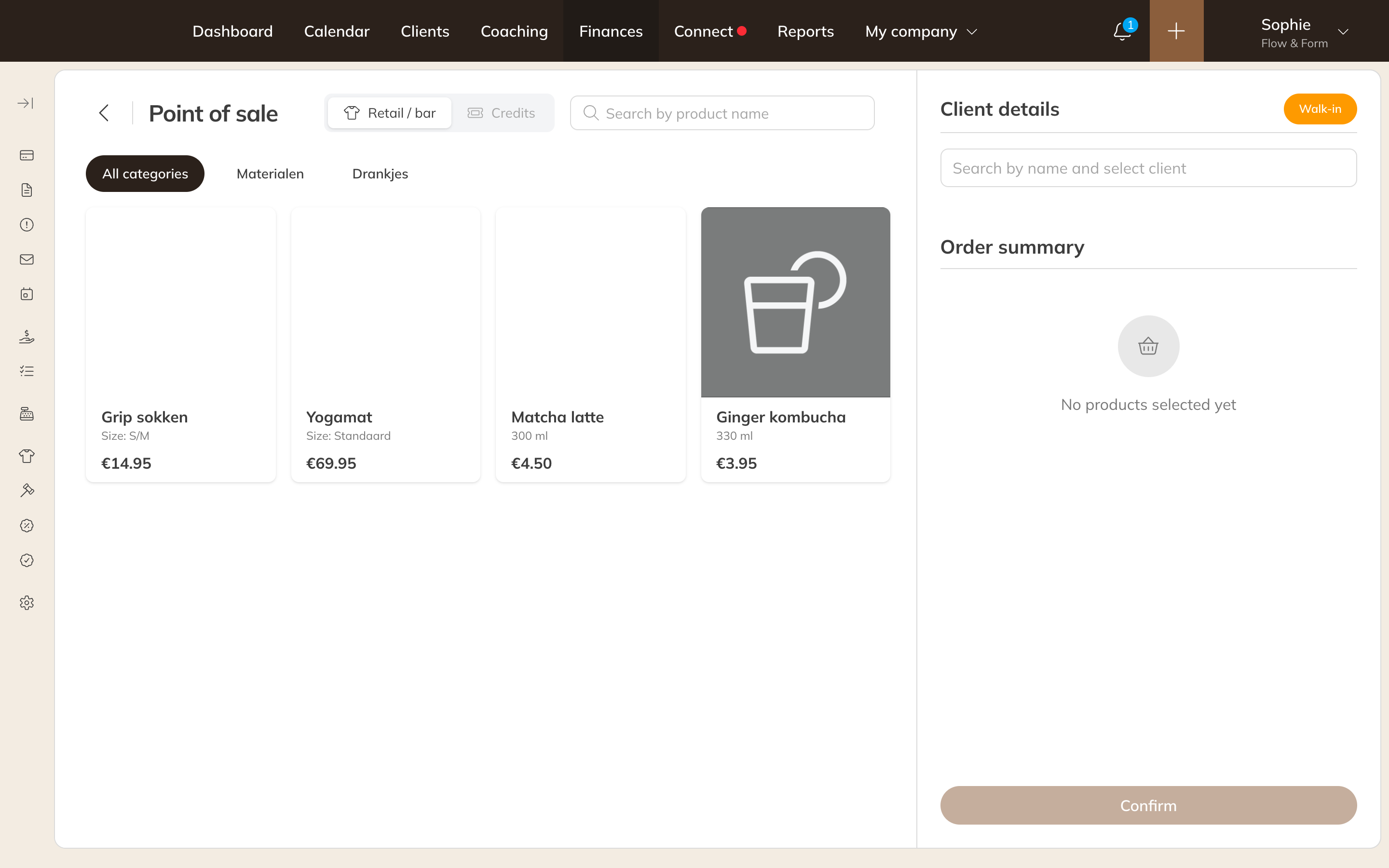
The point of sale
Payment methods at the point of sale
| Option | What happens |
|---|---|
| Cash or Card | The payment is recorded as paid straight away. Card is for a card reader that isn't connected to Trainin. |
| Pay with terminal | The amount is sent to your connected Mollie card terminal. As soon as the client has paid, the payment is marked as paid. |
| Payment link | The client gets a link to pay online later. |
| On account | Only for retail and bar products, if you allow it. They go to Products on account and you invoice them later. See Retail and bar products on account. |
Connecting a card terminal
Trainin works with Mollie card terminals. Contact Trainin support if you want to use a card terminal. Once the terminal is connected to your Mollie account, go to Payment settings and click Sync with Mollie. The terminal appears under Payment terminals.
You can also have an open payment paid with the terminal: open the payment and choose Pay with terminal.
Note: Is the confirmation of a card payment not coming through, even though you can see in Mollie that it was paid? Open the payment and choose Confirm payment.
Point of sale settings
Under Payment settings → Payment preferences you set:
- Retail and bar products on account via POS: Allowed or Not allowed (default).
- Client at the point of sale: Start with walk-in or Start without a client (default).
- Link sales to a location: see your revenue per location in your reports. You only see this option if that feature is turned on for your business.
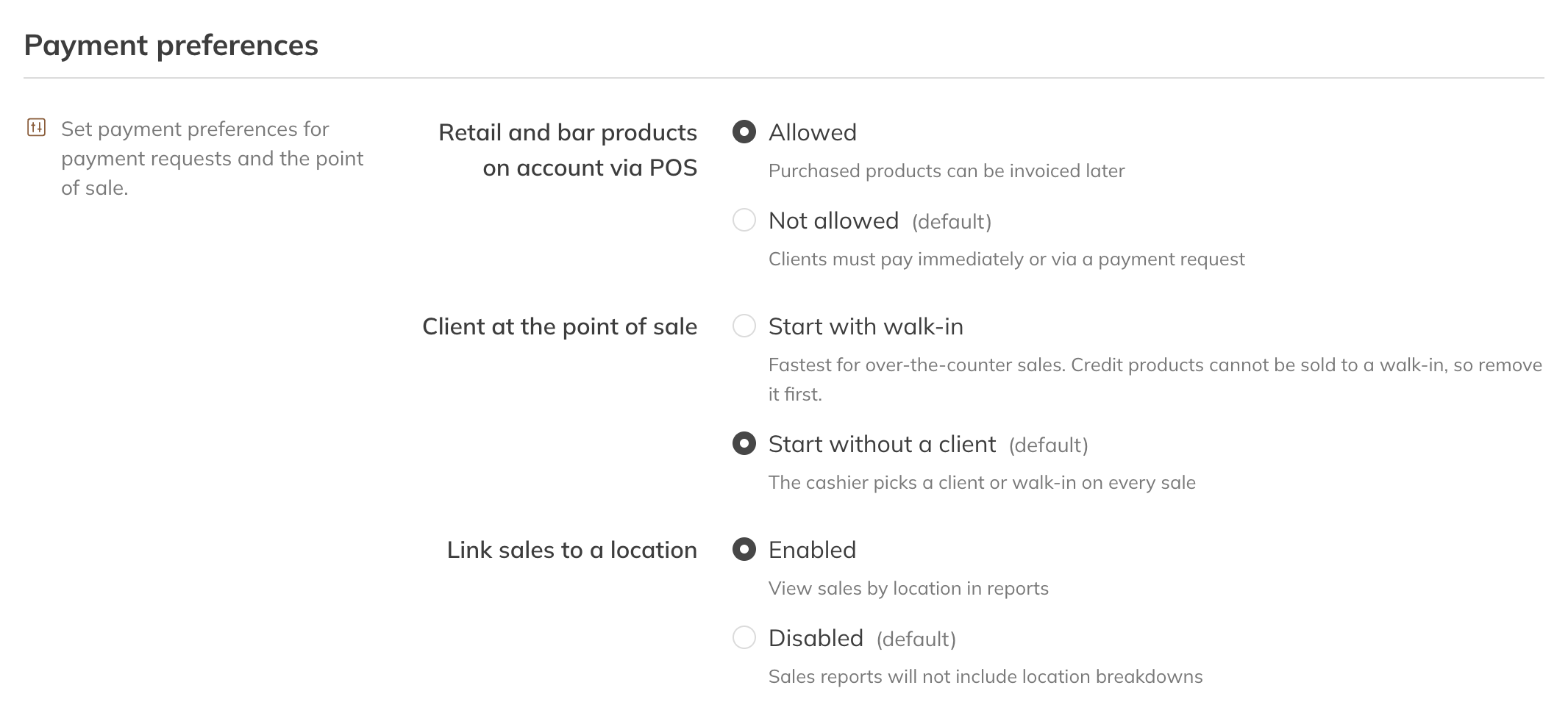
Payment preferences
Tip: You can find the transaction fees for the card terminal in Transaction fees.