With payment follow-up, Trainin follows up open payments step by step. You find it under Finances → Payment follow-up. This feature is in beta. If you don't see it, contact Trainin support.
Schemes
Under Schemes there is a scheme for each type of open payment:
- Unpaid invoice or payment request
- Unpaid invitation
- Recurring payment failed: a new attempt is possible
- Recurring payment reversed or refused
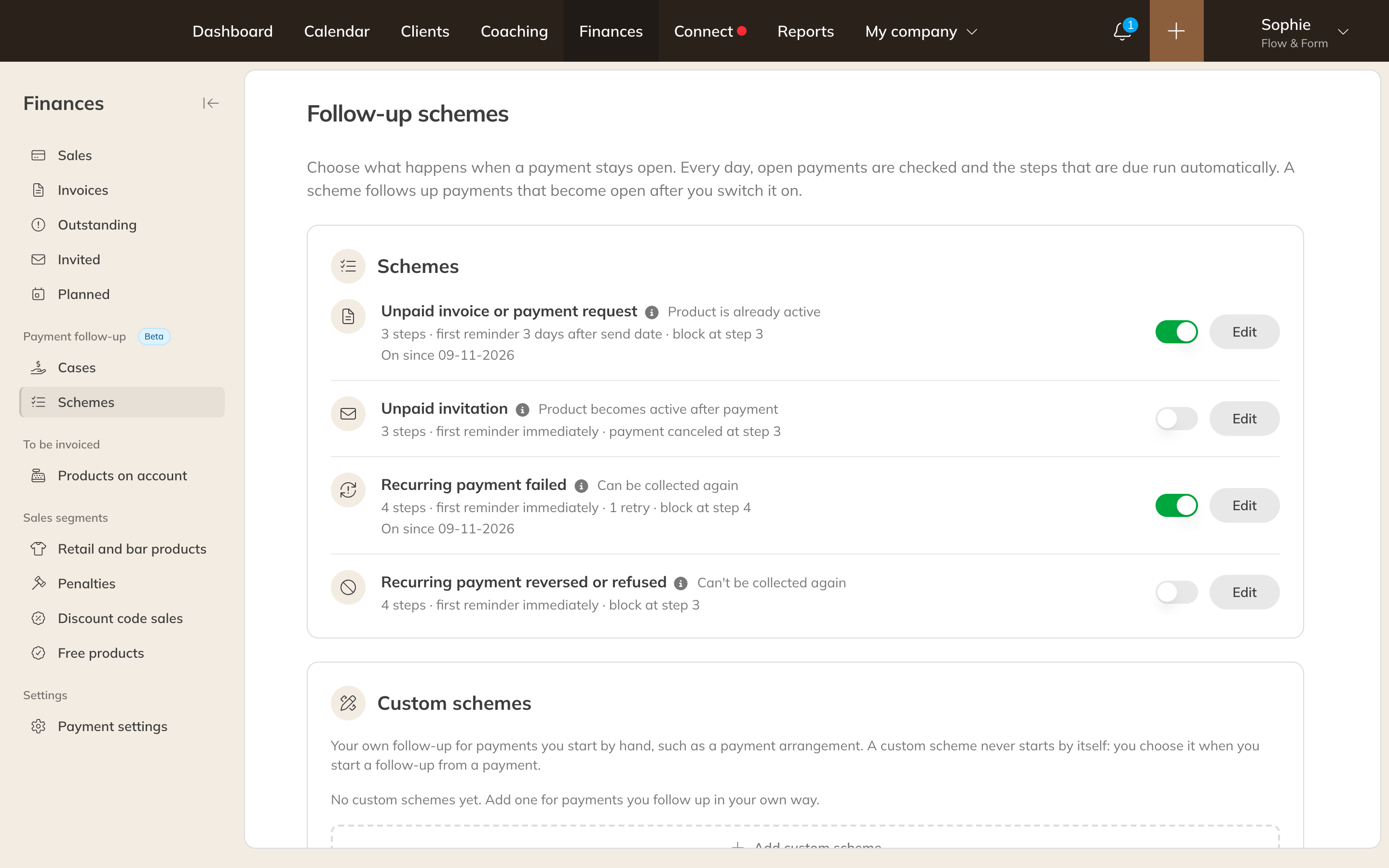
Follow-up schemes
Each scheme consists of steps. For each step you choose after how many days it follows and what happens: Send email, Retry recurring payment, Charge a collection fee, Block, Create a task for a staff member, Cancel payment or Stop follow-up. Use the toggle to turn a scheme on or off, and Edit to change the steps and emails.
- Every day, open payments are checked and the steps that are due are carried out, at the time you set.
- A scheme only follows payments that are open after you turned it on. You start older payments yourself from the payment.
- A direct debit can be retried at most twice in a scheme.
- Collection costs are only allowed after a free reminder and an email announcing the costs, and never above the maximum that applies in your country.
Note: Without the financial automation add-on (included in Premium, available separately on Pro), a scheme only carries out the first step, and that only sends a reminder email.
Cases
Under Cases you see per client what is being followed up: the scheme, the open amount, the next step and the status. Once payment is made, the case closes automatically.
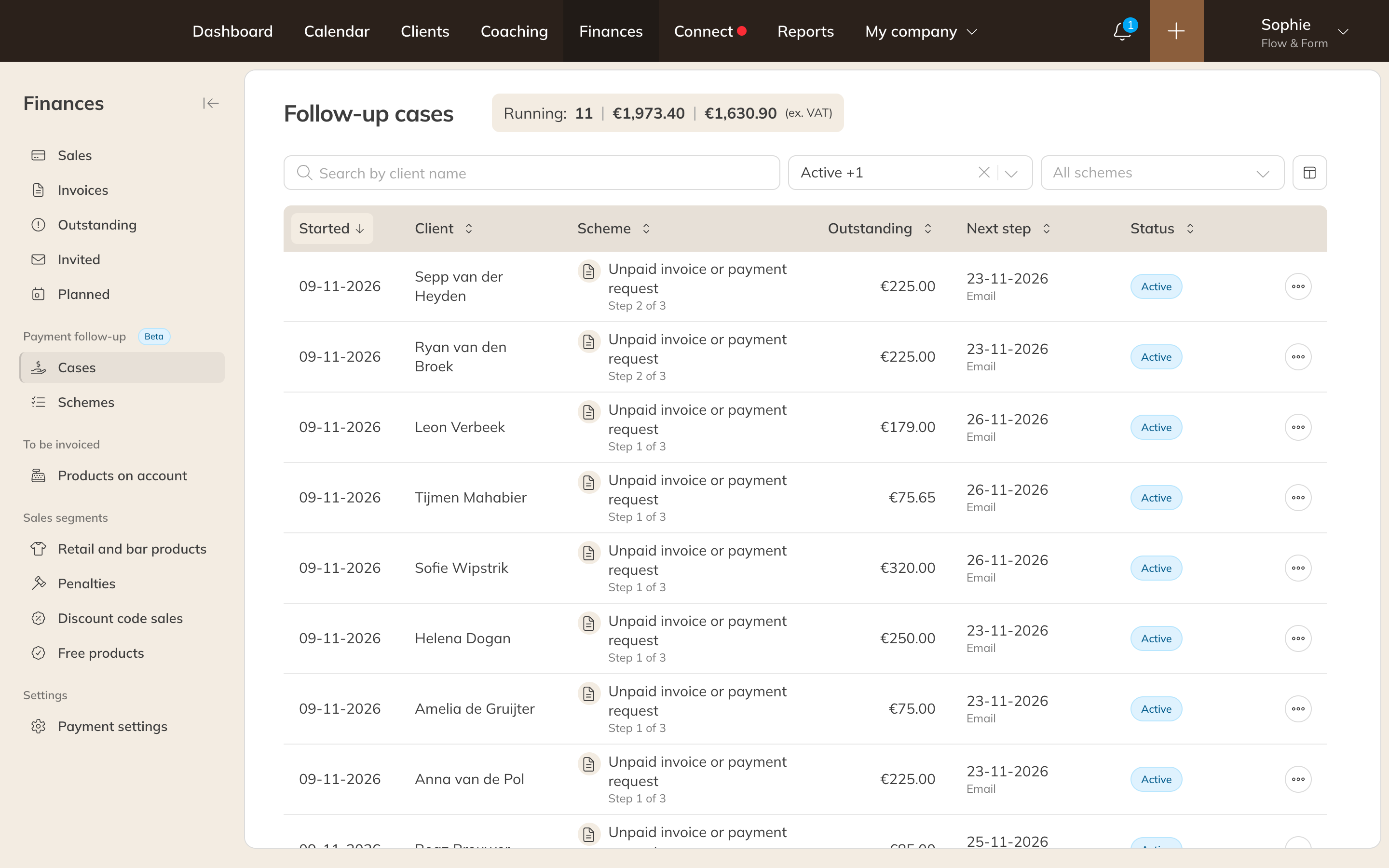
Follow-up cases