Under Finances you'll find your sales in lists:
| List | What's in it |
|---|---|
| Sales | All sales. |
| Invoices | Everything with an invoice number. |
| Open | What still needs to be paid. See Outstanding payments. |
| Invited | Assigned products the client still has to pay for. |
| Scheduled | Payments that are still to be sent. See Planned payments. |
| Draft | Drafts (pro forma). You only see this list if you have drafts. |
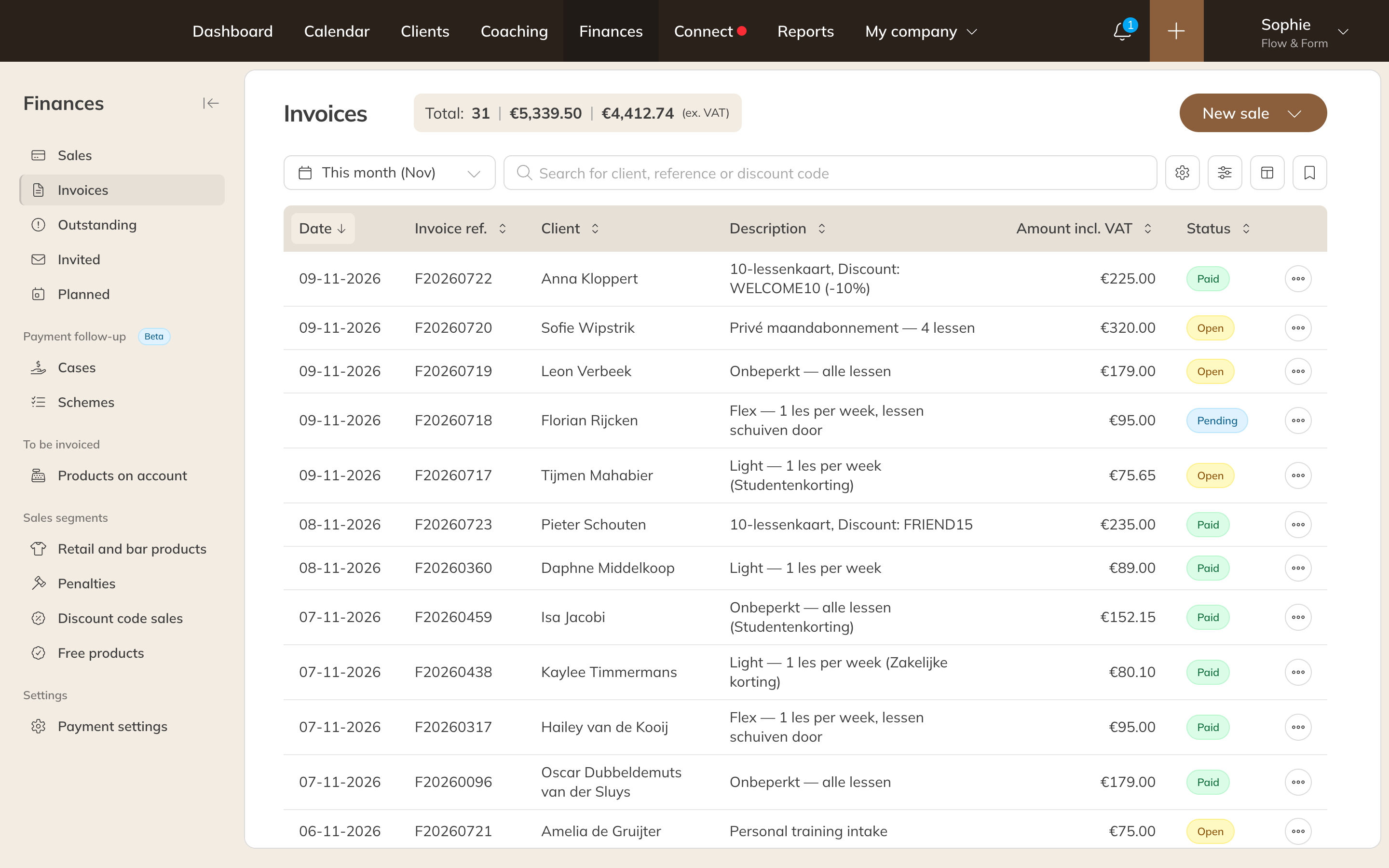
Invoices under Finances
Searching and filtering
- Choose a period at the top, for example This month.
- Search by client, reference (such as the invoice number) or discount code.
- With Filters you can filter by Status, Payment method, Order date, Paid at and Location, among others.
- Use the columns icon to choose which columns you see. If you use a filter often, save it as a view.
At the top you'll see the number of items and the total amount, including and excluding VAT.
Exporting
- Set the filters and the period you want to export.
- Click the gear icon (Actions) and choose an export.
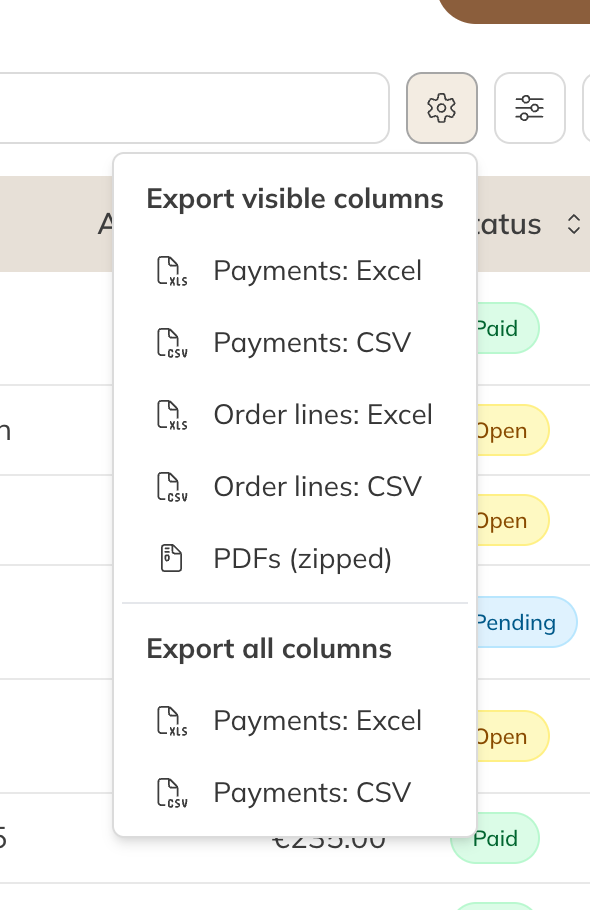
Exporting from Invoices
| Export | What you get |
|---|---|
| Payments: Excel / CSV | One row per payment. |
| Order lines: Excel / CSV | One row per invoice line. |
| PDFs (zipped) | All invoices in the list as separate PDF files in a zip file. Only in the Invoices list. |
Under Export visible columns you get the columns you currently see, under Export all columns you get everything.
Note: A zip of PDF files is created in the background. You'll get an alert as soon as it's ready to download.
Tip: Want to view or download a single invoice? Choose View invoice on the invoice.