How to Schedule the Next Planned Payment for a Membership
Estimated Reading Time: 2 minutes
Applies to: Pro and Premium
Quick Summary
Trainin automatically schedules Membership payments one period in advance based on the billing cycle. However, you can manually schedule the next planned payment if you need to modify or manage payments further in the future.
Why This Matters
Scheduling the next payment manually is helpful when you need to adjust upcoming payments ahead of time.
This allows you to change payment dates, modify billing periods, or remove future payments before they are automatically processed.
Step by Step Instructions
Step 1: Open the client profile: Customers > Select Customer > Profile
– Locate the client whose Membership payment you want to manage.
Step 2: Open the Membership product: Customers > Select Customer > Products > Select Membership to edit > Payment
– Select the active Membership assigned to the client.
– Scroll down to the payments overview connected to the Membership.
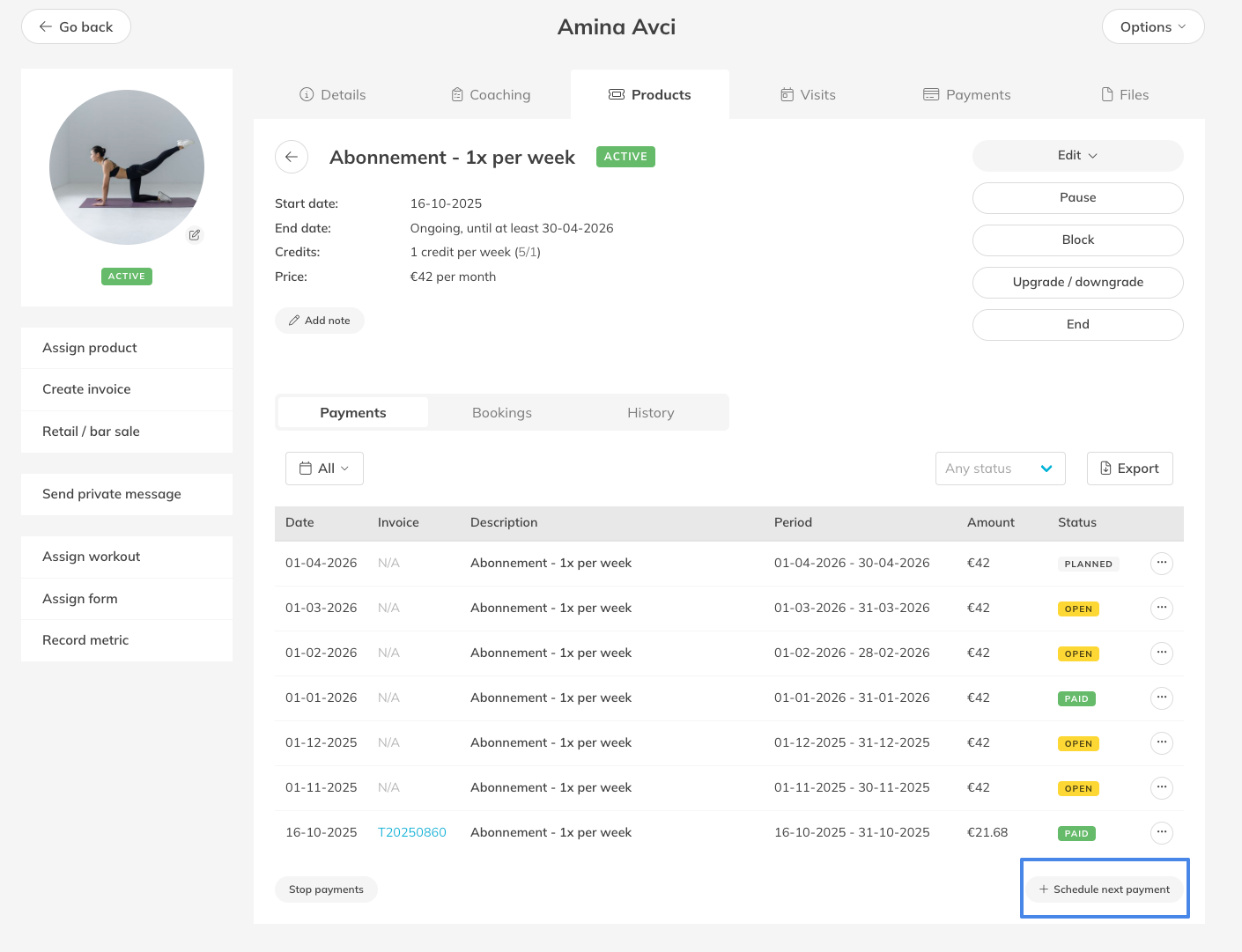
Step 4: Schedule the next payment: Schedule Next Payment Button
– A new planned payment will be created automatically. The payment date is calculated based on the end date of the previous payment period and the configured Direct Debit settings.
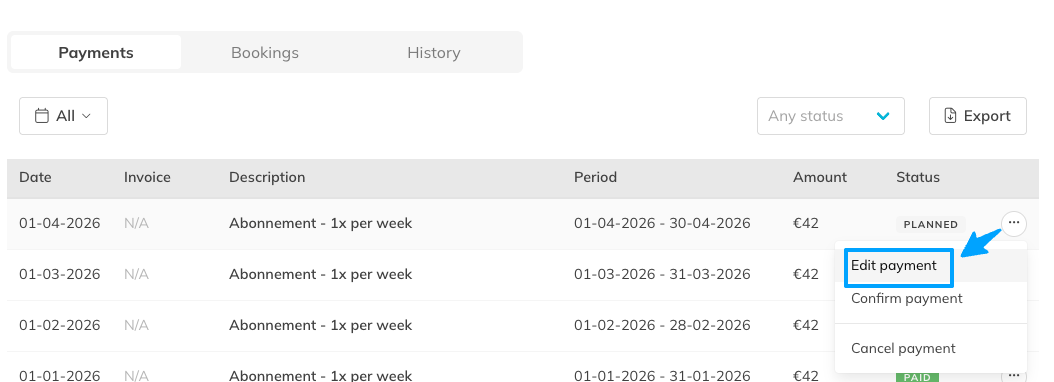
Step 5: Modify the new payment if needed: Options(3 dots next to the payment) > Edit Payment
– If you need to adjust the payment date or billing period, you can edit the planned payment after it has been created. Please note that the end date of the order period determines the date of the next payment.
Best Practice
Only schedule additional payments manually when you need to adjust payments far in advance. In most cases, payments are generated automatically.
Pro Tips
Membership payments are always automatically scheduled one billing period in advance.
The payment date is based on the end date of the previous billing period or based on your payment preferences (My Company > Settings > Payment setting)
Editing the payment allows you to adjust the payment date or billing period if required.
Manual scheduling is useful when planning or correcting payments far in the future.
Common Questions
Do I need to schedule the next payment manually every time?
- No. Payments are automatically scheduled one period in advance, so manual scheduling is usually not necessary.
Why would I create a payment manually?
- This can be useful if you want to modify or remove payments that occur further in the future.
Can I change the payment after creating it?
- Yes. After creating the planned payment, you can edit it to adjust the payment date or billing period.
Manually scheduling payments gives you more control over future billing when adjustments are needed.
Related Articles
– How to Edit a Planned Payment (Order)
– How to Modify the Price of a Customer’s Assigned Membership
– How to process a manual payment
– How to track outstanding Debts and unpaid Orders