How to Review Financial Insights Using Reports
Estimated Reading Time: 3 minutes
Applies to: Pro & Premium
Quick Summary
The Reporting section in Trainin provides financial insights that help you understand your sales performance. You can review revenue per Product, track payment statuses, and analyze sales trends over a selected timeframe.
Why This Matters
Monitoring financial performance helps you understand which products generate the most revenue and identify unpaid or pending payments. These insights allow you to optimize your product strategy and maintain a clear overview of your business performance.
Step by Step Approach
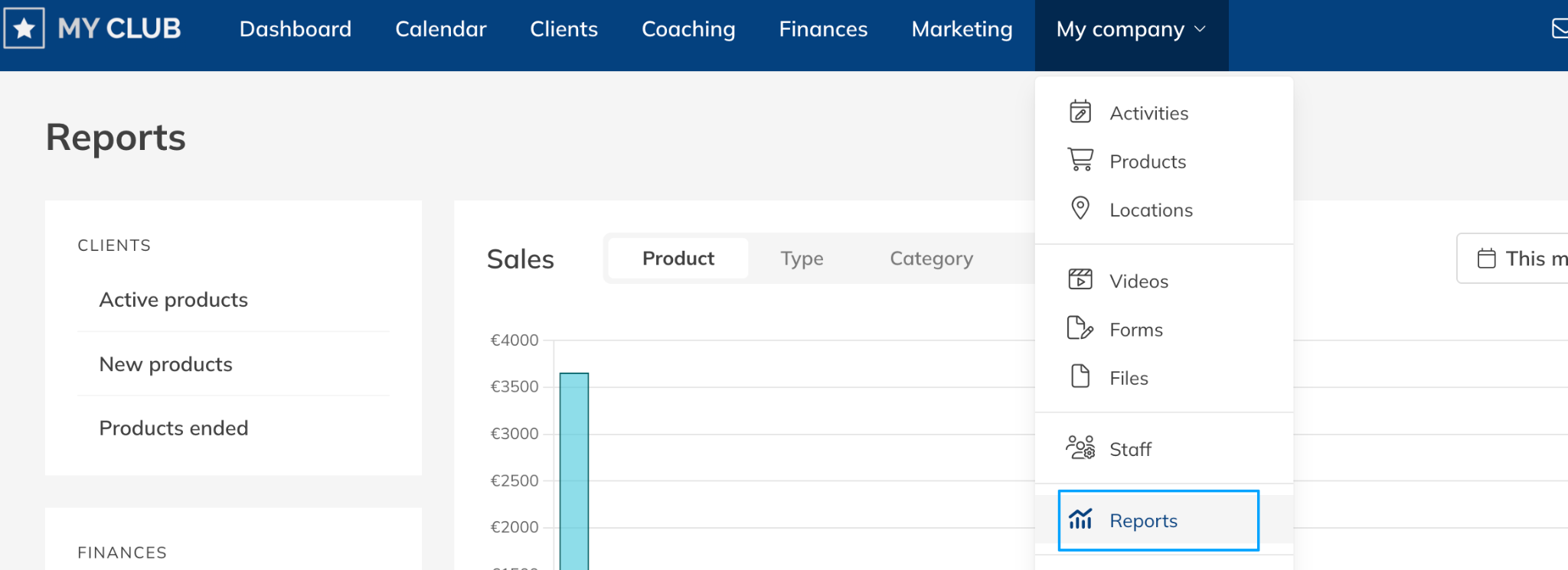
Step 1: Open the financial reports: Go to My Company > Reports > Finances > Sales
– This report shows financial performance based on your selected filters.
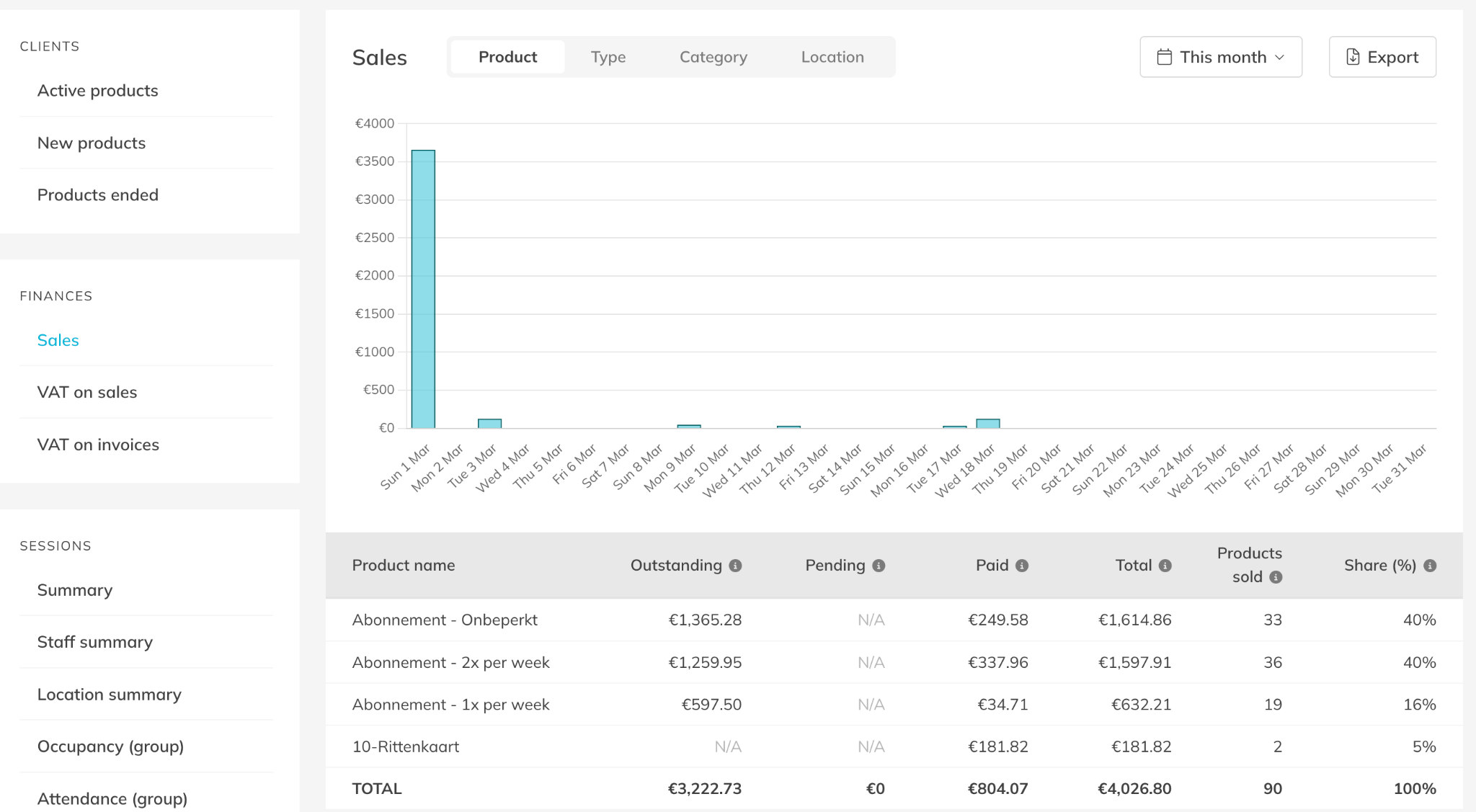
Step 2: Analyze revenue by product: Select the Product tab
– This view shows revenue per Product, including how many products were sold and their share of total sales.
Step 3: Review payment statuses: Check the columns Outstanding, Pending, and Paid
– These columns show which orders are unpaid, still processing, or successfully completed.
Step 4: Adjust the reporting period: Use the date filter at the top of the report
– You can analyze financial performance for a specific period such as a week, month, or custom timeframe.
Step 5: Export the financial data if needed: Click Export
–This allows you to download the report and use it for further analysis or accounting.
Best Practice
Review your financial reports regularly to monitor product performance and quickly identify unpaid or pending payments.
Review unpaid orders in Finances > Open
Export financial data in Finances > Sales
Monitor product performance in Reporting > Clients
Pro Tips
Use the Product view to understand which products generate the highest revenue.
Combine this report with Finances > Open to follow up on unpaid orders.
Export reports regularly to maintain a clear overview of your financial performance over time.
Common Questions
What information does the Sales report show?
– The report shows revenue per Product, the number of products sold, and payment statuses such as Outstanding, Pending, and Paid.
Can I analyze sales performance over time?
– Yes. You can adjust the date filter to analyze financial performance for different periods.
Can I export the financial reports?
– Yes. You can export the data directly from the report using the Export button.
– How to track outstanding Debts and unpaid Orders
– How to export Financial Reports for accounting