How to Automatically Connect Trainin to Other Apps (Mailchimp, Exact, and More)
Estimated Reading Time: 10 minutes
Applies to: Pro & Premium
Quick Summary
Trainin webhook integration allows you to pass real-time information from Trainin to other applications.
Webhooks allow Trainin to 'talk' to your other apps in real-time, instantly triggering actions the moment a customer joins a membership or makes a booking. This lets you automate custom workflows outside of Trainin, like syncing data with Exact for bookkeeping or launching automated email sequences in MailChimp and HubSpot.
Why This Matters
Manual work costs time and increases the risk of errors. By connecting Trainin to your external tools, you automate workflows and keep your business running smoothly without extra admin work.
NOTE: We recommend sharing this page with your web developer or someone technical in your team. You can also contact one of our Dutch partners (like BackBoost or HeyNow) in order to request a quote for automations. More information can be found at the bottom of this article.
How to implement Webhooks?
A tool that is often used for this purpose is Zapier. Through Zapier, you can pass information from Trainin to other software using workflows (called Zaps). This is further explained in article 3. Another commonly used tool is Make.
1. Options
At the moment, we can pass real-time information from the following action:
client
The client webhook sends data when a client is created, modified, or deleted, allowing you to execute additional processes (workflows) in another application.
When an event occurs, the following data is sent:
Client: client data, including name, address, email address, phone number, company details, and newsletter subscription status.
Group (optional): to which group(s) the client is or will be linked.
Trainer (optional): to which trainer(s) the client is or will be linked.
Location (optional): to which location(s) the client is or will be linked. This info can only be provided in a Premium account.
Company: name, reference, and domain of your company (useful for multiple locations).
order
The order webhook sends data when an order (payment) is marked as paid and when a paid order is modified, allowing you to execute additional processes (workflows) in another application.
When an event occurs, the following data is sent:
Order (payment): payment details including reference, name, amount, and VAT. Free orders are also passed on, such as a free trial lesson.
Product: product details including name, credits, rate, and trial product status.
Client: client data, including name, address, email address, and phone number.
Booking (if applicable): booking details if a booking is made.
Company: name, reference, and domain of your company (useful for multiple locations).
booking_presence
The booking_presence webhook sends data when a booking is marked as present or absent, allowing you to execute additional processes (workflows) in another application.
When an event occurs, the following data is sent:
Booking: booking details, including time, session name, and location.
Client: client data, including name, address, email address, and phone number.
Company: name, reference, and domain of your company (useful for multiple locations).
2. Adding & Setting Up a Webhook
If you have a Pro account, you can add a webhook URL to your account via My Company > Integrations > Webhooks.
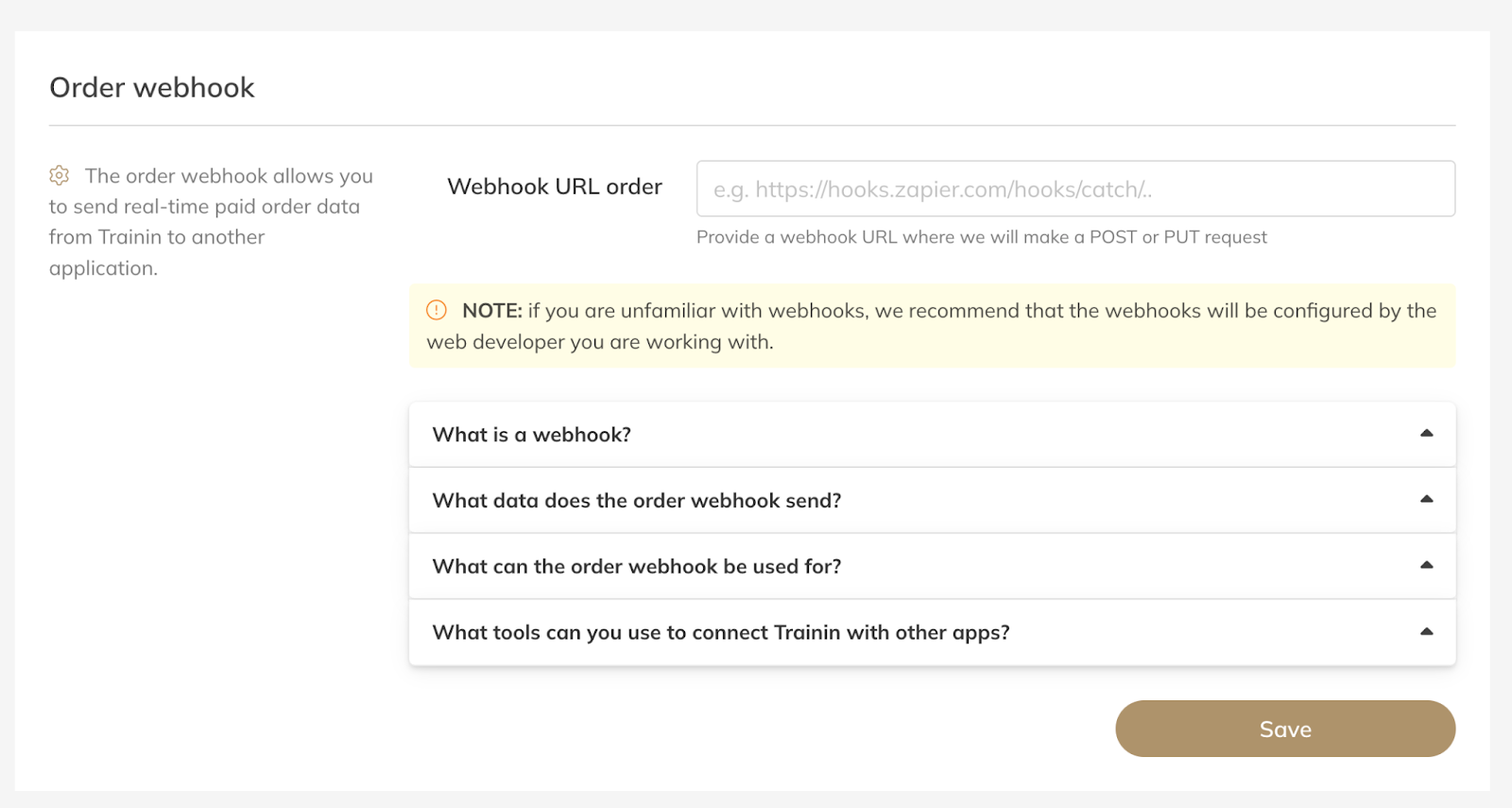
3. Creating a Webhook URL via Zapier
Zapier is often used to connect other software, such as MailChimp or ActiveCampaign, to Trainin via webhooks. Note: to create connections via webhooks, you will need a paid Zapier account.
Here are the steps you can follow to create a webhook URL via Zapier:
Create a Zapier account
Click on "Make a zap"
As Trigger, select Webhook
Select "Catch hook" at Trigger Event and then click Continue
Copy the Custom Webhook URL, which starts with https://hooks.zapier.com/hooks/catch/..
Provide the Webhook URL to Trainin
For more information on using webhooks via Zapier, see the link below: https://zapier.com/page/webhooks/
Also via Make you can pass information from Trainin to other software using workflows. Make provides many templates that you can use to connect Trainin to other applications through webhooks.
4. Partners
We are happy to help in case you would like to have assistance with the setup of webhooks and/or automations. However, we do have partners specialized in these automations.
They are offering (separate to Trainin) special services in order to help you with automations. Please note they are working independently from Trainin and they charge their own costs.
BackBoost - https://backboost.nl/trainin-automatisering
Tim is helping to automate and offer:
WhatsApp automations
Data & reporting
E-mailing & automation
HeyNow - https://koppelingen.heynow.nl/
Remco is helping to automate and offer:
Integration with administration tools like MoneyBird, E-Boekhouden, Exact
E-mail marketing like MailerLite, MailChimp & ActiveCampaign
Access Control like Bold