Why can’t my client see activities in the agenda?
Estimated Reading Time: 3 minutes
Applies to: All plans
Quick Summary
If clients cannot see activities in the agenda, it is usually caused by missing links between Activities, Products, and the Schedule, or because the Schedule is not published or correctly configured.
Why This Matters
If activities are not visible, clients cannot book sessions, which directly impacts your revenue and client experience.
Ensuring correct setup guarantees that your sessions are bookable and accessible at all times.
Step by Step Instructions
Step 1: Check if the Schedule is published or visible for your customers: My Company > Settings > Schedule
– Make sure your Schedule is enabled.
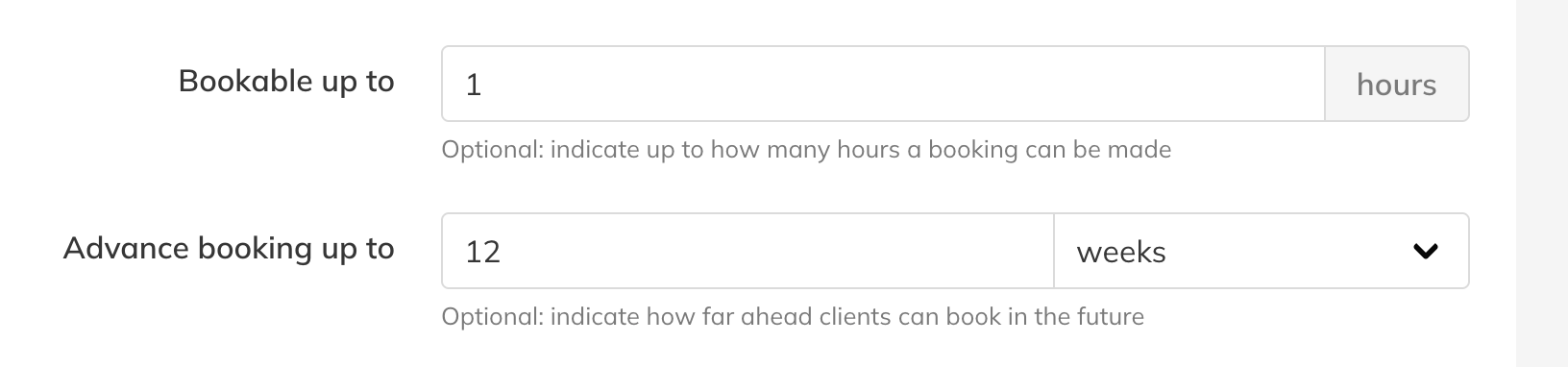
Step 2: Confirm the “advanced booking up too” for all activities : My Company > Activities > Select Activity to edit.
– Review and adjust when needed to indicate how far ahead clients can book in the future. If an Activity is only bookable 1 week ahead, customers will only see the calendar for one week.
Step 3: Verify that Activities have been added to the calendar: Calendar
– Ensure Activities/ sessions are actually placed in the Schedule. Creating an Activity alone is not enough; it must be scheduled in a time slot.
Step 4: Check Product linkage: Go to Activities > Select Activity > Linked Products
– Make sure each Activity is connected to a Membership or Credit Pack. Without this, depending on your setup, clients will not not see activities.
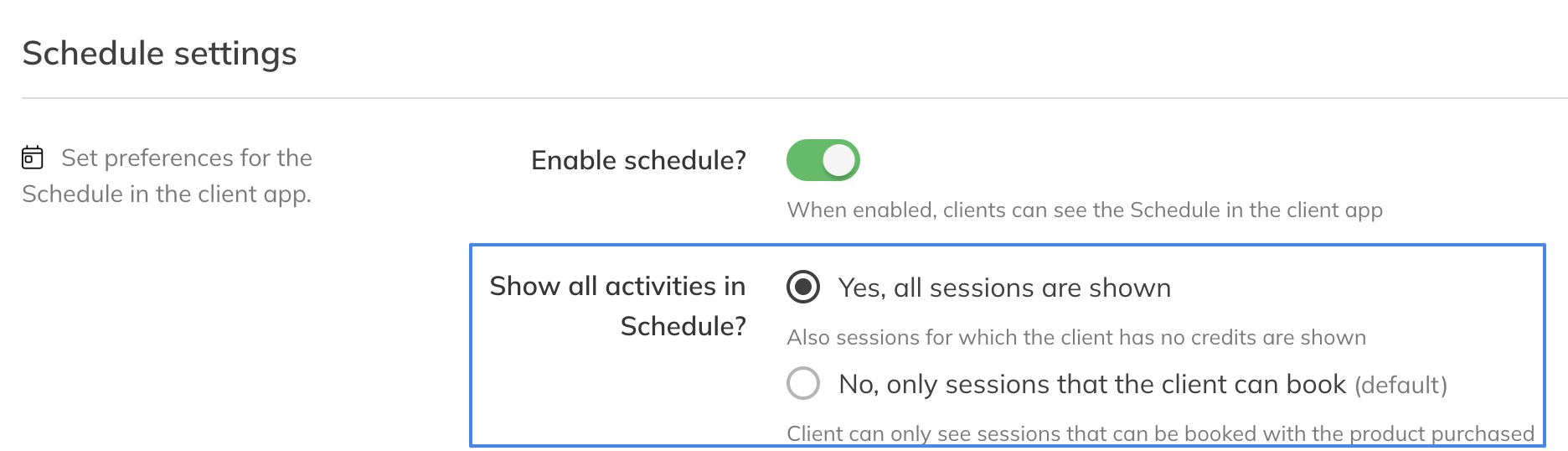
Step 5: Review your Schedule preferences: My Company > Settings > Schedule
Decide if you wish to display all activities or only those a customer can book with their product.
Step 6: Verify client has an active Product: Go to Clients > Client Profile > Products
– Confirm the client has an active Membership or Credit Pack that is linked to the Activity.
Best Practice
Always create your Product structure before publishing your Schedule
Always link every Activity to a Membership or Credit Pack
Always test your Schedule as a client before going live
Pro Tips
Use a test client account to verify visibility issues quickly
Keep Activity names clear so clients immediately recognize what they can book
Review your Schedule after any changes to Products or Activities
Common Questions
Why can I see the activity but my client cannot?
– This usually means the client does not have the correct Membership or Credit Pack linked to that Activity.
Do Activities appear automatically after creating them?
– No. Activities must be added to the Schedule and the Schedule must be published.
Can a client see an Activity without a Product?
– No. Access is always controlled through a Membership or Credit Pack.
Why is my Schedule empty for all clients?
– This typically means the Schedule is not published or no Activities are scheduled.