You'll find the calendar in the menu under Calendar. It shows all your company's sessions, items and tasks, or just your own.
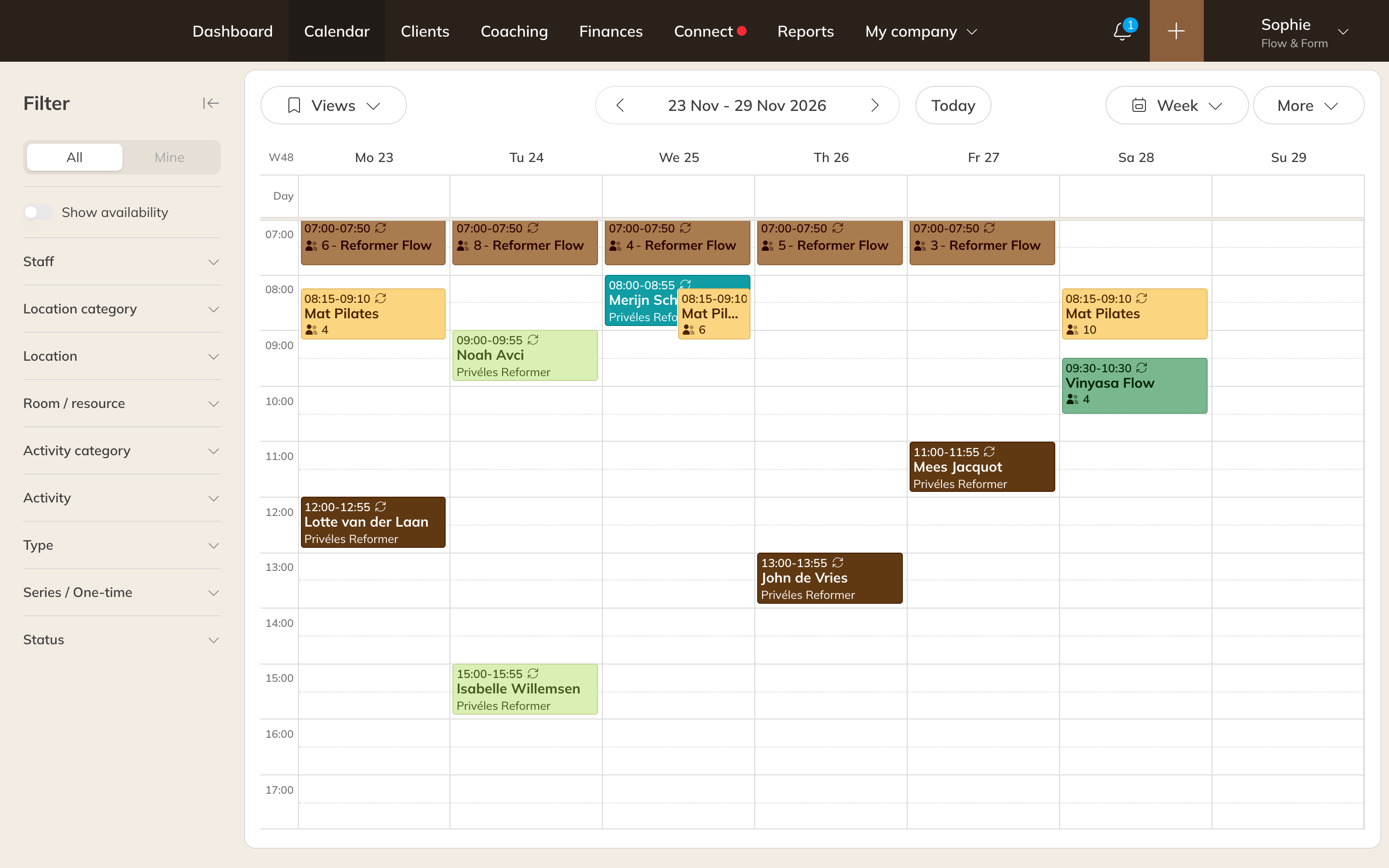
The calendar in week view
Choosing a different view
At the top, choose the view you want:
- Day, 3 days, Week or Month
- List: all sessions of a week, one below the other
- One day in columns per Staff, Locations or per room or resource (Pro and Premium)
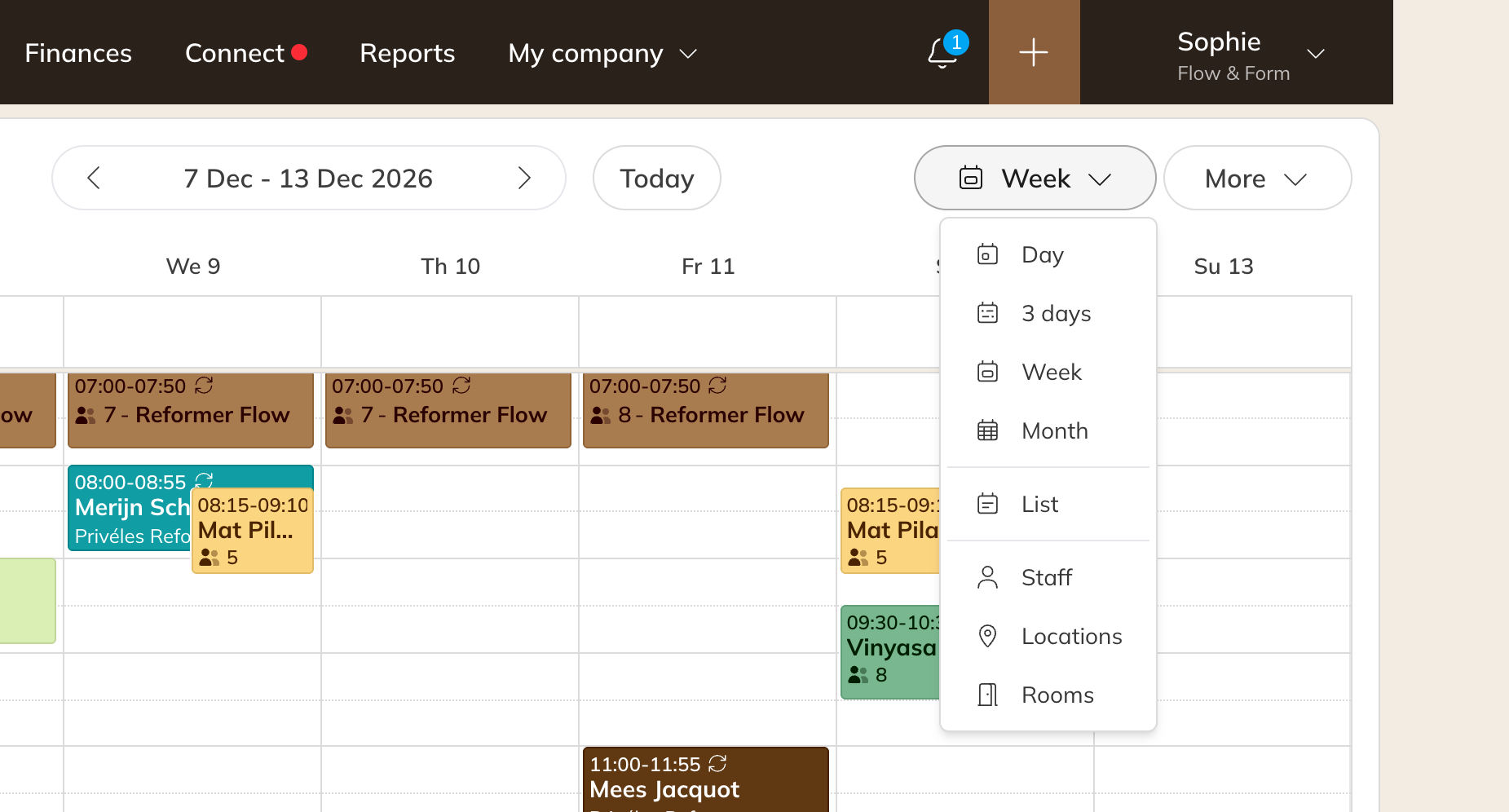
The view menu
Today takes you back to today. With All and Mine you switch between everyone's calendar and only your own sessions.
Filtering
On a computer, the filters are to the left of the calendar; use the arrow at the top to collapse them. On your phone, tap the filter icon at the top left. You can filter by:
- Staff, location (category), room and activity (category)
- Type: sessions, items or tasks
- Series / One-time
- Status, for example Scheduled - No participants or Scheduled - Waiting list
Use a filter often? Choose Save current view and give the view a name. You'll find it again under Saved views.
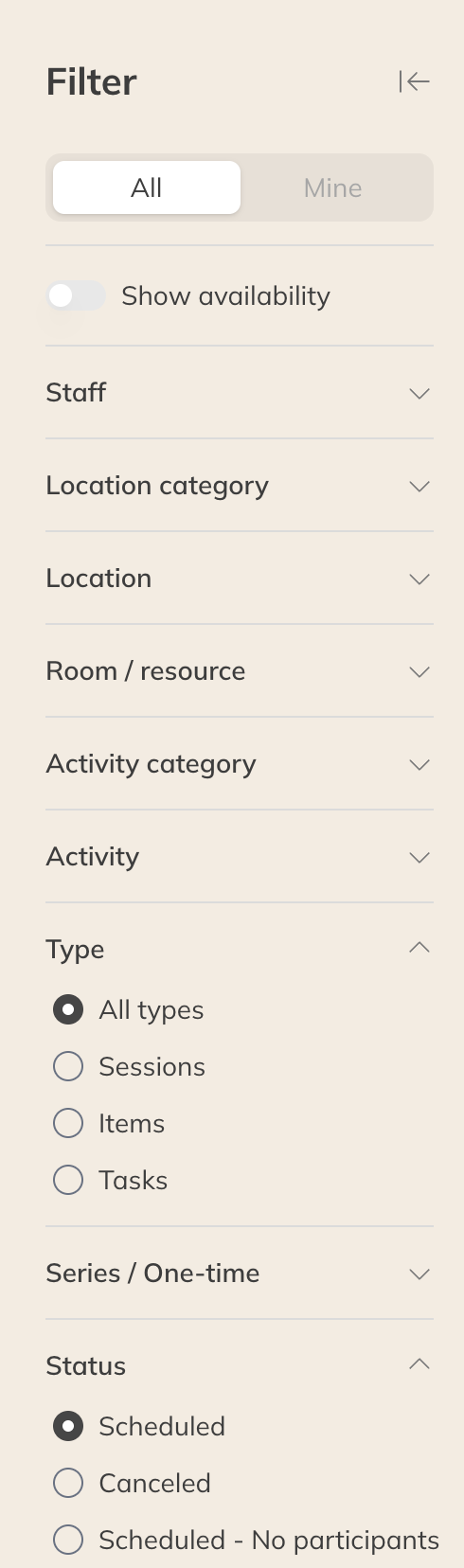
Filtering the calendar
Note: Your view and filters are remembered in your browser. On another computer or phone you start again with your default view.
Your calendar settings
Under More → Your calendar settings you set how the calendar looks for you. This only applies to you, not to your colleagues.
- Default desktop view and Default mobile view: what you see when you open the calendar
- Color: the color of your private sessions and items. It takes priority over the activity color
- Default activity: selected in advance when you schedule a session
- Calendar zoom, Slot duration (10 to 60 minutes) and Month view (compact or large)
- Open calendar on: the date you last viewed, or today
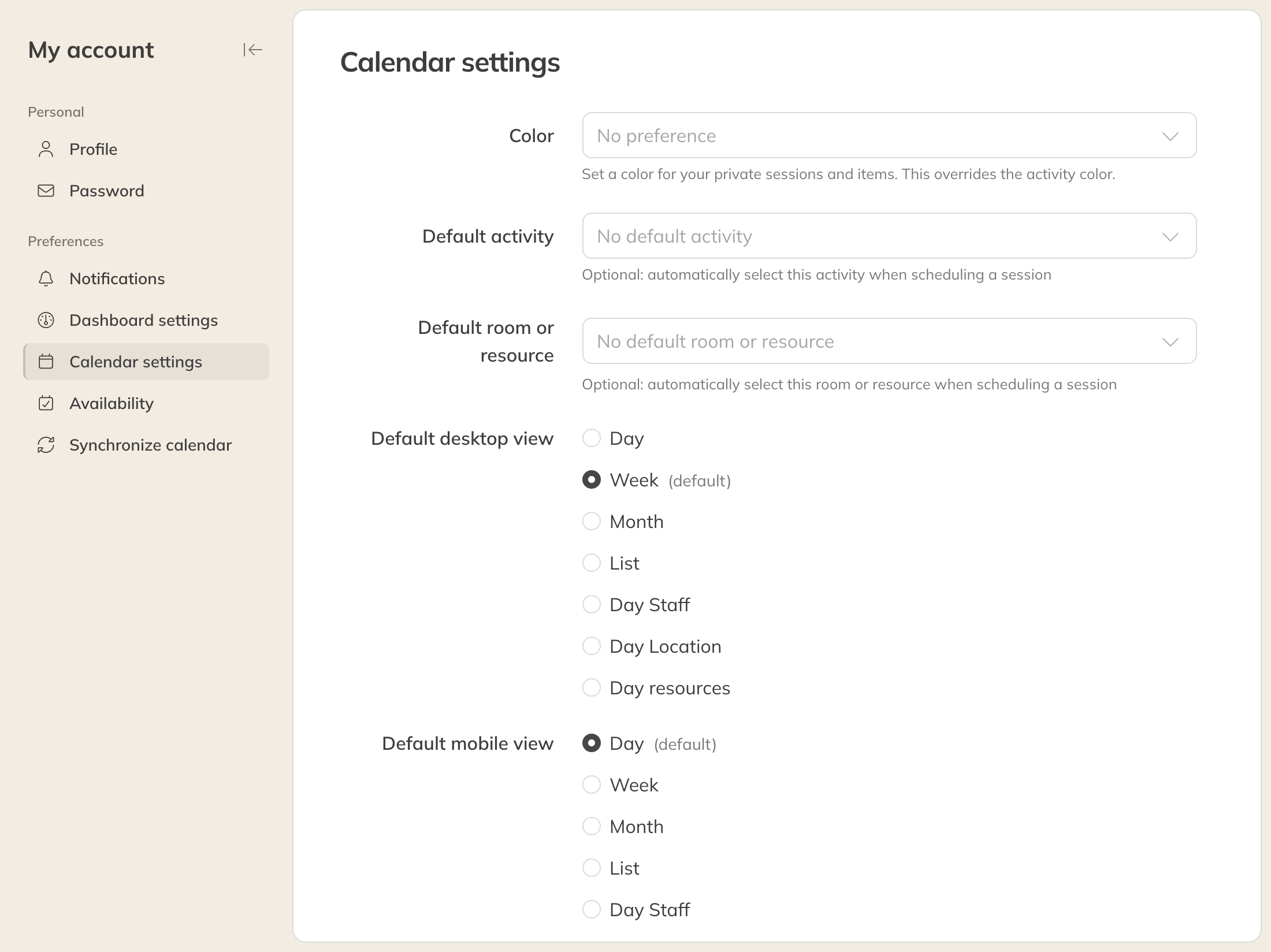
Your calendar settings
Tip: The color applies to your private sessions and items. Group classes keep the activity color, unless your company chooses the instructor's color in the calendar settings.