You can solve most login problems in the client's profile, using the More button.
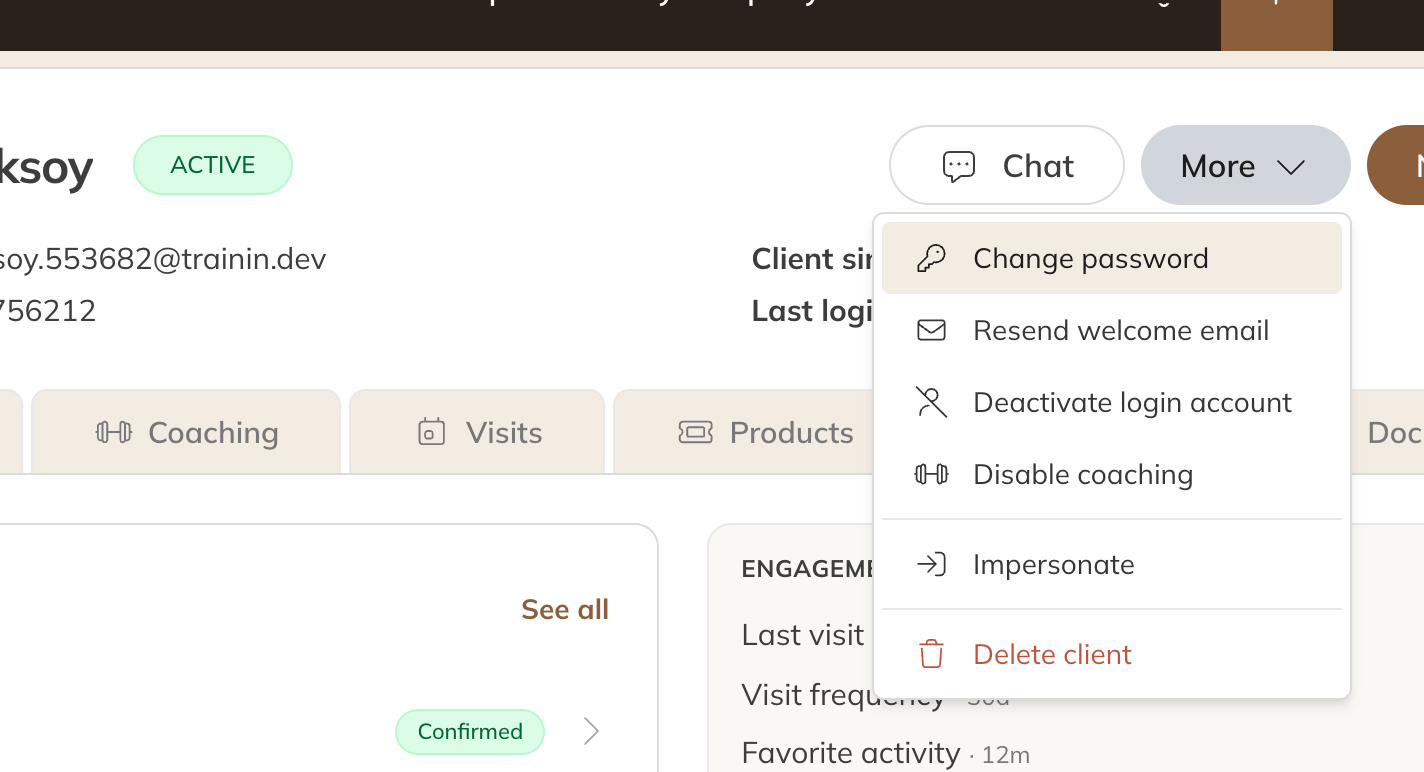
The More menu in a client's profile
Check this first
| What you see | Cause | Solution |
|---|---|---|
| The client has forgotten their password. | Forgotten password. | The client taps Forgot your password? on the login screen, or you send a reset link (see below). |
| The client never set a password. | The welcome email wasn't used or has been lost. | Choose More → Resend welcome email. The client gets a new link to set a password. |
| The email address is wrong. | The client is logging in with a different address from the one in Trainin. | Check the email address on the Details tab; the email address is the username. |
| The More menu shows Create login account instead of Deactivate login account. | The client has no login account, or it has been deactivated. The client then can't log in or reset their password themselves. | Choose Create login account. The client's profile, products and bookings are kept as they are. |
| It's a child or other family member. | Family members don't have their own login. | Have the parent log in, or create a separate client. See Family accounts. |
Giving a reset link or password yourself
- Open the client and choose More → Change password.
- At Password reset link, click Generate and share the link with the client. A new link makes earlier links invalid, including one the client requested themselves.
- Or enter a New password yourself. It must be at least 8 characters, with upper and lower case letters and a number.
Tip: Use More → Impersonate to see the app the way the client sees it. Handy for checking that a product or booking is set up correctly.
Still not working?
If the problem is the client's phone or browser, this usually helps:
- Log out, close the app or browser completely and open it again.
- Update the phone and browser to the latest version.
- Clear the browser's website data (cache and cookies). On an iPhone: Settings → Apps → Safari → Advanced → Website Data. On Android: Chrome's settings, under storage.