Clients can end an ongoing membership themselves, or withdraw from an online purchase within 14 days. They do this on the Products page in the Client app. The 14-day right of withdrawal is European law.
Switching it on
- Go to your business's Settings and under Preferences choose Clients.
- In the Products block, set Withdraw from contract and End membership online to Enabled or Disabled.
- Click Save.
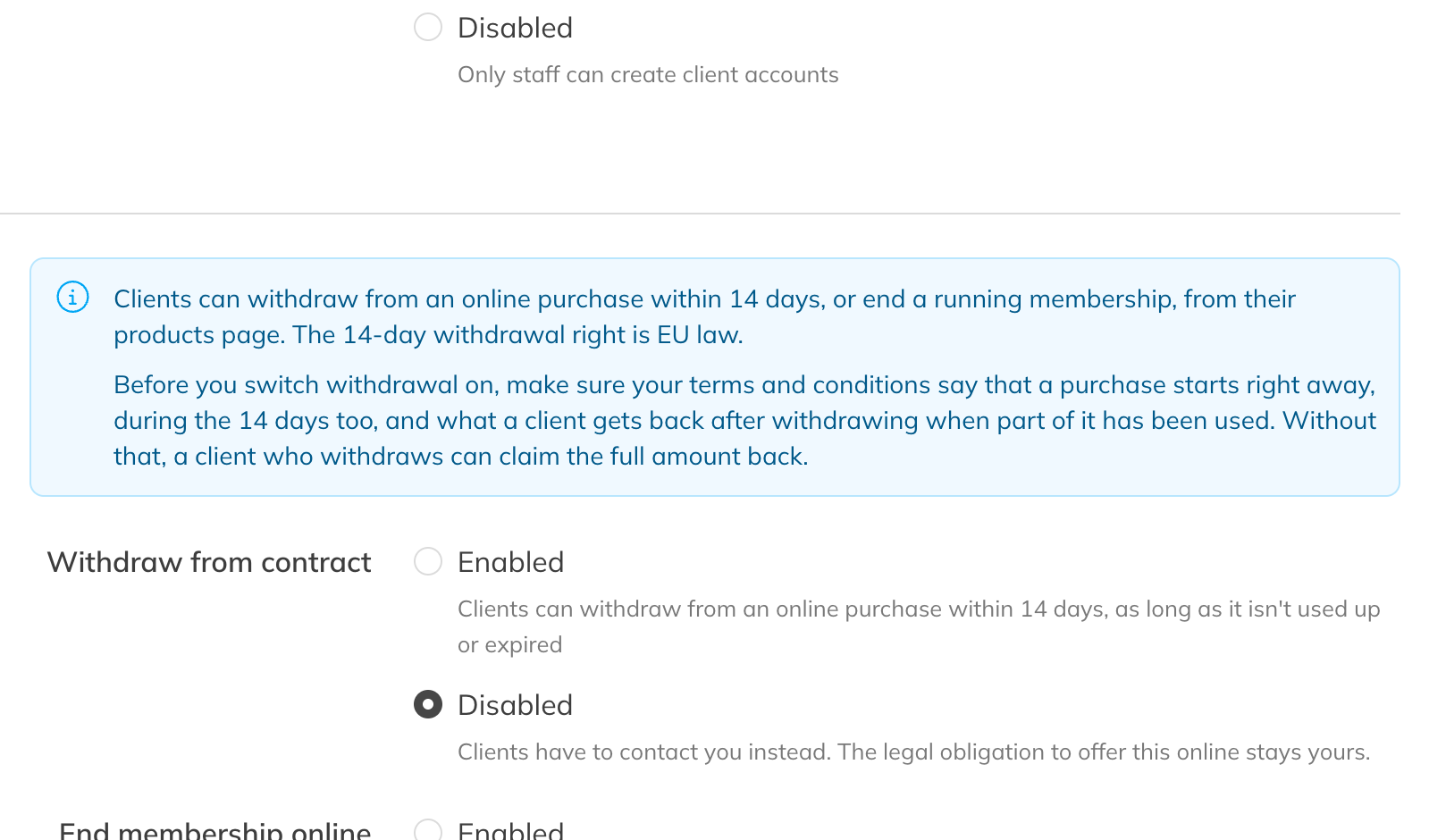
Withdrawal and ending online in the client settings
If an option is off, clients have to contact you. The legal obligation to offer this online remains yours. A membership taken out online must also be possible to cancel online.
Note: If you switch on withdrawal, make sure your terms and conditions state that a purchase starts immediately, including during the 14-day cooling-off period, and what a client gets back if part of it has already been used. If that isn't stated, a client who withdraws can ask for the full amount back.
Withdrawing from a purchase
For a product the client may withdraw from, the app shows the Withdraw from contract button. This is possible if:
- the client bought and paid for the product online themselves, in the shop or through a payment link you sent;
- a price was paid (a membership with a free first period also counts, because the client commits to paid periods);
- it's within 14 days of the payment. The day of purchase doesn't count. If the 14th day falls on a weekend, the period runs up to and including the Monday;
- the product is still running and hasn't already been ended, cancelled or fully credited.
The client confirms with Confirm withdrawal. After that:
- the product stops immediately and upcoming bookings are cancelled;
- the client and your business get an email. It's always sent, whatever the notification settings;
- you'll see the notice The client withdrew from this purchase on …. Refund by … at the latest. on the product in the client's profile. You have 14 days to refund.
Trainin doesn't refund anything automatically. You refund the client yourself, in Trainin (see Crediting an invoice) or outside it. Your terms determine how much. Then click Mark refund settled on the product, and tick Send the client a confirmation if you like.
Ending a membership online
For a current, ongoing membership without a fixed end date, the app shows the End membership button. In the first 14 days, the client only sees Withdraw from contract.
- The client doesn't choose a date. The membership ends on the earliest date the contract allows, so after the minimum term and the notice period. That's the same date that's filled in for you when you end the membership.
- The client confirms with Yes, end membership. The membership then no longer renews. The client can use it and pays for it up to and including the end date. Bookings stay in place.
- The client and your business get an email. On the product you'll see The client ended this membership themselves on …, with the end date.
Note: If the end date can't be set automatically, you'll see that on the product. Set the end date yourself then, on the date shown or later. See Ending a membership or product.