With Home screen links you put shortcuts on the home page (Home) of the Client app. Clients use them to open, for example, your website or a fitness app with one tap. This is available in the Premium plan.
Adding a link
- Go to My company → Settings → Home screen links.
- Click Add link.
- Fill in the link (see the table) and click Save.
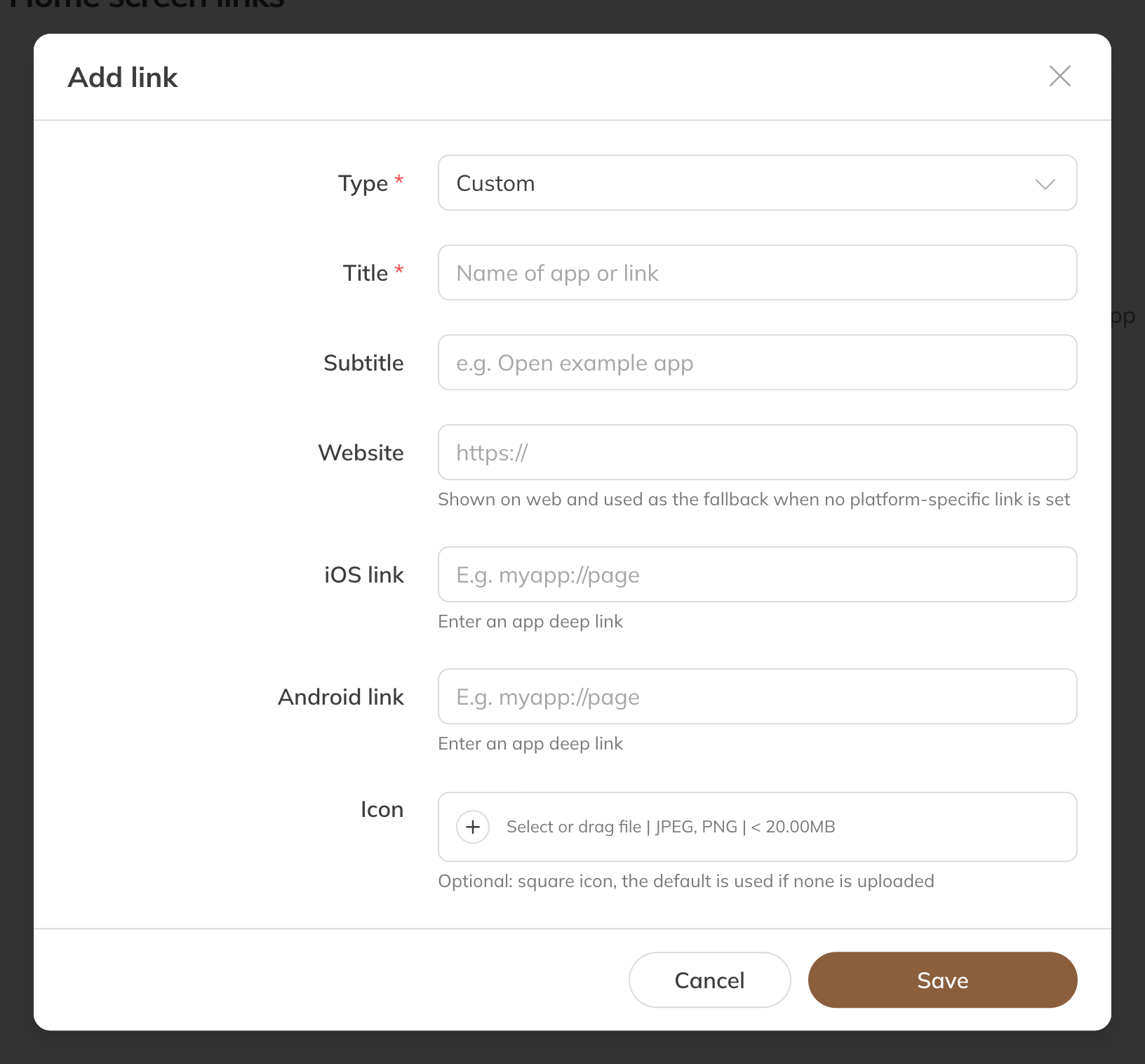
Adding a home screen link
| Option | What it does |
|---|---|
| Type | Custom for your own link. If you choose Egym or Technogym, Trainin fills in the title and icon for you; you can still change the links. |
| Title and Subtitle | The text on the button |
| Website | The link that opens. It is also used on phones if you don't enter a separate link for iOS or Android. |
| iOS link and Android link | A link that opens an app on the phone directly (a deep link) |
| Icon | A square image (JPEG or PNG). Without an icon, Trainin uses a default icon. |
If you have several links, drag them in the list into the order you want.