How to activate and setup Family Accounts
Estimated Reading Time: 4 minutes
Applies to: PRO & Premium
Quick Summary
Family Accounts allow one person to manage multiple family members under a single account.
This is useful when a parent wants to book classes, purchase a Membership, or buy a Credit Pack for their children without creating separate login accounts.
It can also be useful for couples or partners who want purchases and Direct Debit payments to be managed from a single account or bank account.
Why This Matters
Family Accounts simplify bookings for families. Instead of creating separate accounts for each family member, one main account holder can manage bookings and purchases for multiple people. This reduces administrative work and makes it easier for families to participate in your activities when they only have one email account.
Step by Step Instructions
Step 1: Enable Family Accounts: Go to My company > Settings > Customer > Family Accounts
– Choose whether clients are allowed to add family members to their account. You can set this as optional or required depending on your business setup.
Step 2: Configure family member visibility.
– Decide whether family members should appear as individual clients in your customer list or only show the main account holder.
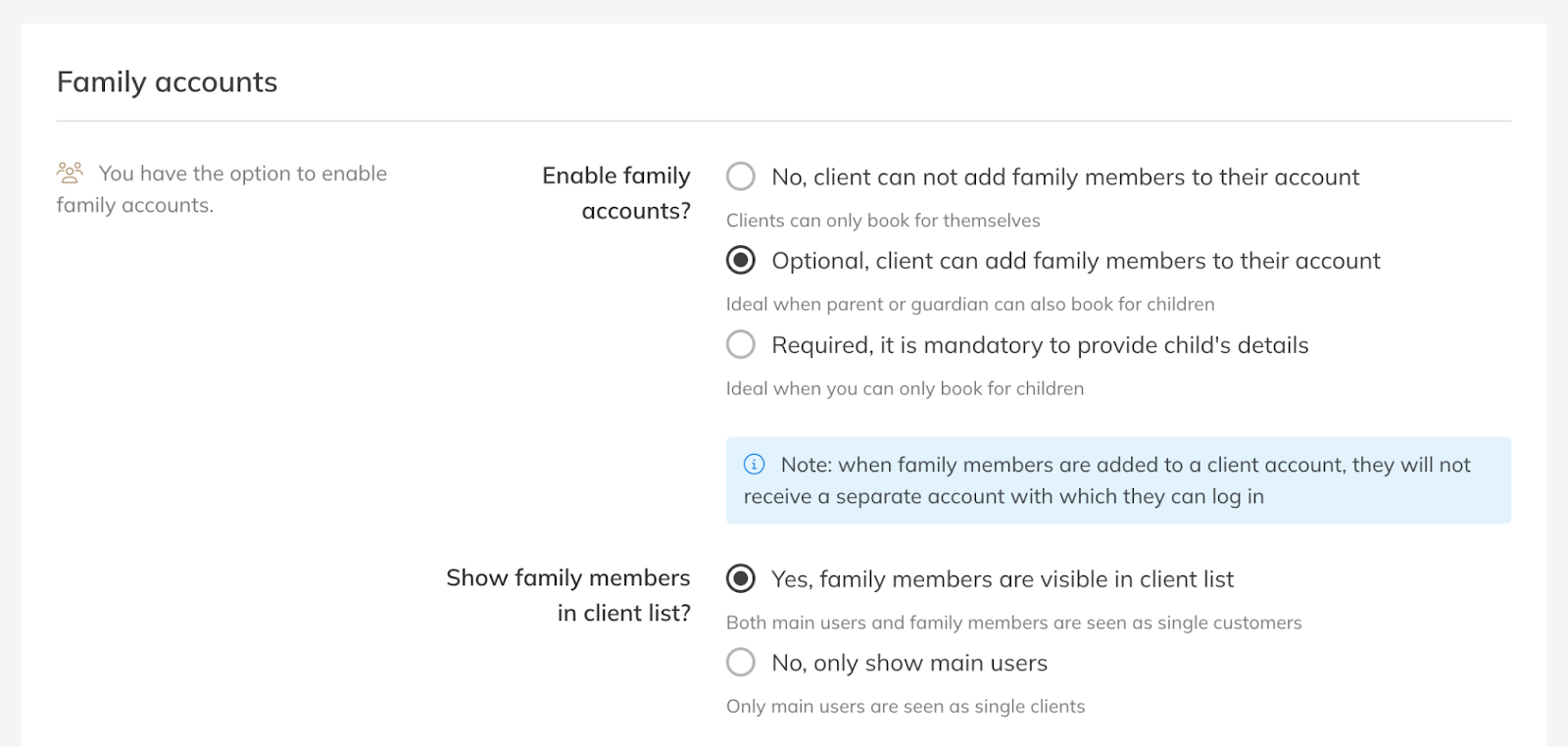
Step 3: Save your configuration.
– Save your settings to activate Family Accounts for your clients.
Best Practice
Use Family Accounts when clients often book for children or other dependents.
This setup also works well for couples who want to manage bookings and payments from one account while still registering activities for different participants.
Common Questions
Do family members get their own login account?
– No. Family members are linked to the main account holder and do not receive a separate login.
Can a client add multiple family members?
– Yes. Clients can add multiple family members to their account if the feature is enabled.
Can family members appear in the customer list?
– Yes. You can choose whether family members appear individually in the customer list or only under the main account holder.
Can family members share one product?
– No, each product is linked to one individual and cannot be (automatically) shared between family members.
If you would like to know more about our Pro, Premium or Add-Ons, send us an email to support@trainin.com.
Related Articles
– How to Set the Information You Capture from Customers by Default
– How to allow a user to manage another user's account (Family Accounts)
– How to manually add customers to your portal