How to Add a Registration Fee to Your Memberships
Estimated Reading Time: 7 minutes
Applies to: PRO+
Quick Summary
You can add a one-time registration fee to a Membership by configuring it in your Product settings.
This ensures the fee is charged once when the client starts their Membership, while the Membership itself continues through Recurring Payments.
Why This Matters
A registration fee helps cover onboarding costs, administration, or starter materials.
Configuring this correctly ensures the fee is only charged once, prevents duplicate charges, and keeps your financial reporting clear and organized.
Step by Step Instructions
Step 1: Open the registration fee settings: My Company > Products > More > Registration Fees
– Navigate to the section where you can manage and configure registration fees.
Step 2: Enable and configure the registration fee: My Company > Products > More > Registration Fees > Add Registration Fee
– Enable the registration fee and enter the name, price, and VAT percentage. You can also add an optional note if needed.
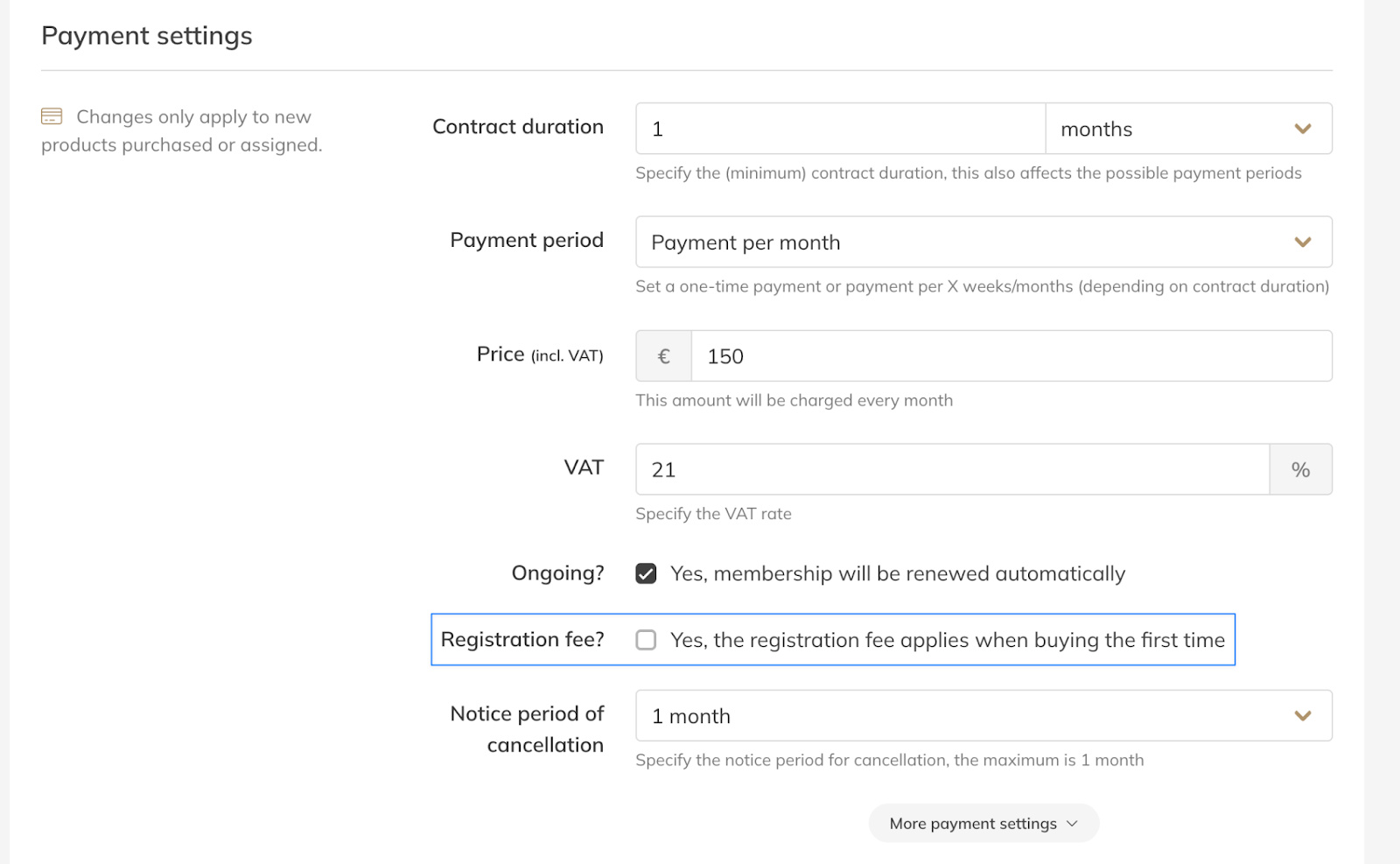
Step 3: Add the registration fee to a Product: Products > Select Product > Payment Settings > Registration Fee
– Open the Product where you want to apply the registration fee and enable the registration fee option within the payment settings.
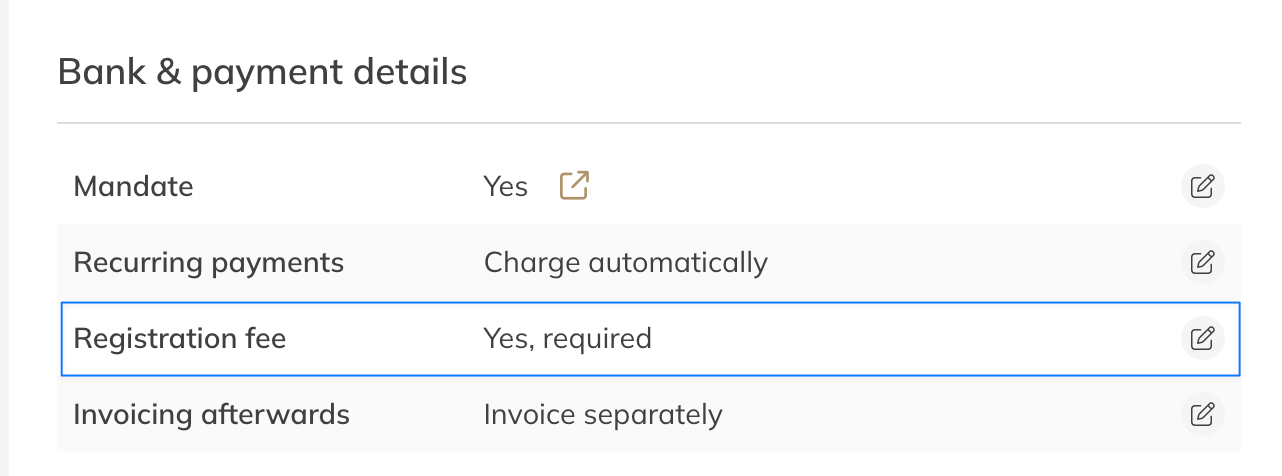
Step 4: Exclude the registration fee for a specific client (optional): Client account > Details > Bank & payment details > Registration Fee
– When creating a new client, open More Details and indicate that the client should not pay the registration fee. You can also configure this later in Client Profile > Bank & Payment Details > Details if the client should be exempt from the fee.
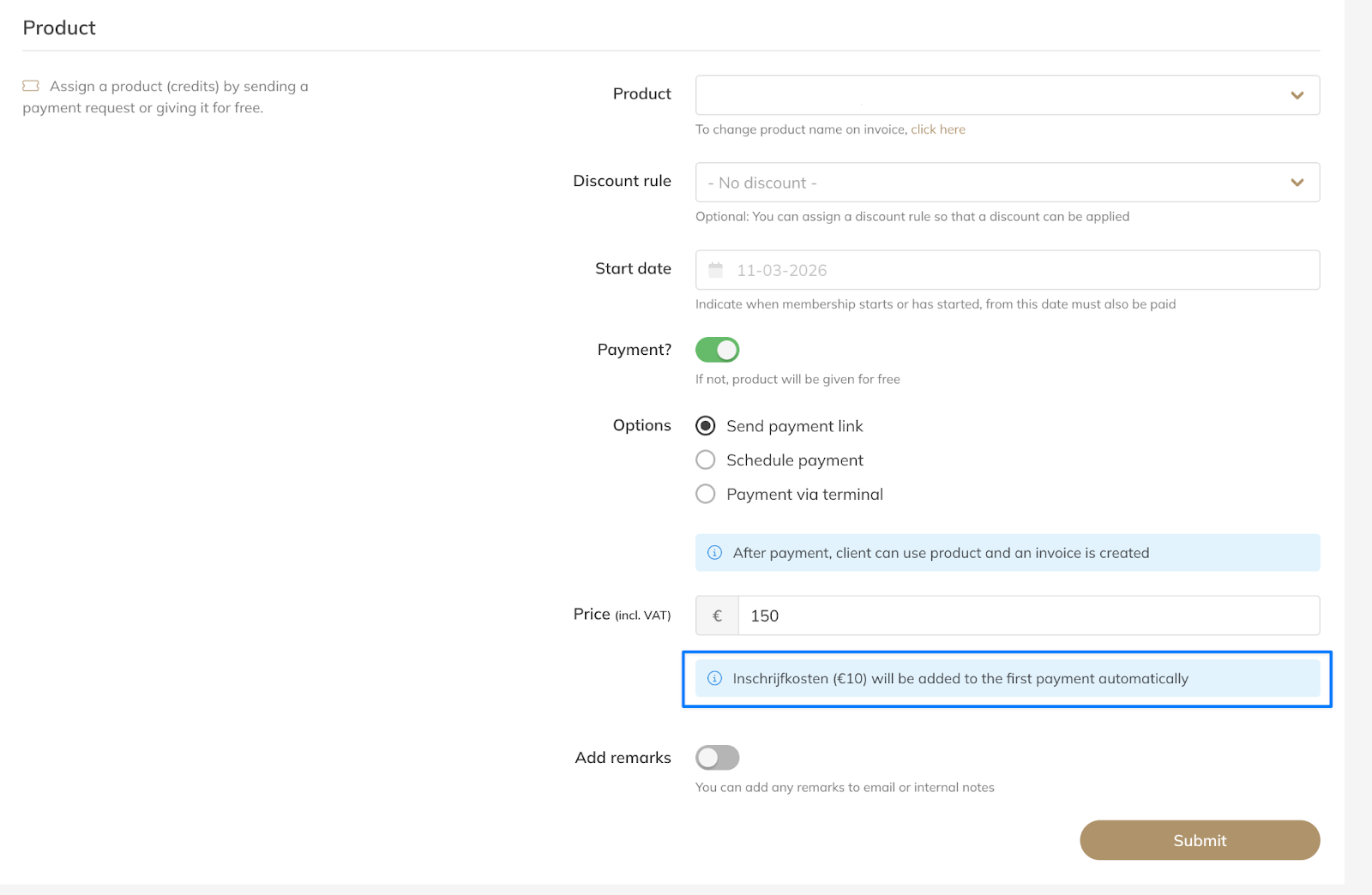
Step 5: Add the registration fee when creating the Membership
– When creating a new product for a client, the registration fee will be added to the first product payment so the one-time fee is charged at the start of the Membership.
Best Practice
Configure the registration fee in your Product settings before creating new Memberships.
Always communicate the registration fee clearly to clients before activating their Membership so they understand the one-time cost that will appear on their first invoice.
Common Questions
Is the registration fee charged every month?
– No. When configured as a one-time fee, the registration fee is only charged once.
Can I refund the registration fee later?
– Yes, you can manually process a refund if necessary.
Can I include the registration fee in the Membership price?
– Yes, but if you include it in the Membership price it becomes part of the Recurring Payments and is no longer a one-time fee.
If you would like to know more about our Pro, Premium or Add-Ons, send us an email to support@trainin.com.
Related Articles
– How to Create a Membership– How to manually add customers to your portal