How to configure and create your Video Library
Estimated Reading Time: 4 minutes
Applies to: Pro and Premium
Quick Summary
The Video Library allows you to upload and organize on-demand videos to your clients using YouTube or Vimeo uploads. You can group videos into collections and control exactly who gets access.
Why This Matters
Offering on-demand content creates an extra revenue stream and increases client engagement.
By clearly organizing your videos and collections, you control who gets access and whether the content is free or paid.
Step by Step Instructions
Step 1: Create a new video
– Go to My Company > Video and add a new video collection.
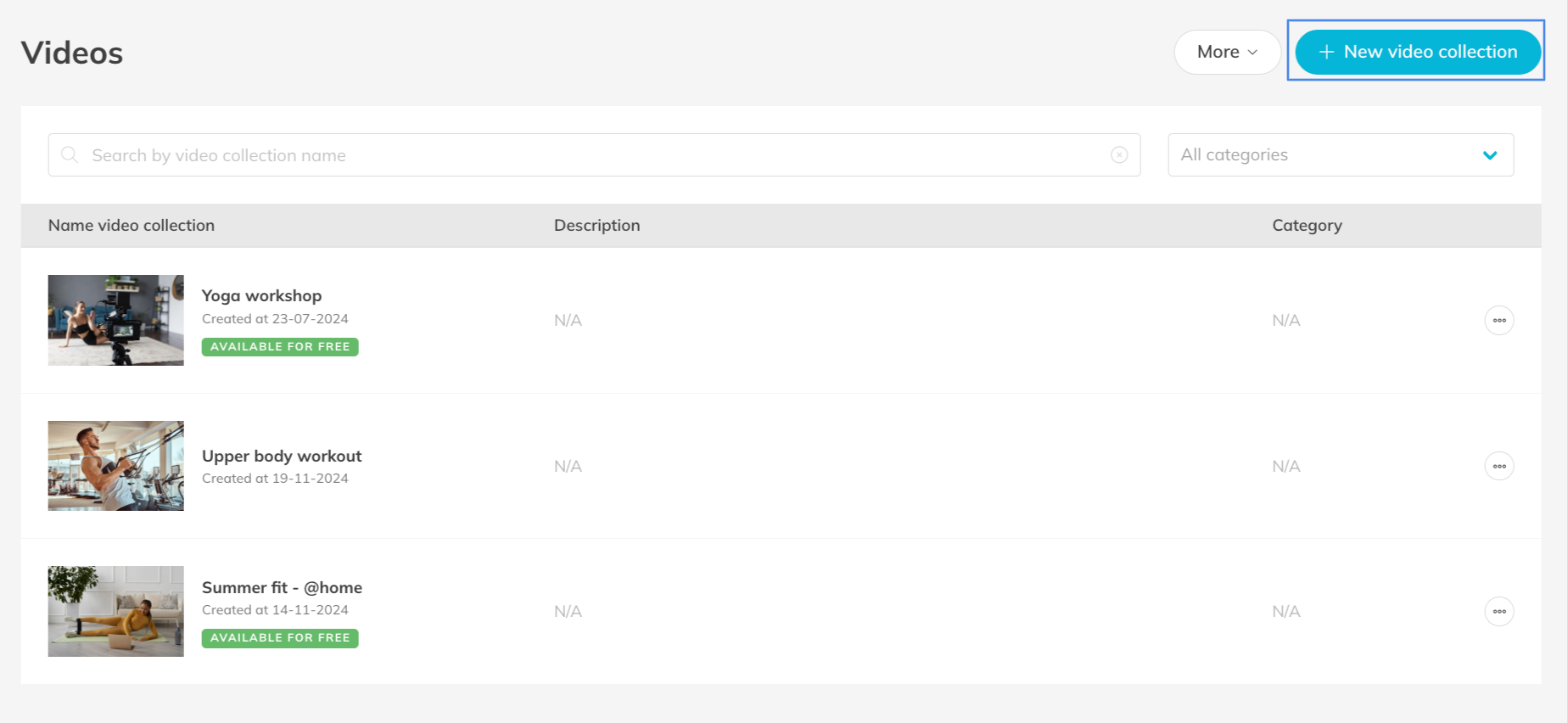
Step 2: Configure video details
– Add a clear title, short description and thumbnail, and decide whether the collection is free or paid (selling is explained in the next article below).
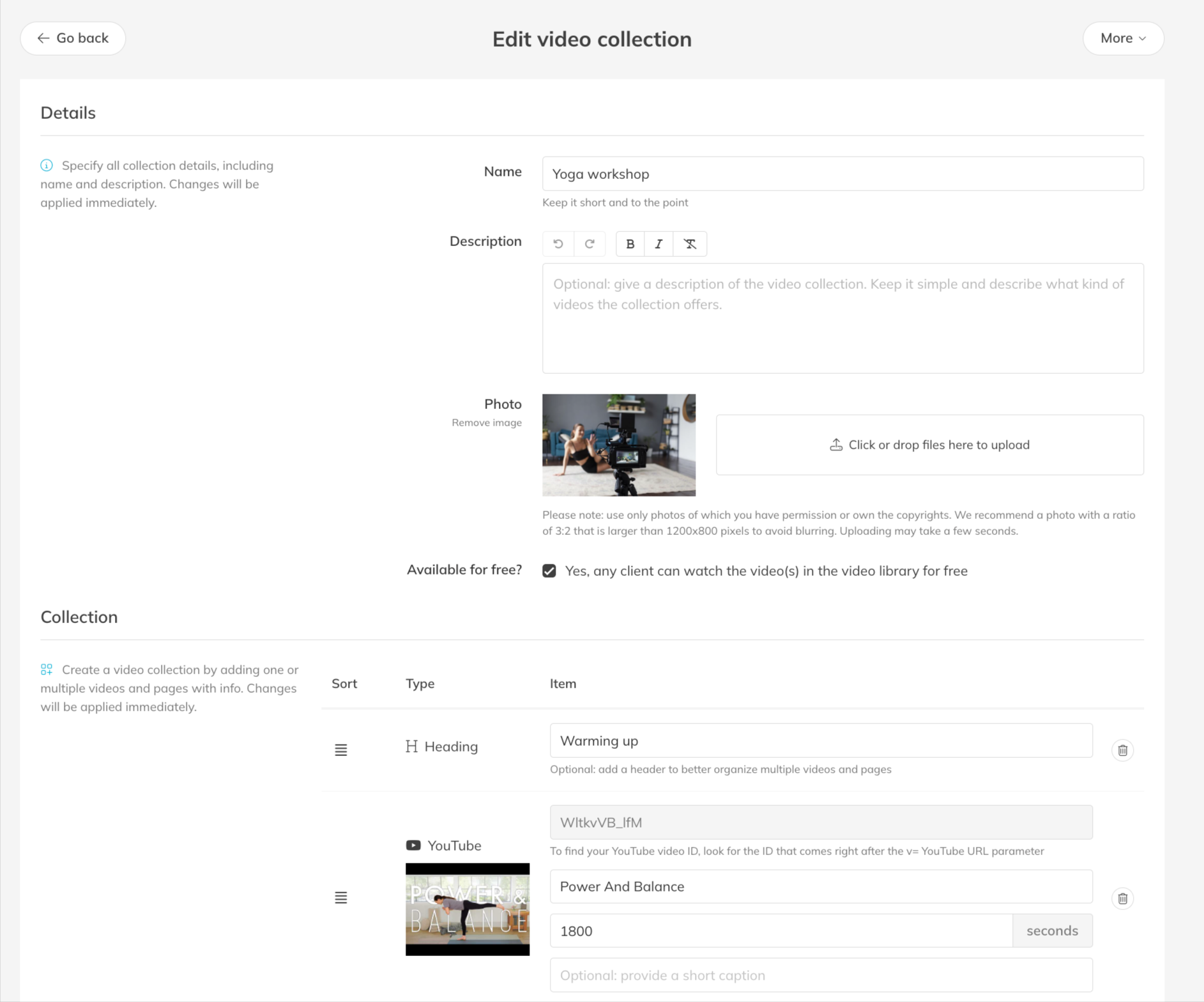
Step 3: Create a video collection
– Add one or multiple YouTube or Vimeo links to organize your content in a clear and structured way.
Best Practice
Keep your collections focused on one theme or goal to make it easier to sell and easier for clients to follow.
Or make a new category, which helps organize your videos aswell.
Common Questions
Can I give access to a single video without selling a full collection?
– Yes, you can assign access per individual video or per collection.
Can I connect a Video Library to a Membership?
– Yes. You can decide per Product, such as a Membership or Credit Pack, which video collections are included. Go to My Company > Products: open the relevant Product and scroll to Videos (make sure collections are already created), select one or more collections and click save.
Can I update a video after publishing it?
– Yes, you can edit details or replace the video file at any time.
I receive an error message for my video. What should I check?
– If you uploaded the video to YouTube or Vimeo, check the settings and make sure the video is public, shareable, and allowed to be viewed by everyone.
If you would like to know more about our Pro, Premium or Add-Ons, send us an email to support@trainin.com.
Related Articles
– How to sell content from your Video Library
– Trainin Add-Ons: Overview of Available Features