How to upload your own custom exercises for coaching
Estimated Reading Time: 3 minutes
Applies to: Premium / Pro or Starter with Add-On
Quick Summary
Trainin includes a large exercise library, but you can also upload your own custom exercises for coaching.
Custom exercises allows businesses to add unique movements, studio-branded exercises, or specialized coaching methods to workout plans.
Why This Matters
Not every training method fits inside a standard exercise database.
By creating custom exercises, you can:
– Add exercises specific to your training methodology
– Include studio-branded or proprietary movements
– Personalize workout plans for your clients
– Combine your own exercises with the Trainin exercise library
Step by Step Instructions
Step 1: Open the exercise management section: Coaching > Exercises
– This section allows you to manage all exercises available for workout plans.
Step 2: Start creating a new exercise: Exercises > + New > Exercise
– This opens the exercise creation screen where you can define a new movement.
– Tip: Duplicate an existing exercise if you quickly want to take over the settings and only add your own video/photo.
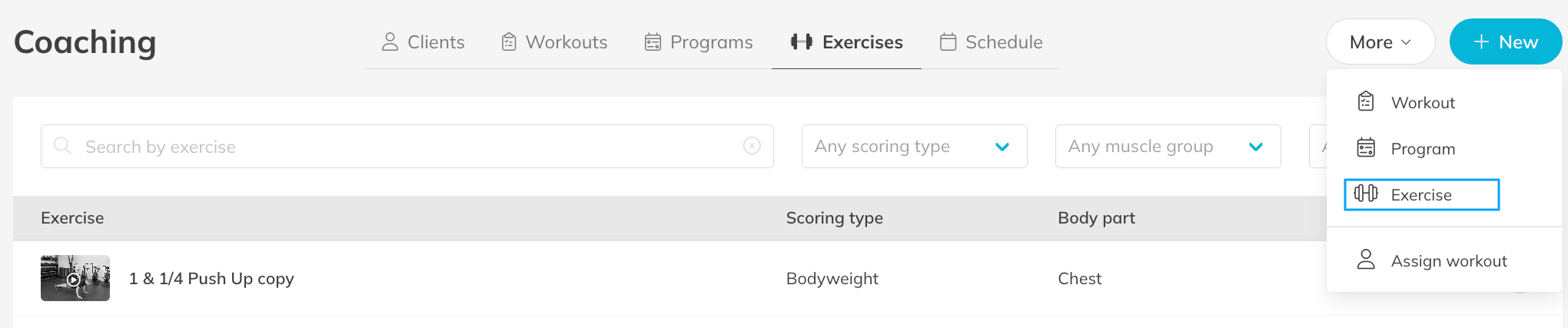
Step 3: Add the exercise details: Exercise Settings > Name and Description
– Provide a clear exercise name and short description so trainers and clients understand the movement.
Step 4: Configure exercise information: Exercise Settings > Muscle Group / Scoring Type
– Organizing exercises helps trainers quickly find them when building workouts.
Step 5: Upload media for the exercise: Exercise Settings > Upload Video or Image
– Adding a video or image helps clients understand the correct execution of the exercise.
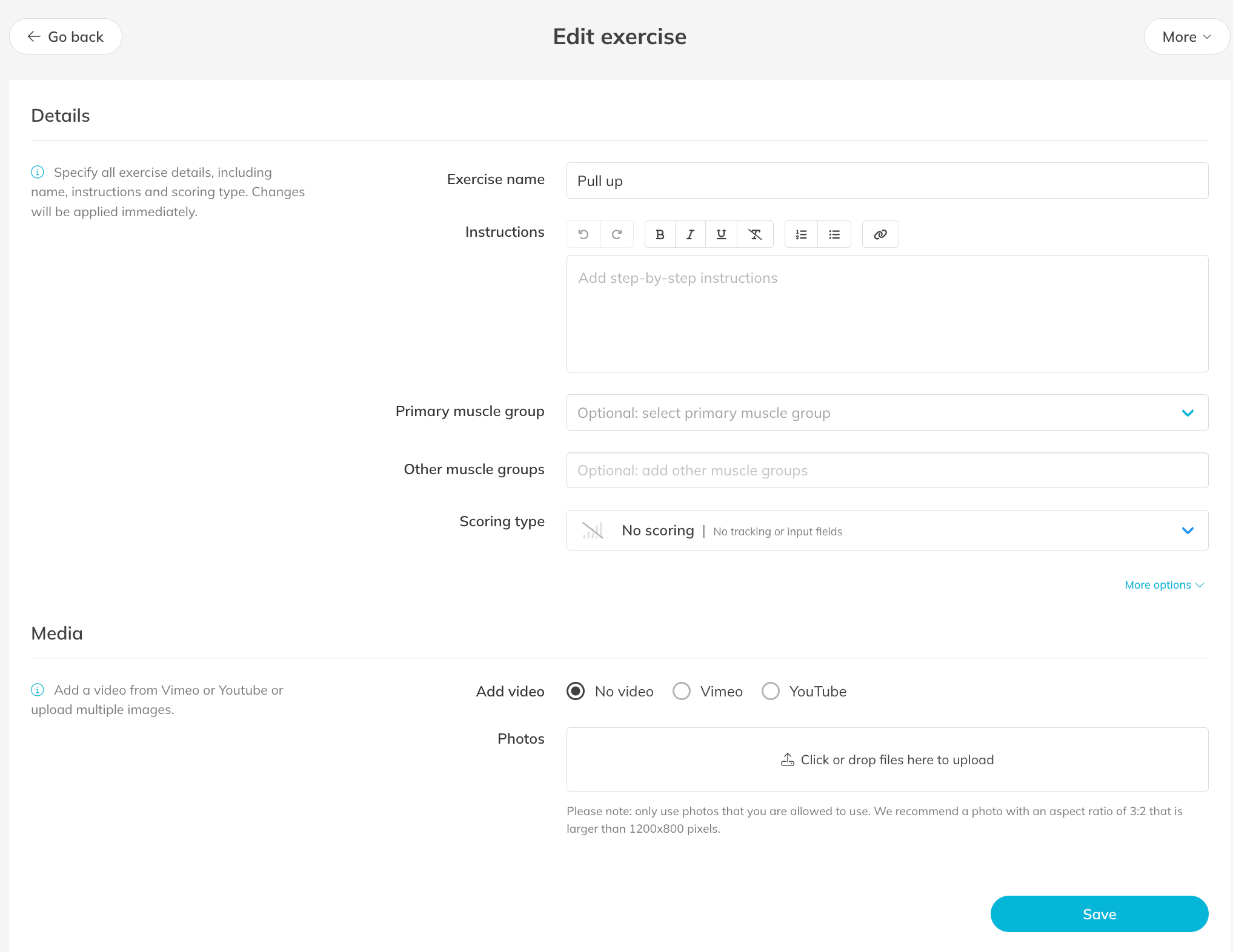
Step 6: Save the custom exercise: Exercise Settings > Save
– The exercise will now be available in the exercise library and can be used in workout plans.
Best Practice
Use clear and consistent naming for your exercises.
This makes it easier for trainers to search and select the correct exercise when building workout plans.
Pro Tips
Upload short demonstration videos to improve exercise clarity for clients.
Group exercises by category or muscle group to keep the exercise library organized.
Review your exercise list regularly to remove duplicates or outdated exercises.
Common Questions
Can I use custom exercises in workout plans?
– Yes. Once created, custom exercises appear in the exercise library and can be used in workout plans.
Can I upload my own exercise videos?
– Yes. You can upload videos or images to demonstrate the correct execution of the exercise.
Will trainers see these exercises automatically?
– Yes. Custom exercises become available in the exercise library for trainers to use.
Custom exercises are part of the Coaching features in the Premium plan or Pro/Starter plan with Add-On.
This allows businesses to create personalized workout plans and track client progress inside Trainin.