How to follow the workout and body metrics progress of your customer
Estimated Reading Time: 6 minutes
Applies to: Premium / Pro or Starter with Add-On
Quick Summary
Trainin allows you to track client progress in multiple ways: through exercise performance and through body metrics. By setting goals, logging results, and reviewing progress over time, you create a clear development path for your clients.
This structured approach helps both you and your client understand improvements in strength, fitness, and physical changes and motivates to keep on going.
Why This Matters
Clear progress tracking increases client motivation and improves coaching quality. When clients see measurable improvements, such as lifting heavier weights or improving body measurements, they stay more committed to their program.
By combining goals, logged results, and progress insights, you can make better training decisions and celebrate milestones with your clients.
Step by Step Instructions
Section 1: Set goals for exercises and body metrics
Exercise goals
Step 1: Open coaching in the client profile: Go to Clients > Select Client > Coaching
– This section allows you to keep track of the progress of a client.
Step 2: Choose exercises to track: Go to a completed workout > History > Chart > Save as favourite
– Define specific targets for exercises such as best set, total volume, 1RM, max weight or max consecutive reps to give your client a clear performance objective.
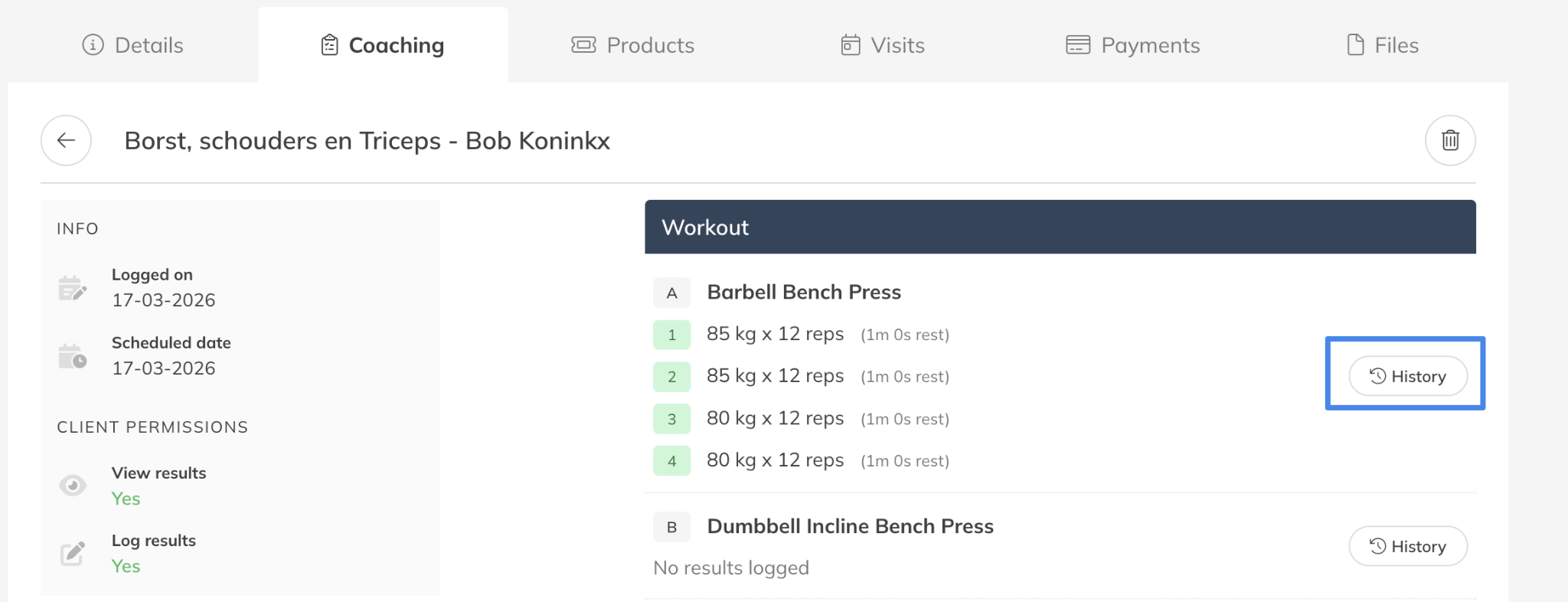
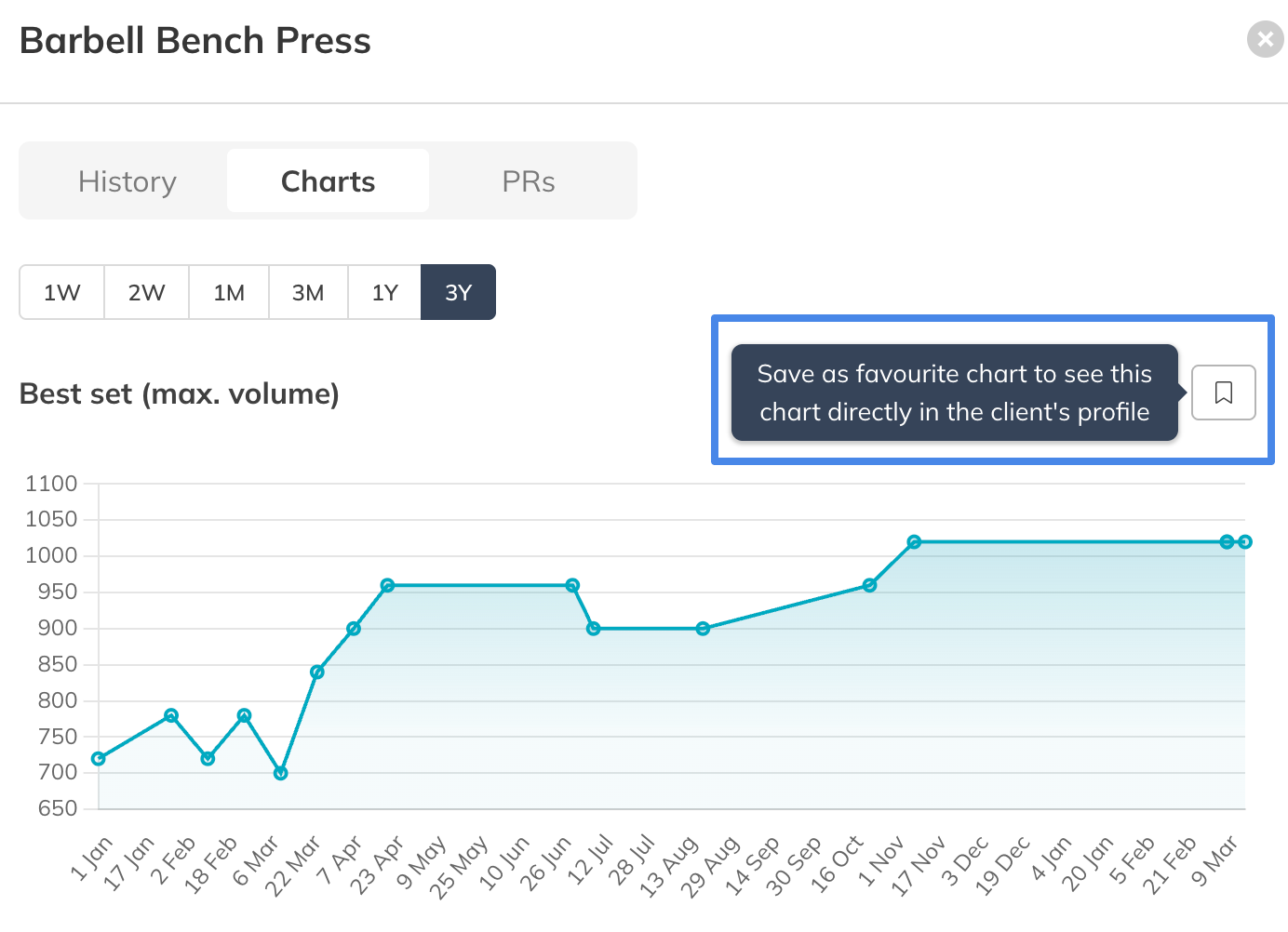
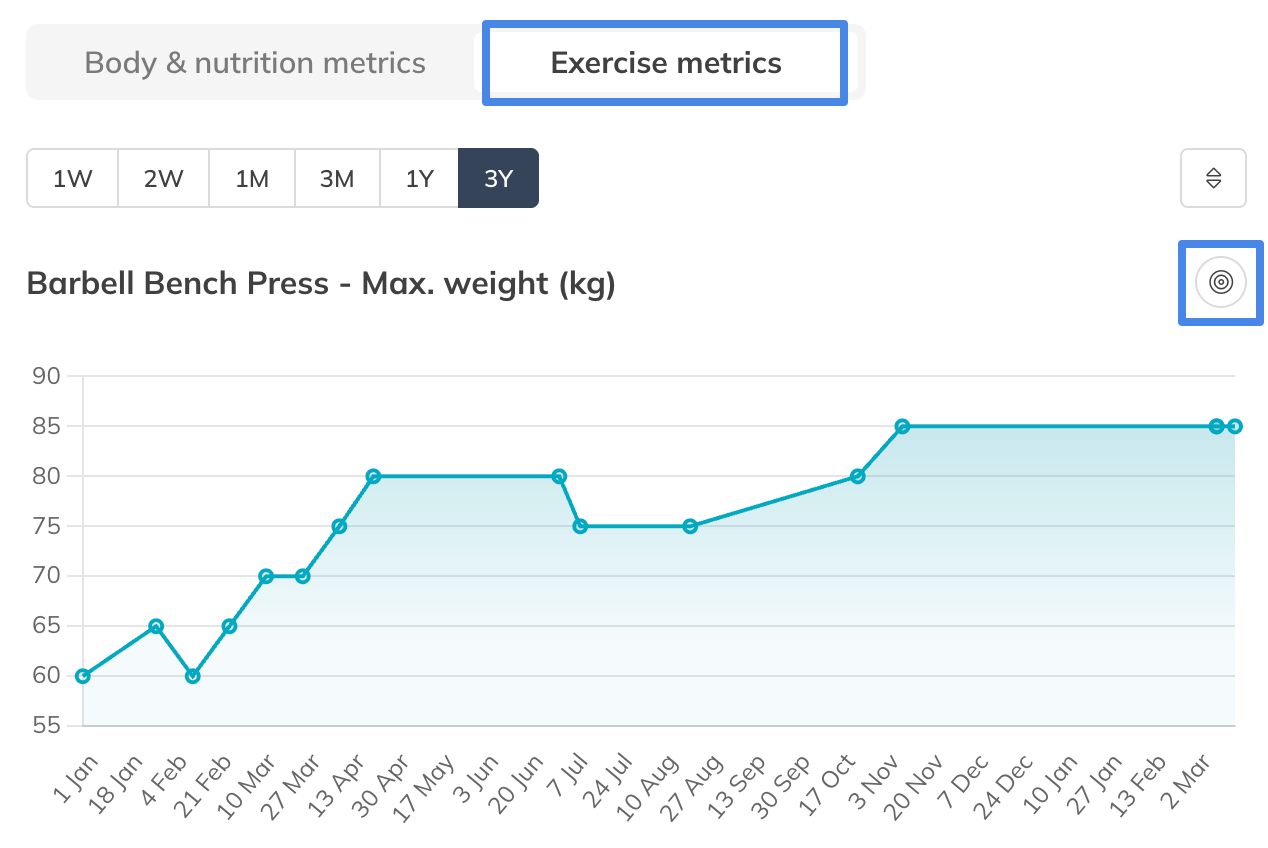
Step 3: Set exercise performance goals: Client Profile > Coaching > Exercise Metrics > Set Goal
– Set a goal per performance objective of every exercise you are tracking within the profile of this specific client.
Body metric goals
Step 1: Open coaching in the client profile: Go to Clients > Select Client > Coaching
– This section allows you to keep track of the progress of a client.
Step 2: Choose body metrics to track: Client Profile > Coaching > + Metrics > Customize default metrics
– Choose which body metrics such as body weight, body fat percentage, or other measurements you want to keep track of for this specific client.
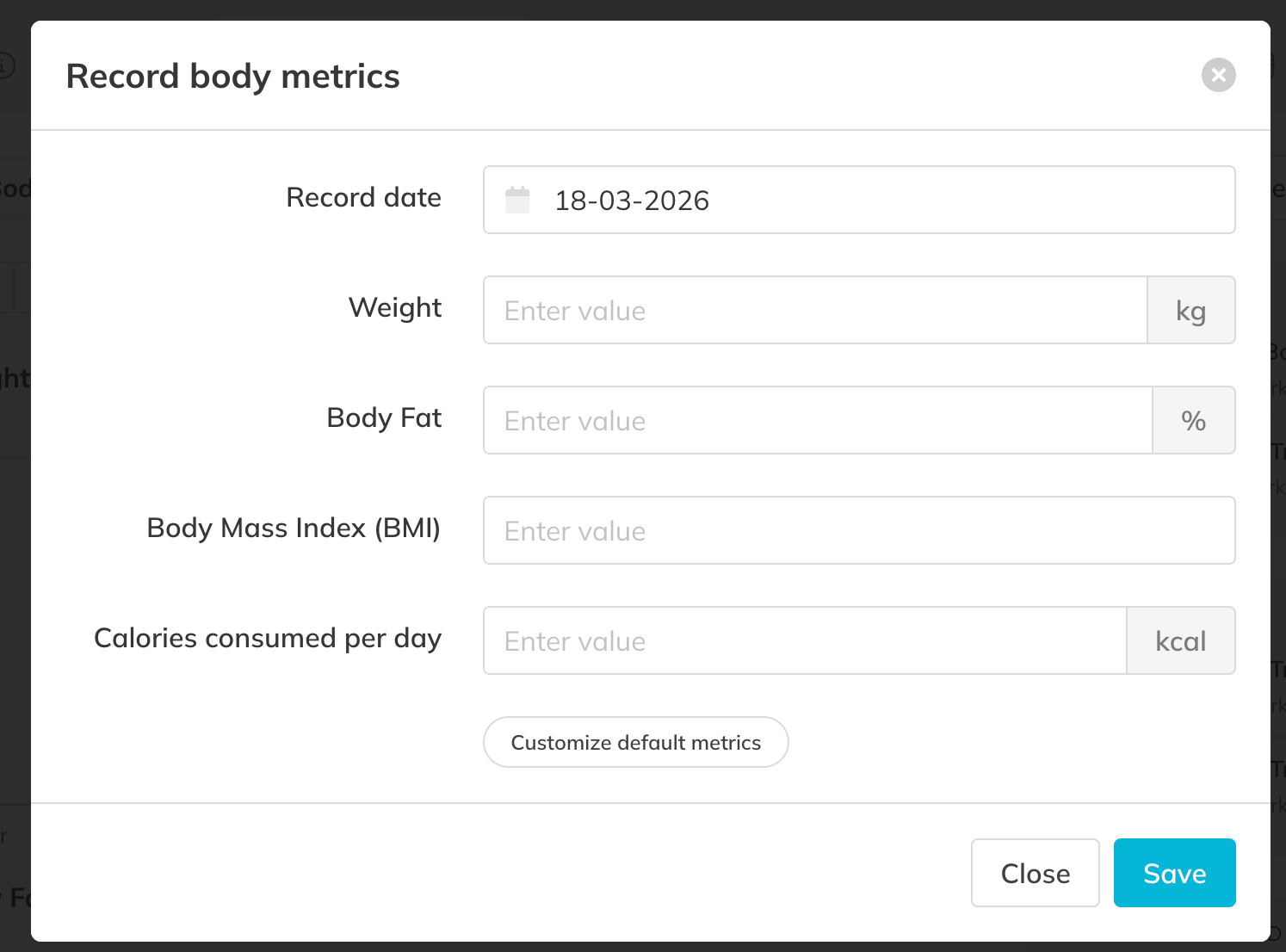
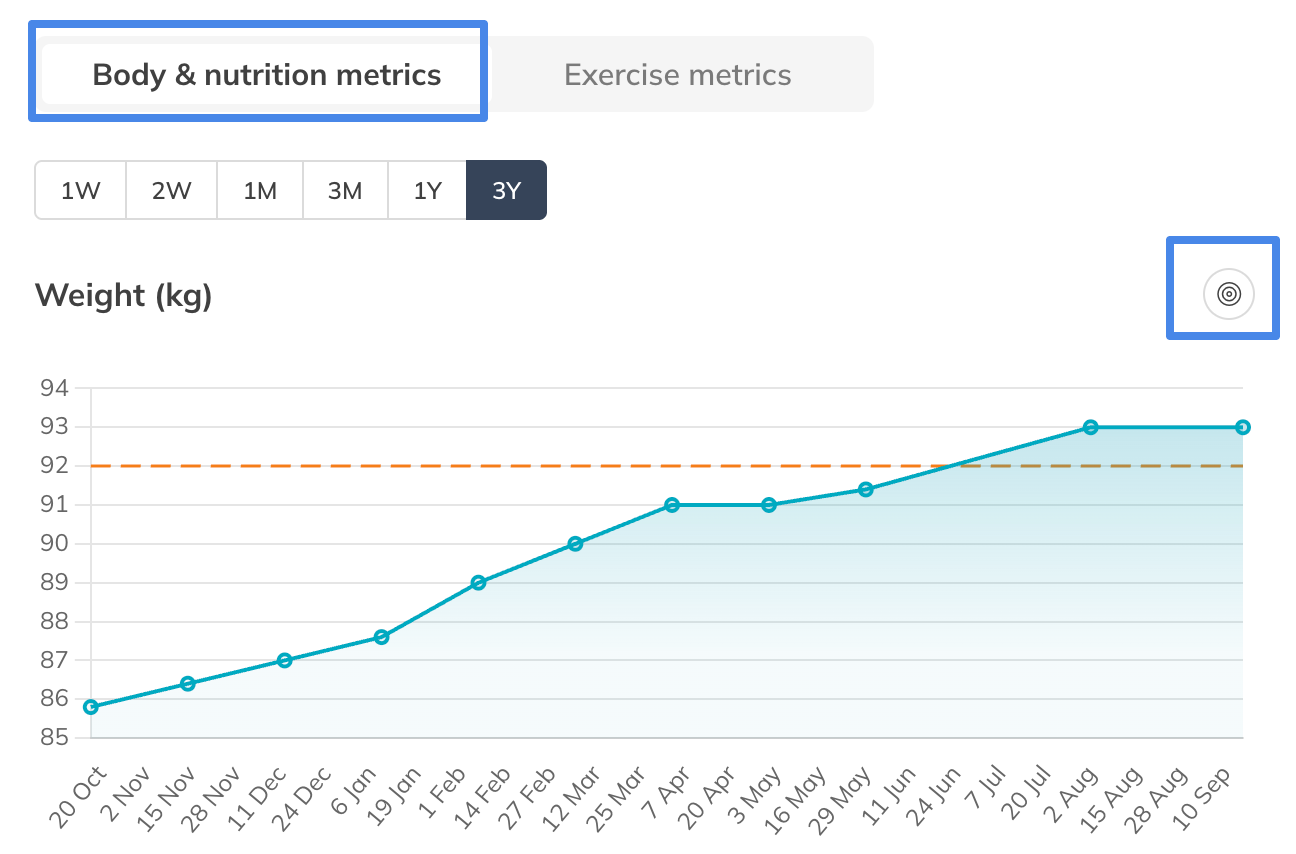
Step 3: Set body metrics goals: Client Profile > Coaching > Body & Nutrition Metrics > Set Goal
– Define goals for metrics such as body weight, body fat percentage, or other measurements so clients can track physical changes over time.
Section 2: Log workout results and body measurements
Workout results
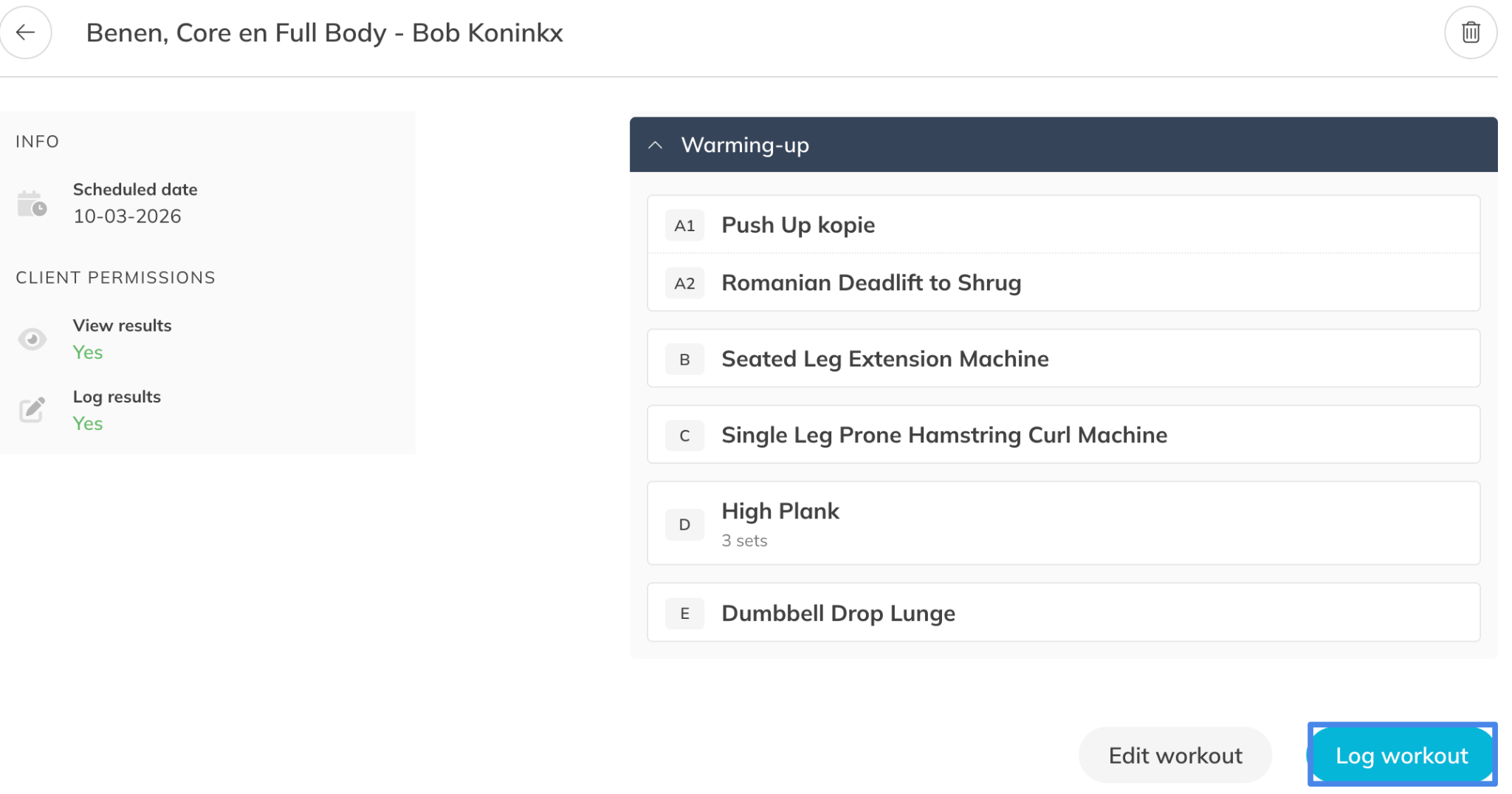
Step 1: Log workout results during or after a training session: Go to Clients > Select Client > Coaching > Open Workout > Log Workout
– Record exercise results such as weights, repetitions, distance, or time to track the outcome of each workout.
– Choose the date on which you want to log the result and if you would like to send a notification to the client.
– Extra: Clients can also log a workout themselves in the client app.
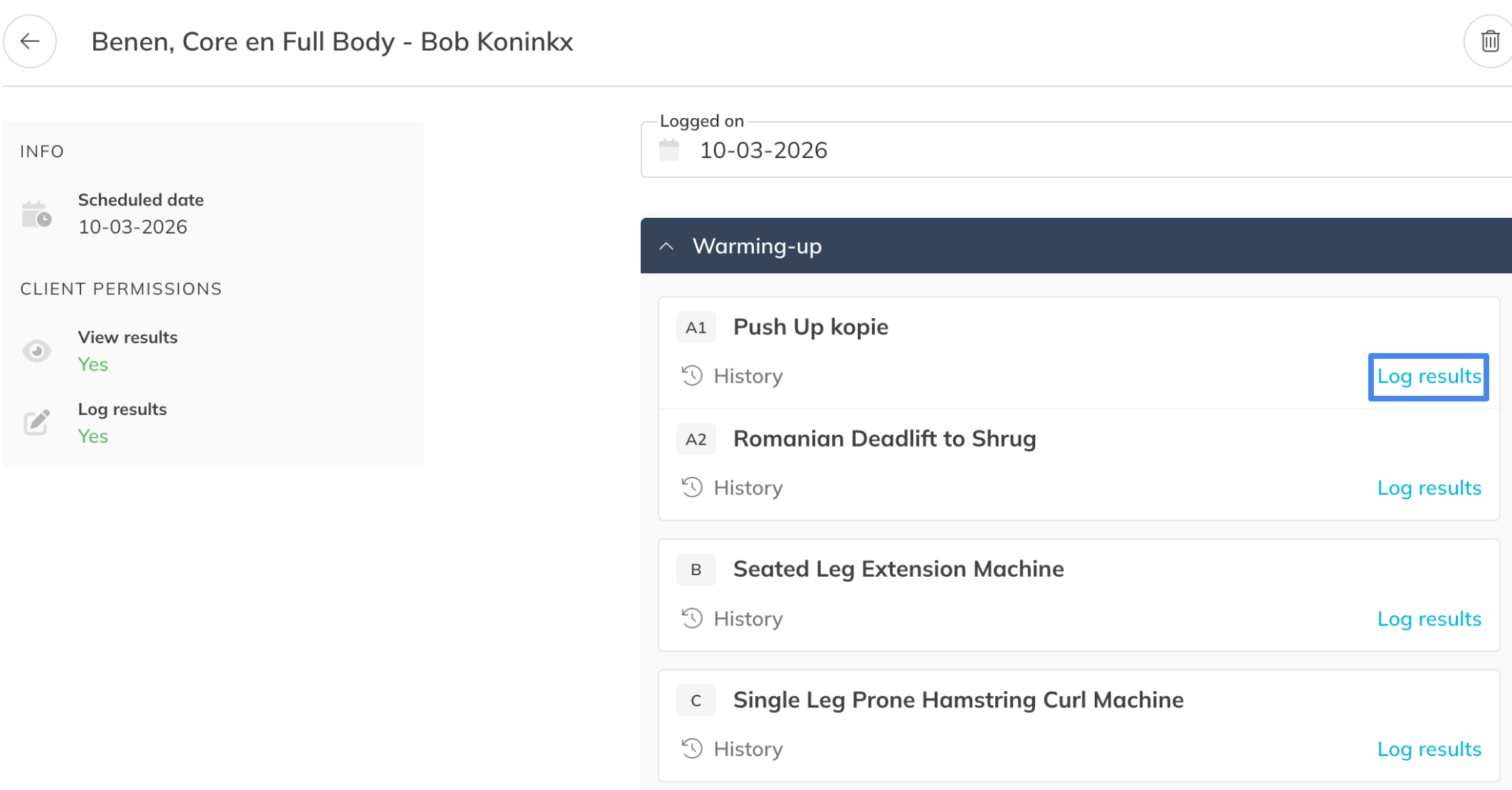
Step 2: Set results for each exercise or edit workout if needed: Log Workout > Log Result
– Log the results per exercise and add some notes.
– Make flexible adjustments in the workout if something changes during the workout.
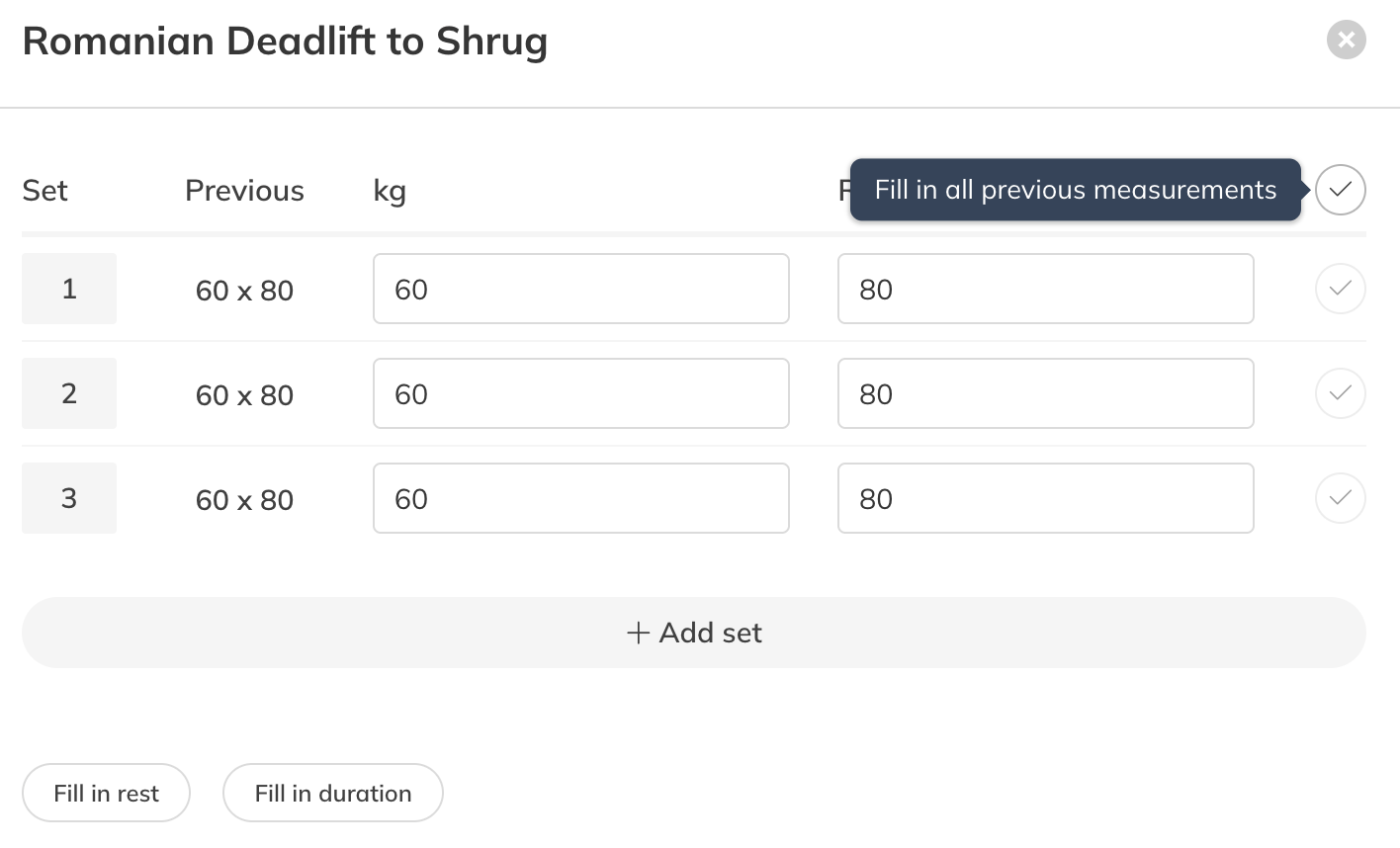
– Tip: Use the button in the top right corner to automatically fill in previous measurements or goals in one click.
Body Metrics results
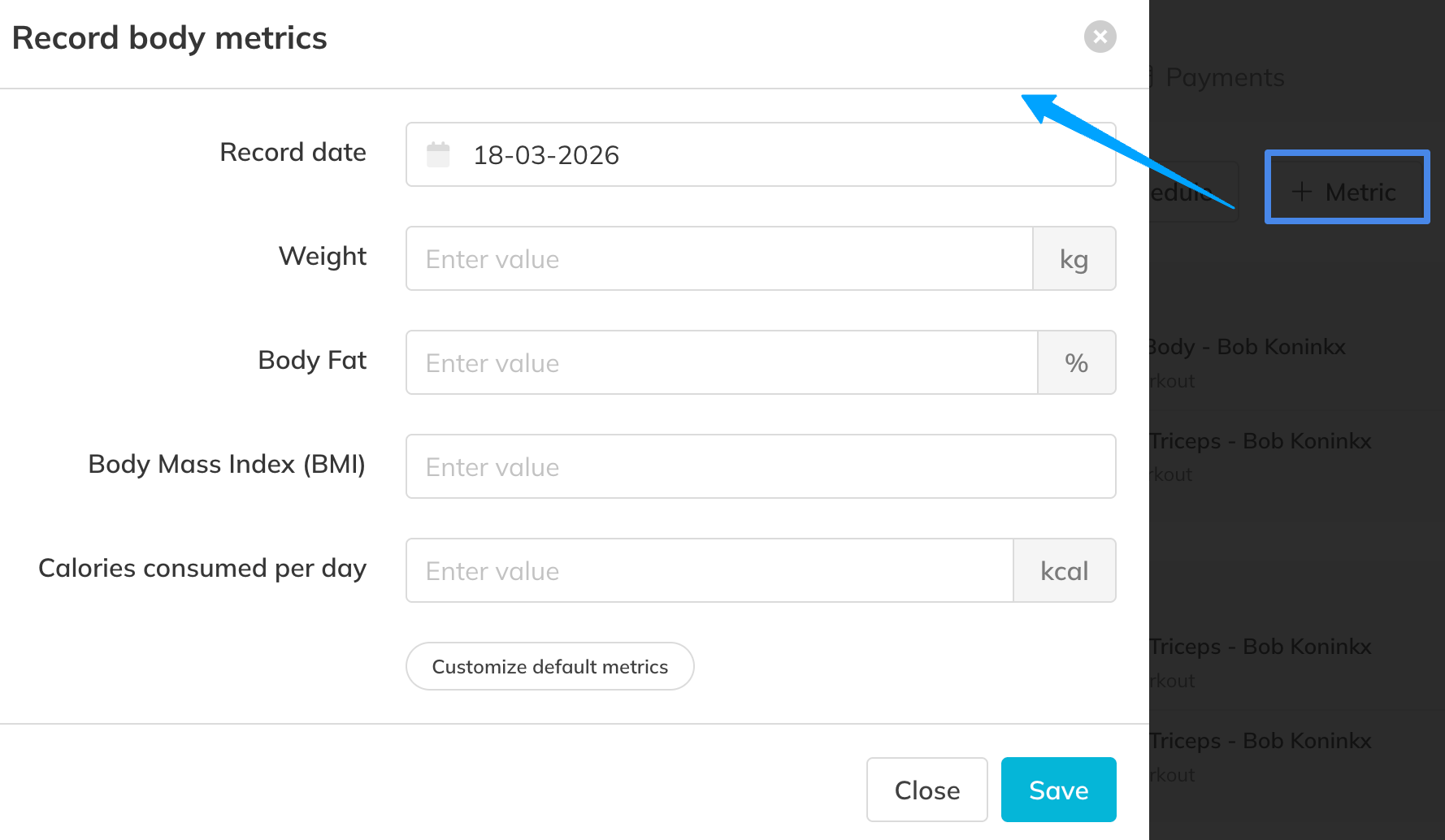
Option 1: Log body metrics measurements: Go to Clients > Select Client > Coaching > + Metric
– Choose the date on which you want to measure body metrics & nutrition.
– Add measurements such as body weight, body fat percentage, or other metrics to document physical progress.
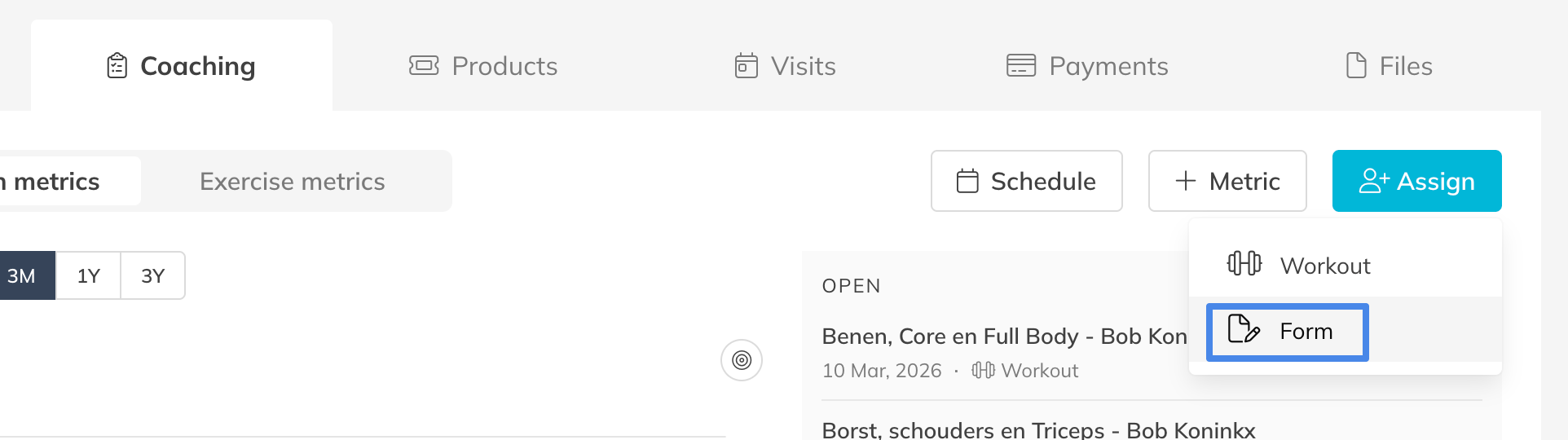
Option 2: Log body metrics measurements via forms: Go to Clients > Select Client > Coaching > + Assign > Form
– Assign a questionnaire form in which the clients can fill out body metric & nutrition measurements.
– The answers will automatically be saved in the progress graphs in the profile of a client.
– Tip: clients can use the same form multiple times to keep track of body metrics over a longer period of time. It’s also possible to share forms via a link.
Section 3: Track exercise and body metric progress
Step 5: Review exercise performance progress: Go to Clients > Select Client > Coaching > Exercise Metrics
– Analyze historical results per performance objective for each exercise to see improvements across multiple exercises.
Step 6: Review body metric progress: Go to Clients > Select Client > Coaching > Body & Nutrition Metrics
– Visualize changes in body measurements over time to understand physical development.
Best Practice
Encourage clients to consistently log workout results and body metrics. Regular tracking creates more reliable insights and helps identify progress trends earlier.
Pro Tips
Schedule regular progress check-ins with your clients.
Reviewing both exercise performance and body metric changes together helps reinforce motivation and provides opportunities to adjust training plans when needed.
Common Questions
Can clients log their own workout results?
– Yes. Clients can enter their workout results directly when completing an activity in the app.
How often should body metrics be logged?
– Body metrics are typically recorded weekly or monthly depending on the type of measurement and the client’s goal.
Can I track both strength progress and body changes?
– Yes, Trainin allows you to monitor both exercise performance and body metrics so you can evaluate complete progress.
Do goals affect progress tracking?
– Goals provide reference points that make it easier to evaluate whether a client is moving toward their desired outcomes.
Workout and body metrics progress are available in the Premium plan or Pro/Starter plan with Add-On.
This allows trainers to manage the progress of clients and deliver coaching directly through Trainin.
Related Articles
– How to upload your own custom exercises for coaching
– How to enable and set preferences for the coaching and body metrics module
– How to create a workout plan template for your customers
– How to create a workout program for your customers
– How to assign a workout to your customers for training
– How to create a Workout of the Day (WOD)