How to Edit a Planned Payment (Order)
Estimated Reading Time: 3 minutes
Applies to: All plans
Quick Summary
A planned payment (order) is a scheduled payment that will be charged for a client’s Membership in the future. You can edit a planned payment to adjust the payment date, amount, or the billing period before the payment is processed.
Why This Matters
Adjusting planned payments allows you to correct billing details without modifying the customer’s Membership itself.
For example, you may need to change the payment amount, adjust the billing period, or move the payment date due to a client request or administrative correction.
Step by Step Instructions
Step 1:
Option 1: Edit a planned payment from the finance overview: Finances > Planned > Options > Edit Payment
– This method allows you to quickly update any scheduled payment order from the global planned payments overview.
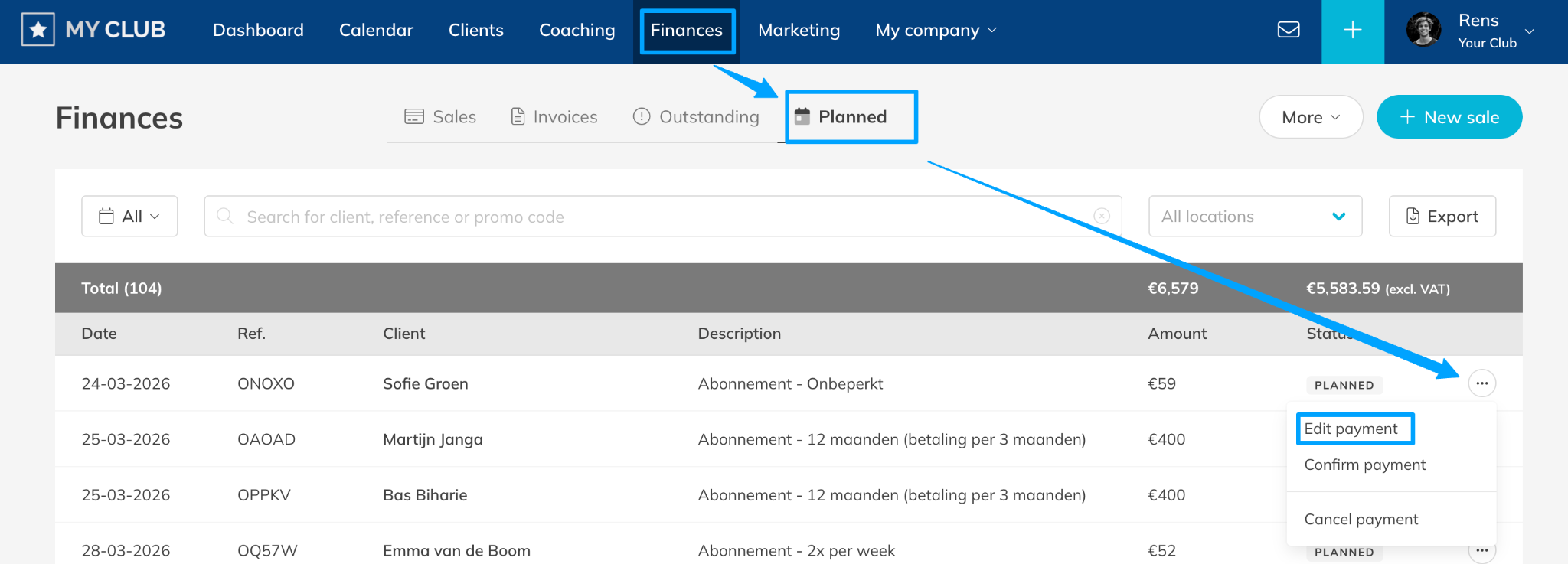
Option 2: Edit a planned payment from the client payments tab: Customers > Select Customer > Payments > Select the 3 dots next to the Payment to edit > Edit Payment
– This method is useful when reviewing a client’s payment history and adjusting a specific upcoming payment.
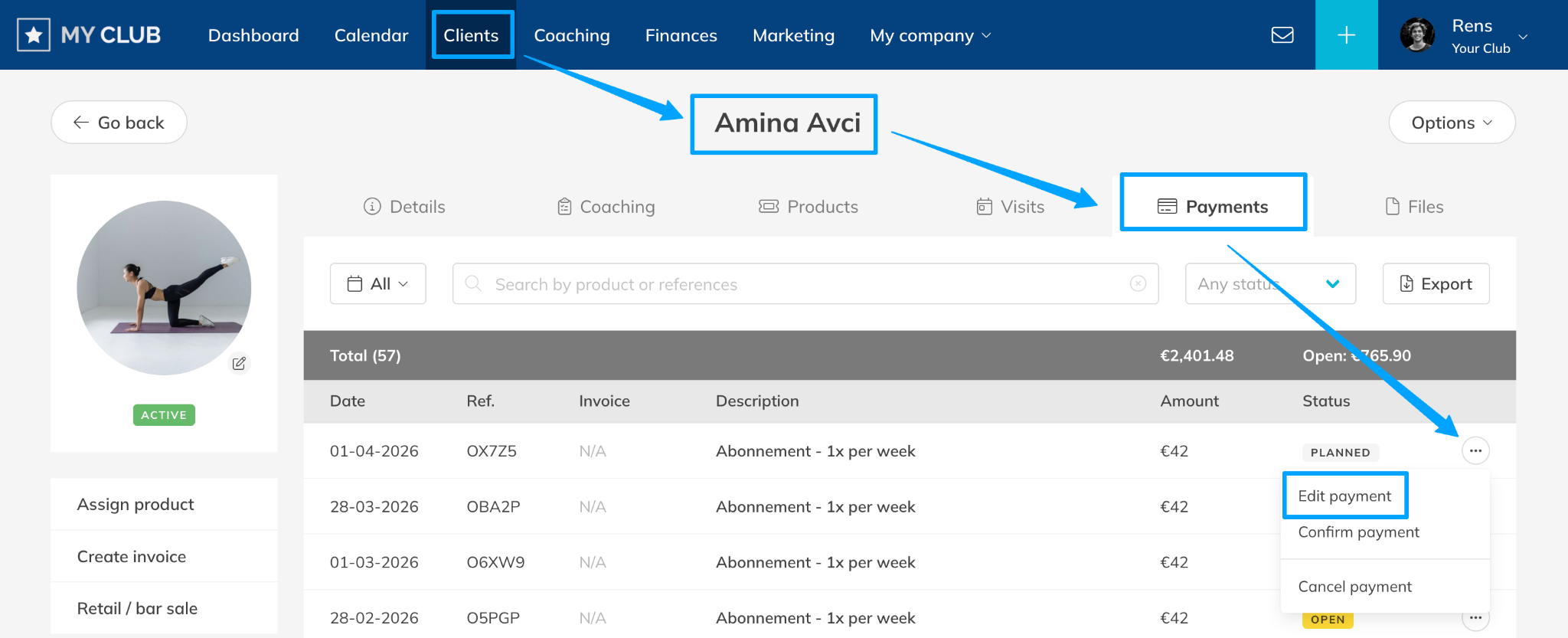
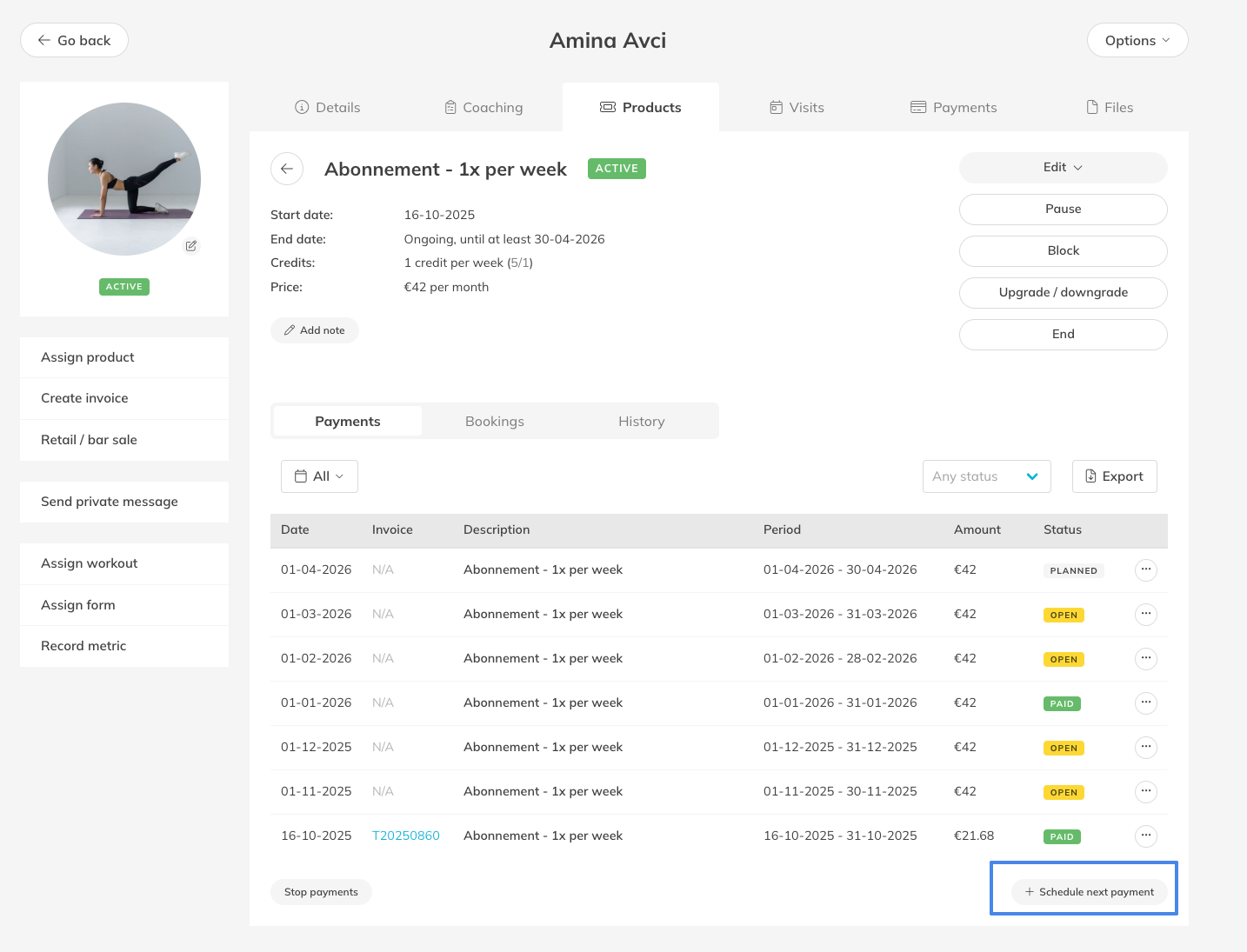
Option 3: Edit a planned payment directly from the client’s Membership: Customers > Select Customer > Products > Open Membership > Payments > Options > Edit Payment
– This view shows payments connected to a specific Membership, making it easier to manage billing related to that product.
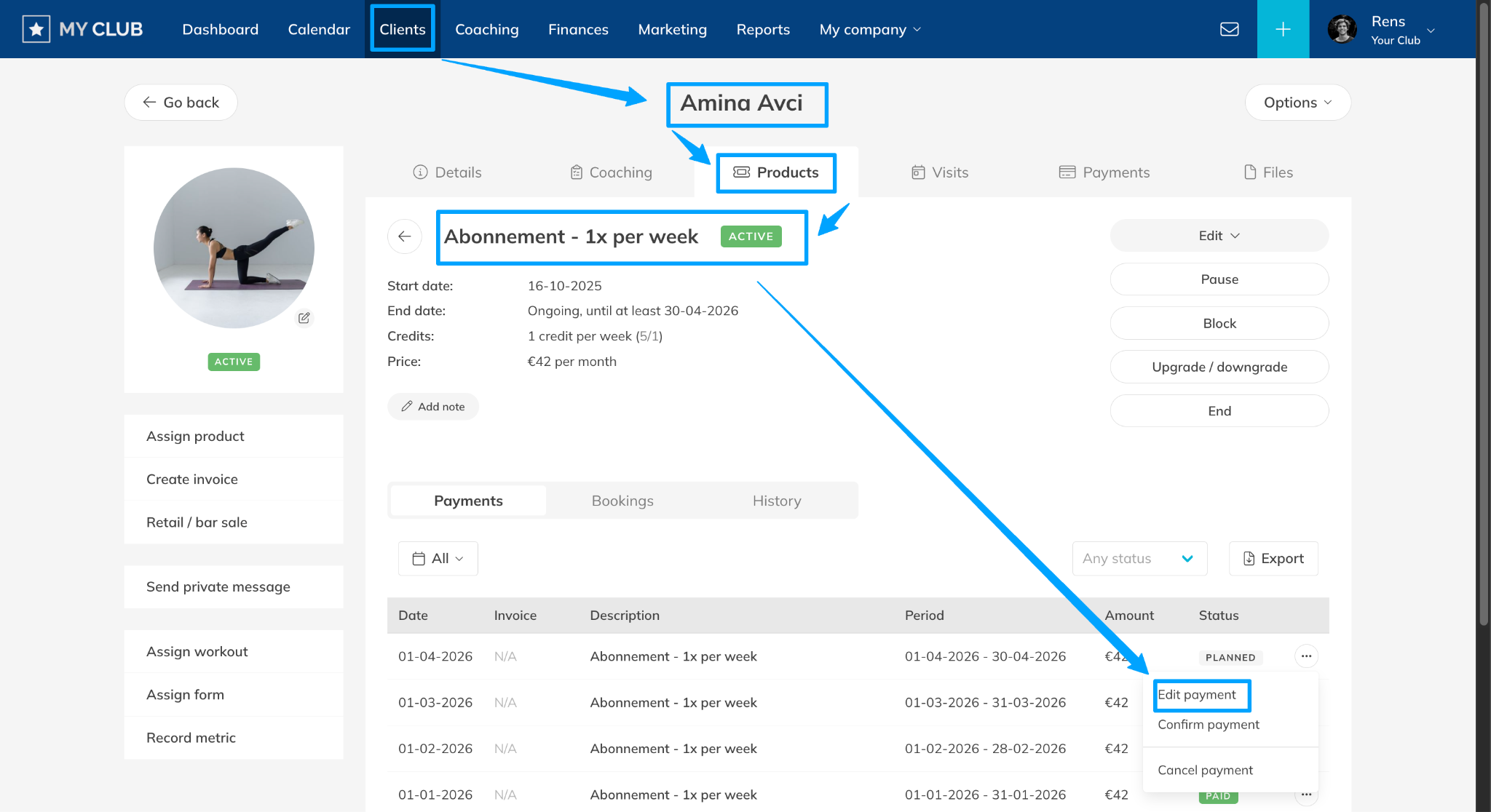
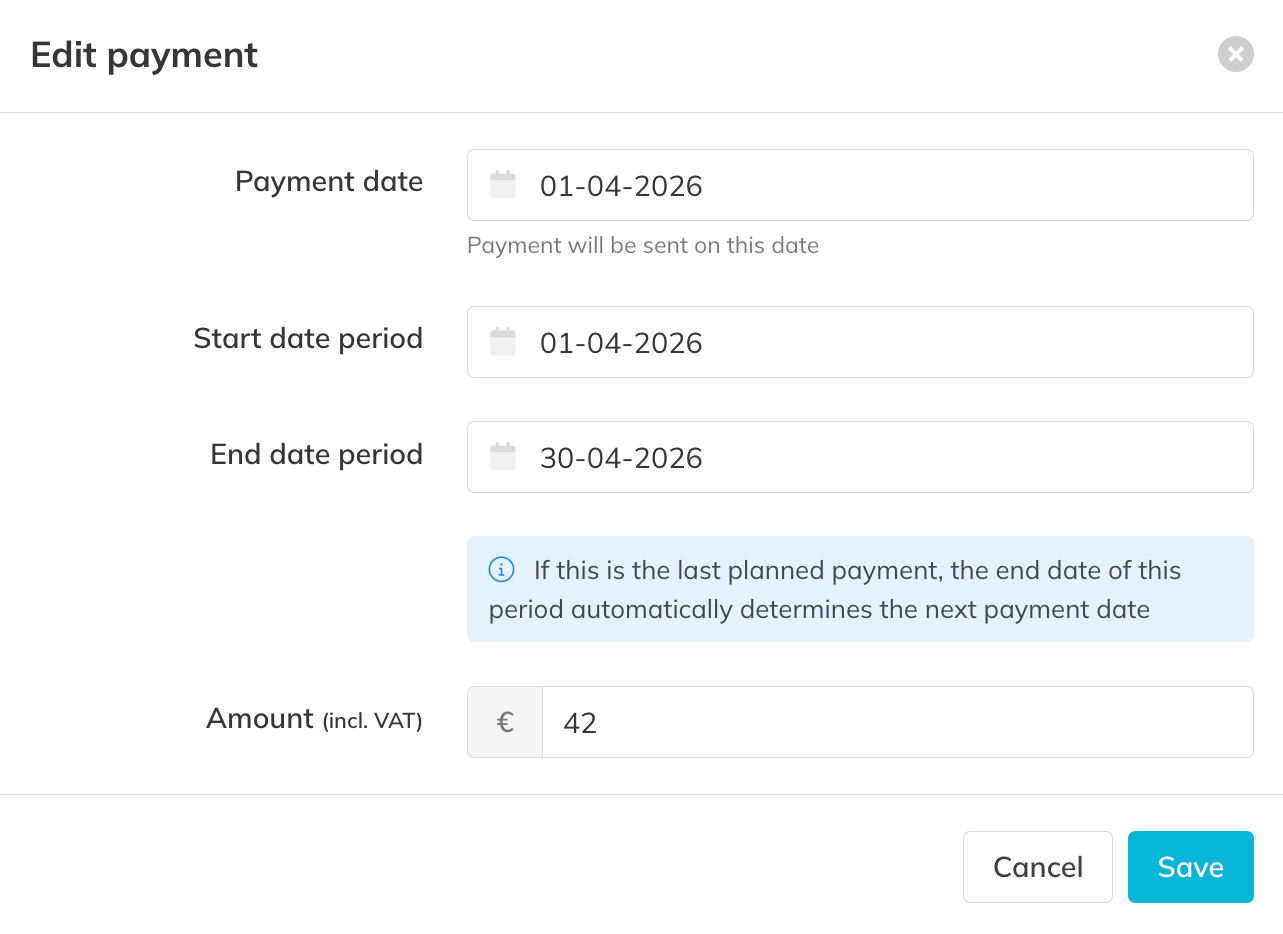
Step 2: Save the changes: Edit Payment > Select the details to update (Payment (order date), Period Covered, Price for the payment (order) > Save
– Confirm the changes so the updated payment details are applied to the planned payment.
Best Practice
When modifying a planned payment, always verify that the billing period matches the Membership cycle to avoid gaps or overlaps in billing.
Pro Tips
If you do not see the planned payment in the membership you want to update (Option 3), you can manually create it with the button to plan the next payment.
Common Questions
What is the payment date used for?
– The payment date determines when the payment will be processed or collected from the client.
What is the order period?
– The order period defines the time range that the payment covers, including a start date and end date for the Membership billing cycle.
Can I edit a planned payment after it has been processed?
– No. Once a payment has been completed, it can no longer be modified.
Will editing a planned payment change the Membership price?
– No. The change only affects that specific planned payment and does not modify the Membership itself.
If you need to frequently adjust planned payments, reviewing your Membership billing setup may help reduce manual corrections.
Related Articles
– How to Schedule the Next Planned Payment for a Membership
– How to Modify the Price of a Customer’s Assigned Membership
– How to process a manual payment
– How to track outstanding Debts and unpaid Orders