When clients book themselves, through the app or the website, the credit is always deducted immediately. Without credits, a client can't book on their own.
When a staff member adds a client, you decide when the credit is deducted. You set this in your company's Calendar settings, under Credit deduction.
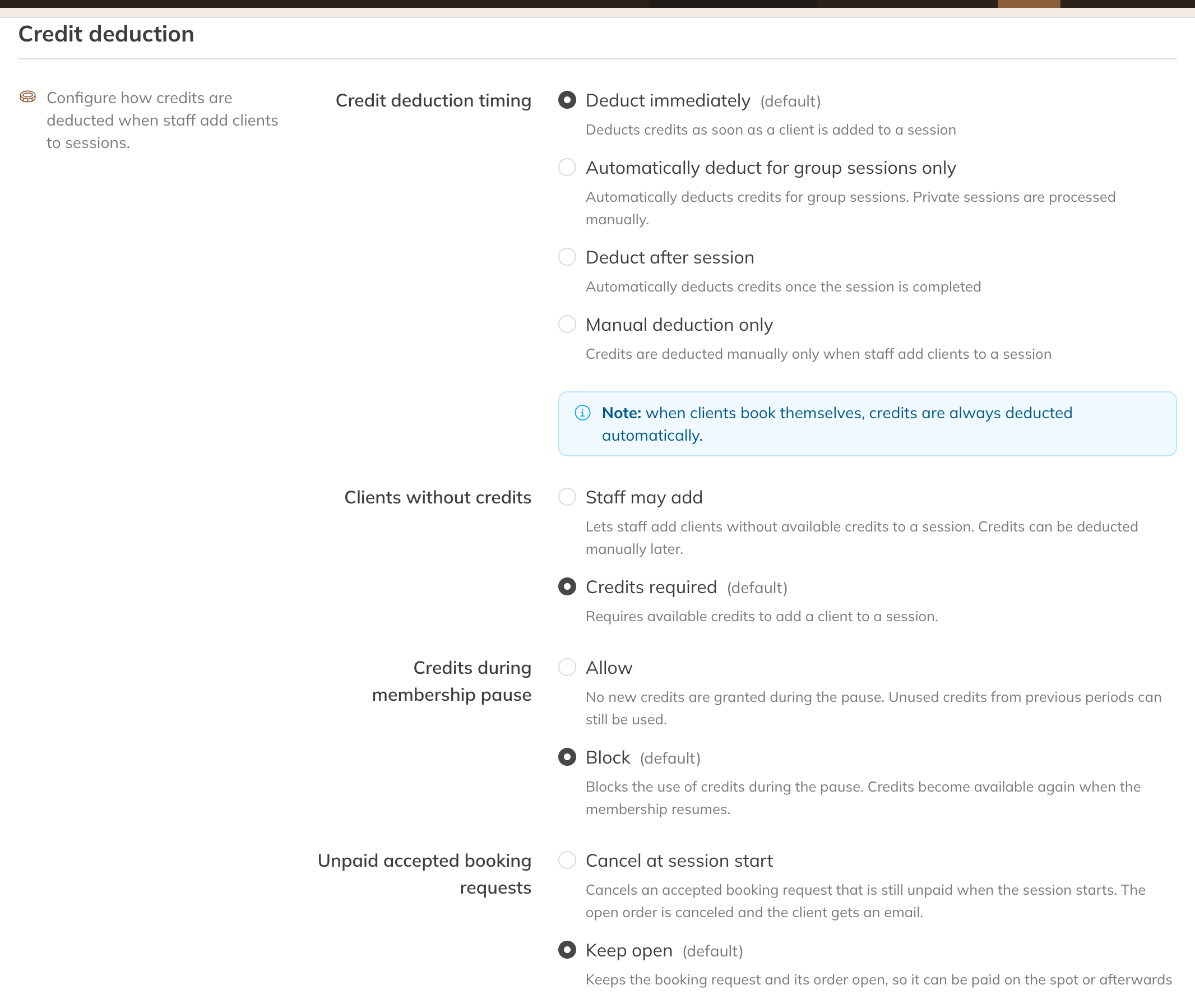
Credit deduction settings
Credit deduction timing
| Option | What happens |
|---|---|
| Deduct immediately (default) | The credit is deducted as soon as you add the client, for group classes and private sessions. |
| Automatically deduct for group sessions only | Immediately for group classes; for private sessions you deduct it yourself. |
| Deduct after session | The credit is deducted as soon as the session is over. |
| Manual | You always deduct credits yourself. |
Clients without credits
- Credits required (default): you can only add clients who have a usable product.
- Staff may add: you can also add a client without credits. The booking stays outstanding until you deduct it later.
On the same page
- Credits during membership pause: can a client with a paused membership still be added?
- Unpaid accepted booking requests: are they cancelled when the session starts, or do they stay open?