A registration fee is a one-off amount a new client pays on the first purchase of a product it applies to.
Turning on the registration fee
- Go to My company → Products and choose Registration fee on the left.
- Turn on Enable registration fee.
- Enter the Name, Description, Price (incl. VAT) and VAT and click Save.
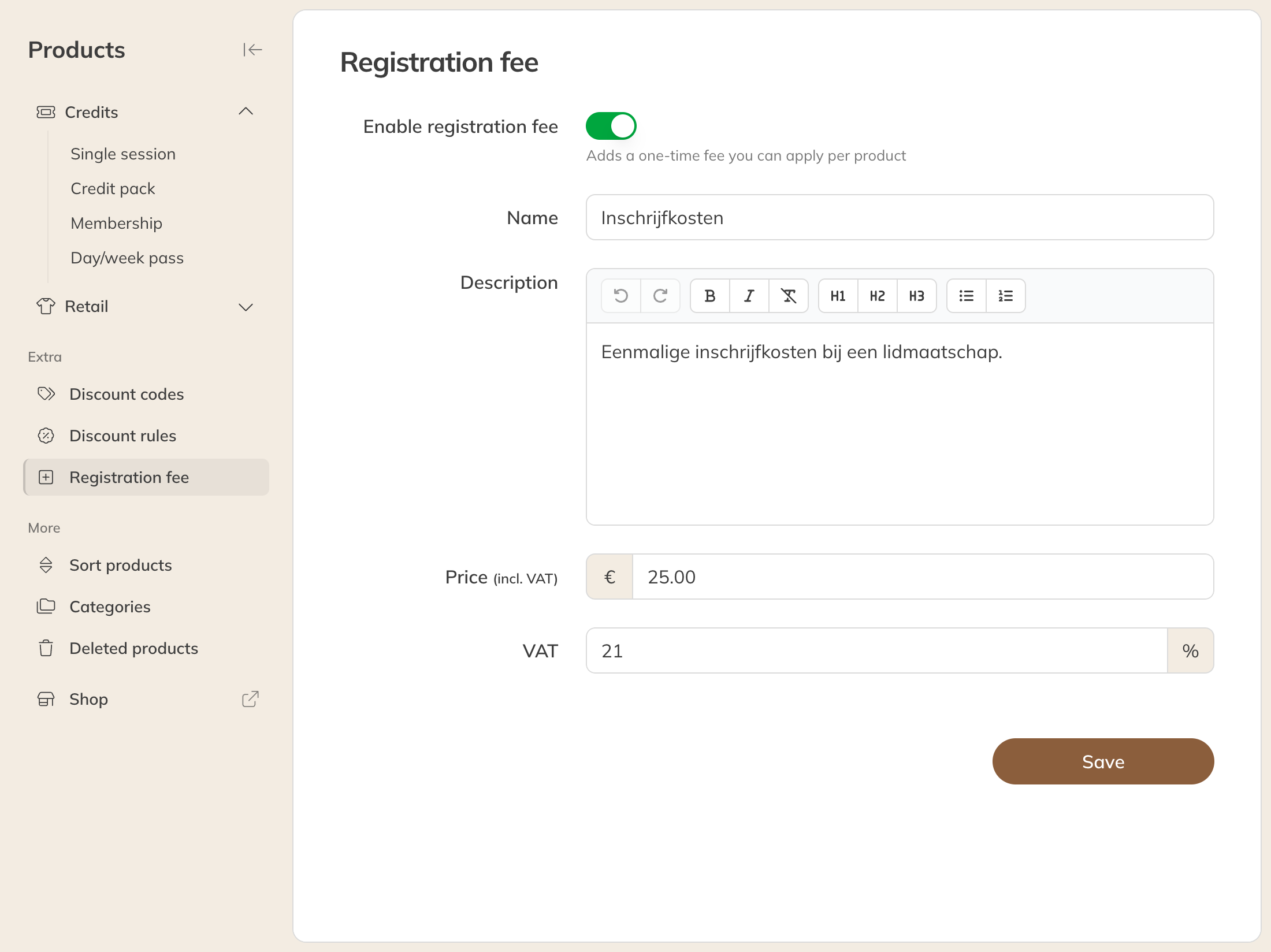
Setting up the registration fee
Per product
New products get the registration fee automatically. For products that already existed, you turn it on yourself: open the product and, under Payment settings, next to Registration fee, tick the box Only charge the registration fee on the first purchase.
When a client buys such a product, the registration fee appears as an extra line in the order. If the client has already paid for a registration that is still running, they don't pay it again.
Note: Each family member pays their own registration fee. If a parent has paid, that doesn't cover the children.
Exempting a client
Doesn't a client need to pay the registration fee? Open the client's profile and go to Bank & payment details. Set Registration fee to Not required. The default is Required if not paid.
Turning it off
If you turn off Enable registration fee, the tick is removed from all your products. If you turn it on again later, you choose again for each product.