For a membership, you set under Credits how many classes a client can book per period, for example 1 per week. If you leave the number empty, it's unlimited.
How long is a period?
| Period | Runs from |
|---|---|
| per week | Monday to Sunday. |
| per calendar month | The 1st to the last day of the month. |
| per 4 weeks, per 3, 6 or 12 months | Counted from the membership's start date. |
A booking counts towards the period of the day of the class, not the day the client books. So a client with 1 credit per week can book a class for next week this week, as long as there's still a credit free in that week.
If the membership starts or ends in the middle of a period, the client gets a proportional number of credits for that period, rounded up. A pause is counted the same way.
Carrying over unused credits
By default, unused credits expire at the end of the period. Want a client to be able to make up a missed class later, for example after being ill?
- Open the membership under My company → Products.
- Under Payment settings, next to Credits left, choose Allow extension.
- Under Extension duration of credits, choose how many periods longer the credits can be used, for example + 4 weeks.
- Click Save.
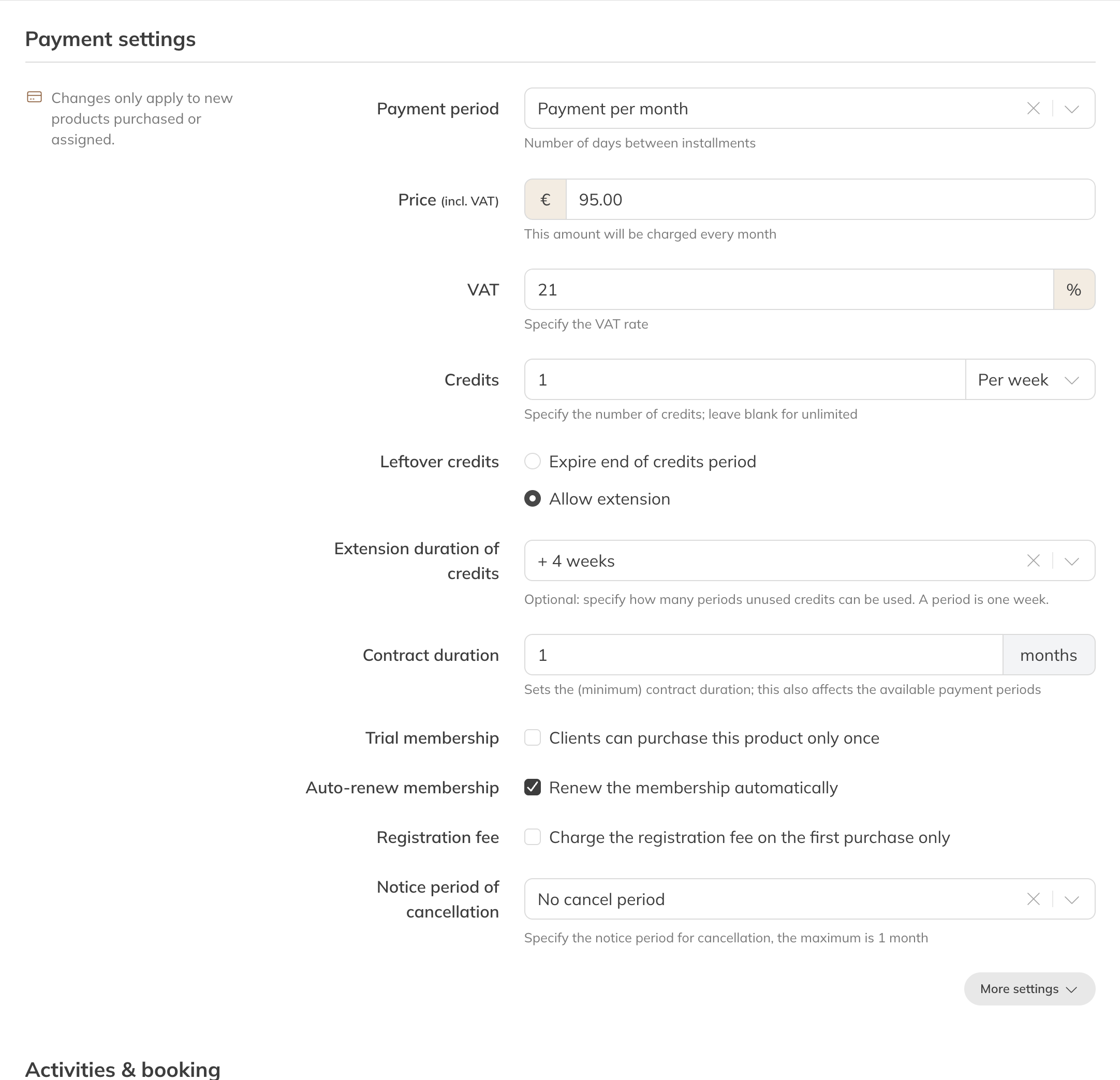
Allow extension: unused credits stay usable for 4 weeks
You can choose 1 to 4 extra periods. With credits per week, you can also choose 5, 6, 8, 12 or 16 weeks.
Which credits are used first?
When a client books a class, Trainin first uses the leftover credits from earlier periods, oldest first. Only then the credits of the class's own period.
Example: a client has 1 credit per week, with + 4 weeks. In weeks 1 and 2 the client is ill. In week 3 the client can then book three classes: the credits from week 1, week 2 and week 3.
Note: A change only applies to memberships bought or assigned after that. Running memberships keep their old setting.
Tip: You can see how many credits a client has left in the client's profile under Products. Credits carried over from earlier periods are included there.