- Go to My company → Products and choose Discount codes on the left.
- Click New discount code.
- Fill in the details (see below) and click Save.
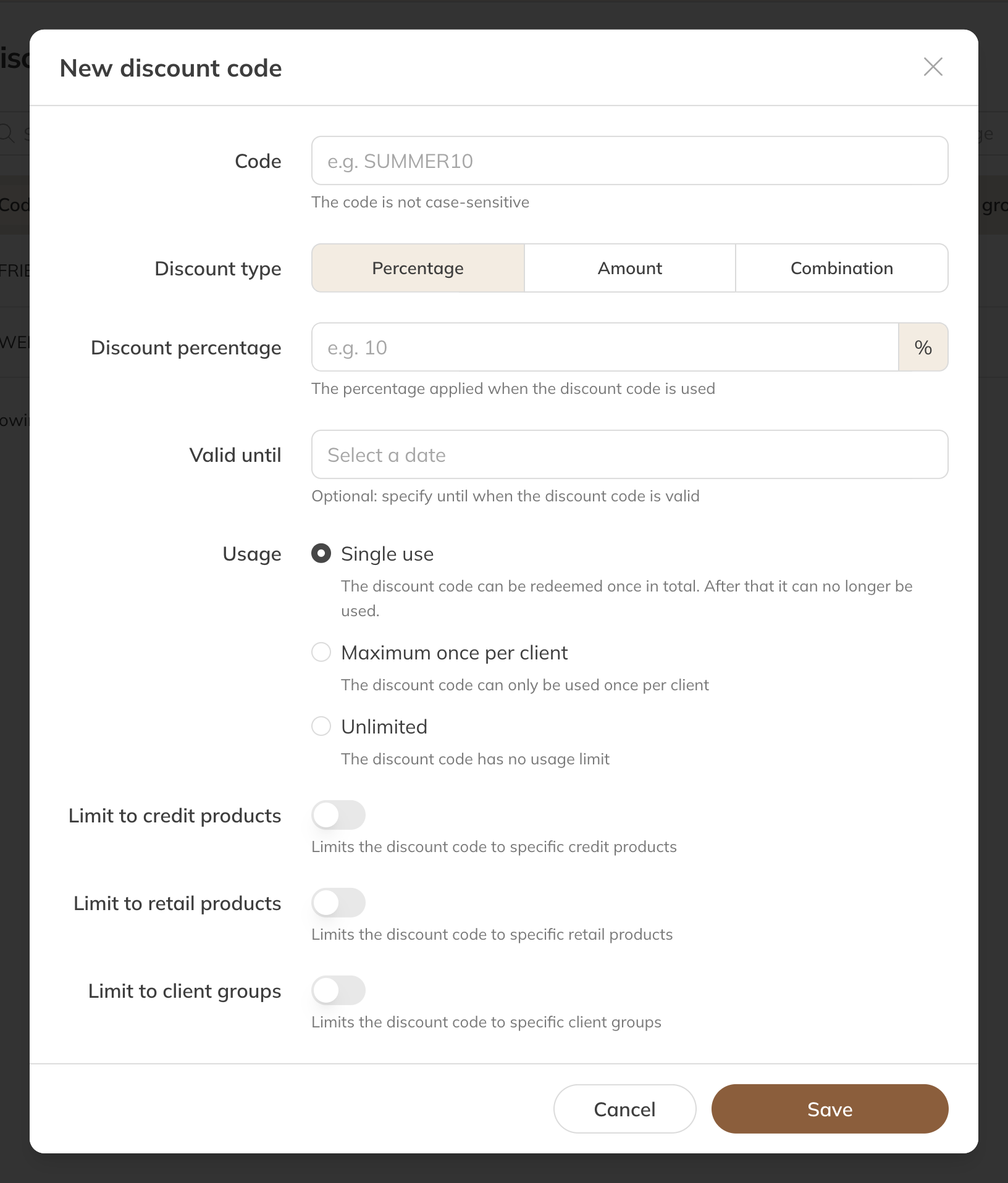
A new discount code
The fields
| Field | Meaning |
|---|---|
| Code | The code the client enters, for example SUMMER10. Upper or lower case doesn't matter. |
| Discount type | Percentage, Amount or Combination. With a combination, the percentage is taken off first and then the amount. |
| Valid until | Optional: the last day the code works. |
| Usage | Unique: the first person to use the code gets the discount, after which it stops working. Maximum once per client. Unlimited. |
| Limit to credit products or Retail products | The code only works for the products you choose. Without a limit, it applies to all products. |
| Limit to client groups | Only clients in these groups can use the code (Pro and Premium). |
How the client uses the code
At checkout, in the shop or through a checkout link, the client clicks Add discount code. The discount appears as a separate line in the order.
- An amount never goes beyond the price of the products the code applies to.
- For a membership, the discount only applies to the first payment. Later payments are the full amount again.
- If the code doesn't work, the client sees This discount code is not valid (expired, disabled, wrong product or wrong client group) or This discount code has already been used.
Tip: Want a fixed discount for a client, for example for students you give a product yourself? Use a discount rule.
The overview
The list shows the discount, usage, end date, products and status for each code. To stop using a code, set it to Disable through the menu; with Enable it works again. You can't change a code that has already been redeemed, but you can delete it. Orders it was used in stay as they are.
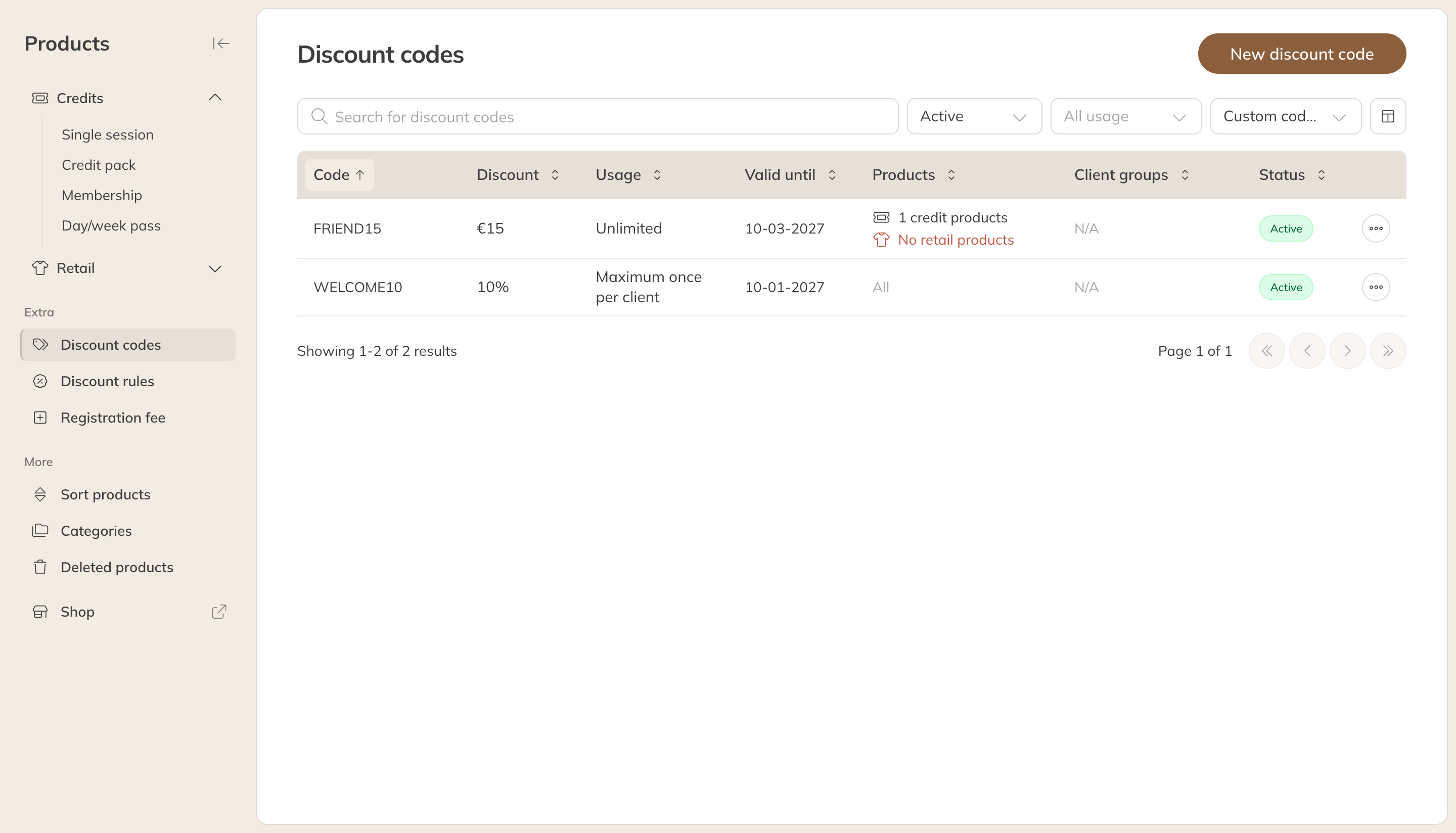
The overview of discount codes
Lots of codes at once
Do you have dozens or hundreds of unique codes, for example for a promotion with a partner? Trainin support can import them for you. Get in touch through Contacting Trainin support.