How to Manually Book Your Customers to Scheduled Activities
Estimated Reading Time: 4 minutes
Applies to: All Plans
Quick Summary
You can manually add clients to a scheduled Activity from the session details.
This allows you to register existing clients, create a new client directly from the session, or add a guest without creating a client account.
Why This Matters
Manually booking clients ensures your attendance list is accurate and that clients use the correct Membership or Credits for the session.
It also allows you to quickly add walk-ins, trial clients, or guests without disrupting your schedule.
Step by Step Instructions
Step 1: Open your scheduled Activity: Schedule > Select Session
– Open the session where you want to add participants.
Step 2: Add a participant: Participants > Add participant
– Click Add participant to start adding someone to the session.
Step 3: Choose the participant type: Add participant > Existing client / New client / Guest
– Select whether you want to add an Existing client, create a New client, or add a Guest without creating an account.
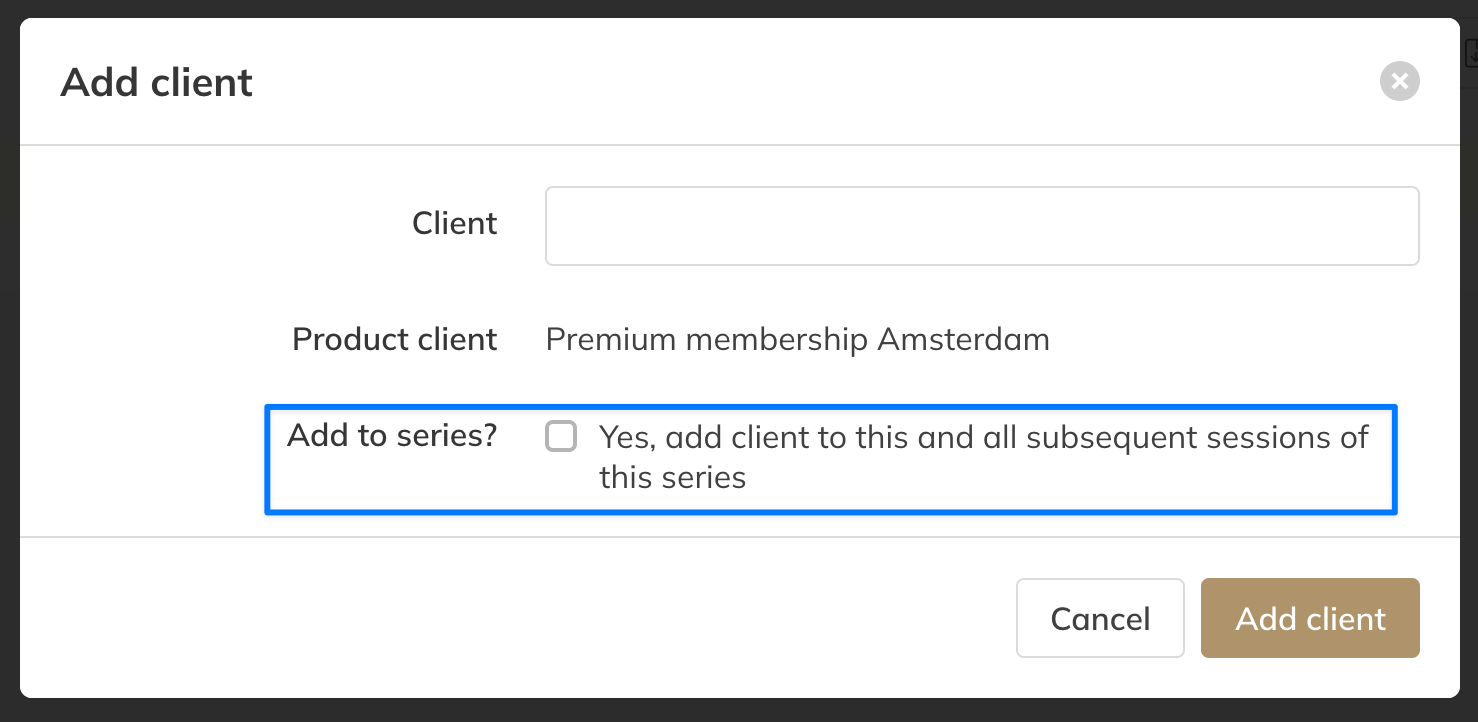
Step 4: Add an existing client: Existing client > Select Client > Add client
– Search for the client, select the correct Product or Membership if required, and confirm to add them to the session. If the session is part of a recurring series, you can enable Yes, add client to this and all subsequent sessions of this series to automatically add the client to the entire series.
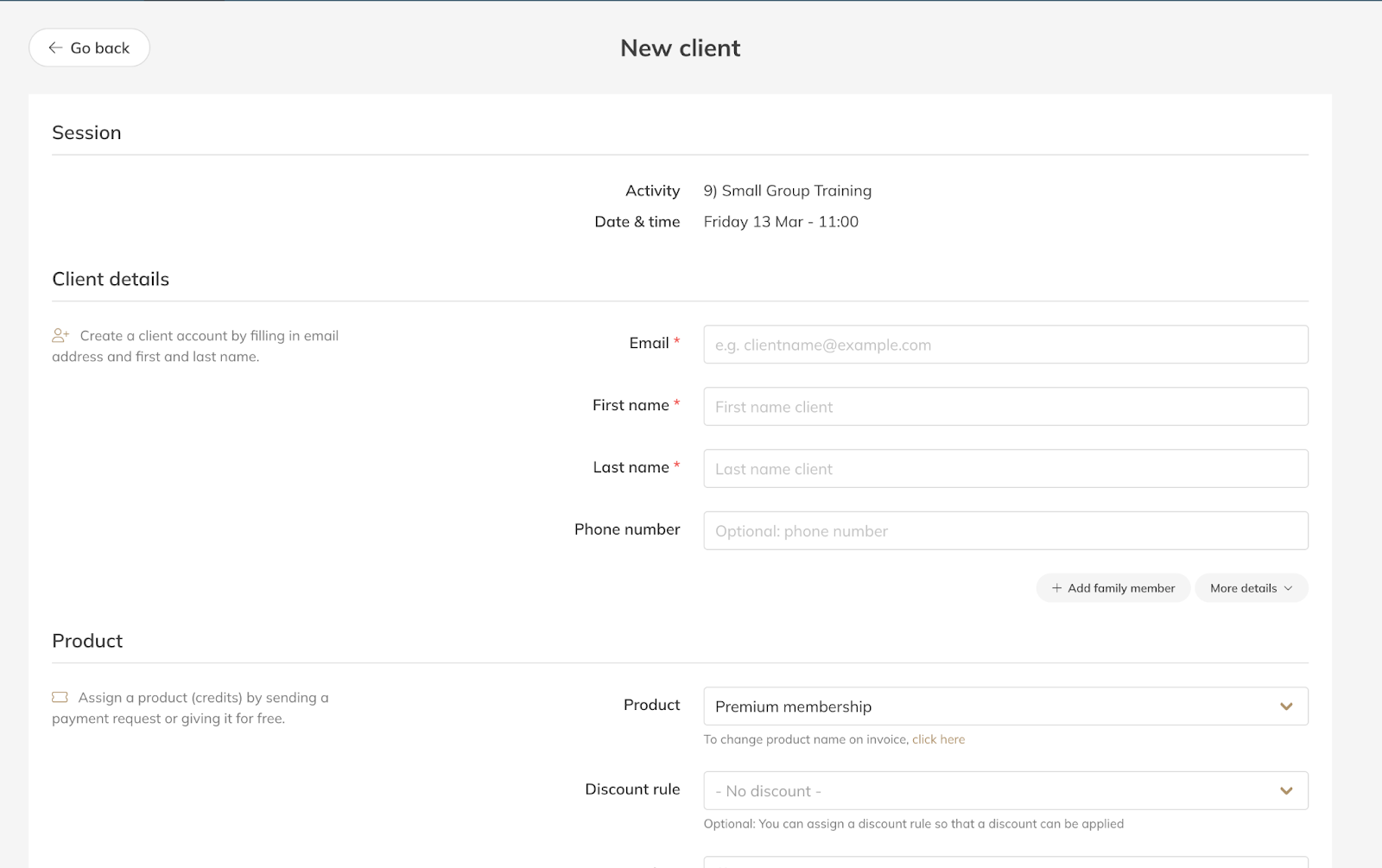
Step 5: Create and add a new client: New client > Client details > Product > Create client
– Enter the client’s details, assign a Product if needed, and create the client to automatically add them to the scheduled Activity.
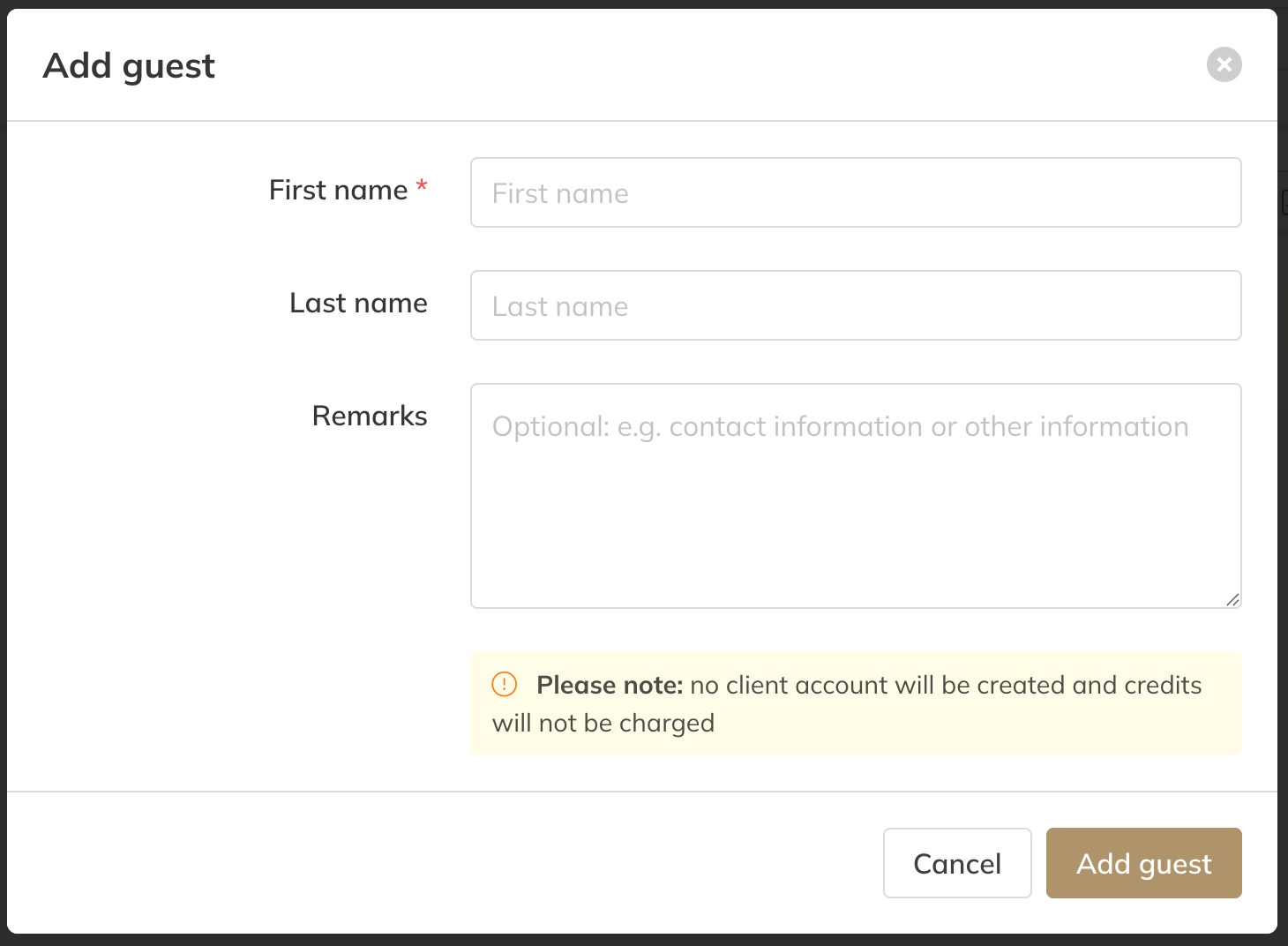
Step 6: Add a guest without creating an account: Guest > Guest details > Add guest
– Enter the guest’s name and optional remarks. No client account will be created and no Credits will be charged.
Best Practice
Use Existing client whenever possible so the correct Membership or Credits are automatically applied.
Use Guest for walk-ins or one-time participants who do not need a full client account.
Common Questions
Can I add someone to all sessions in a recurring series?
– Yes. When adding a client, you can enable the option to add them to the full series of scheduled sessions.
Will Credits be deducted automatically?
– Yes. If the client has a valid Membership or Credit Pack linked to the Activity, the system will use the correct Credits automatically.
Can I add someone without creating a client account?
– Yes. Use the Guest option to add a participant without creating a client profile.
If you would like to know more about our Pro, Premium or Add-Ons, send us an email to support@trainin.com.
Related Articles
– How to Create an Activity– How to Create a Credit Pack
– Trainin Quick Start Hub – From Zero to Live