How to define availability of your staff per location
Estimated Reading Time: 2 minutes
Applies to: Premium
Quick Summary
If your business uses multiple locations, you can define where each staff member is available to work. This ensures trainers are only scheduled on the locations where they actually operate.
By configuring location availability, the calendar and scheduling tools will help prevent incorrect bookings.
Why This Matters
Studios often have multiple training locations or spaces. Not every trainer works in every location.
By defining availability per location, you can:
– Prevent trainers from being scheduled in the wrong location
– Improve scheduling accuracy
– Make planning sessions faster
– Keep your calendar organized
Step by Step Instructions
Step 1: Open the staff availability settings: My company > Staff > Availability
– This section allows you to configure when and where each staff member is available.
Step 2: Select the staff member you want to configure: My company > Staff > Select staff member
– Choose the trainer whose location availability you want to adjust.
Step 3: Define the locations where the staff member is available: Availability settings > Location / location selection
– Select one location, multiple locations, or all locations where this trainer can give sessions.
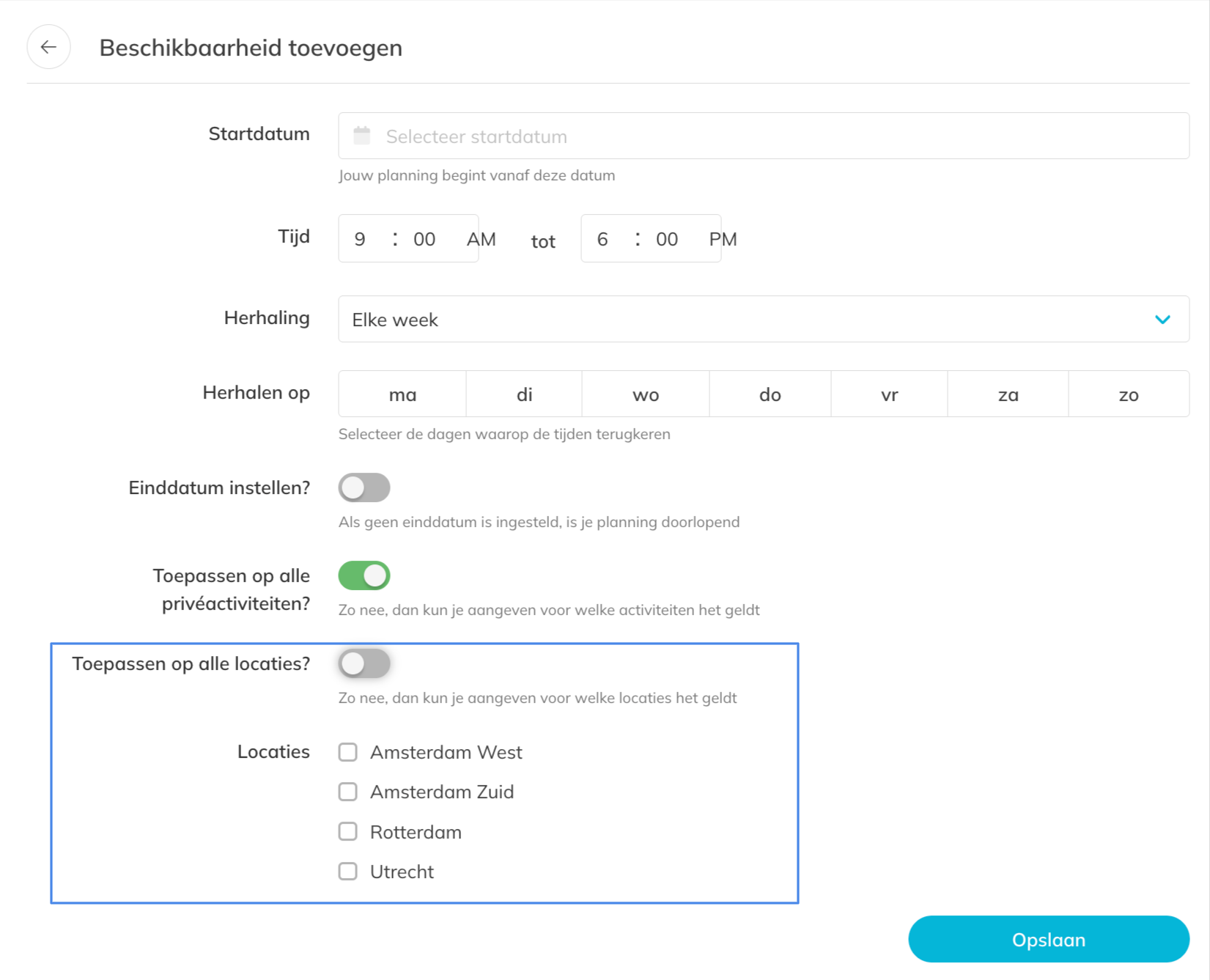
Step 4: Save the availability settings: Save availability settings
– The system will now use these settings when scheduling sessions or classes.
Best Practice
Only assign trainers to the locations they actually use.
This prevents scheduling conflicts and ensures that sessions always take place in the correct space.
Pro Tips
If a trainer works in multiple locations, select all relevant locations in their availability settings.
Keep availability settings updated when trainers change schedules or work locations.
Review location assignments when adding new trainers or new training spaces.
Common Questions
Why should I set staff availability per location?
– This helps prevent trainers from being scheduled in locations where they do not work and keeps the schedule organized.
Will this affect the calendar?
– Yes. The calendar uses this information to help guide scheduling and avoid incorrect location assignments.
Can a trainer be available in multiple locations?
– Yes. You can select multiple locations if the trainer works in different spaces.
Location-based staff availability is available in the Premium plan.
If you would like to know more about our Premium package, send us an email to support@trainin.com
Related Articles
– How to Set Staff or your personal Availability for Private Sessions
– How to define availability of your staff per location
– How to add or remove Staff members