How to Configure Automated Penalties for No-Shows and Late Cancellations
Estimated Reading Time: 3 minutes
Applies to: Pro and Premium
Quick Summary
Automated penalties allow you to charge clients when they miss an Activity (no-show) or cancel too late.
This helps enforce your cancellation policy and ensures clients respect your booking rules.
Why This Matters
Late cancellations and no-shows reduce availability for other clients, especially with unlimited Memberships.
Automating penalties protects your time, encourages responsible bookings, and ensures your policies are applied consistently.
Step by Step Instructions
Step 1: Request activation from Trainin Support: Send an email to support@trainin.com
– The Video Library must first be activated for your account. Our support team can enable this feature for you.
Step 2: Configure the penalty fees: Settings > Penalties
– Decide whether to activate both the No-Show and Late Cancellation fees or only one of them.
Step 3: Mark all participants as present by default
– When activating no-show penalties, we recommend marking participants as present by default. This way, you only need to mark a participant as absent when necessary.
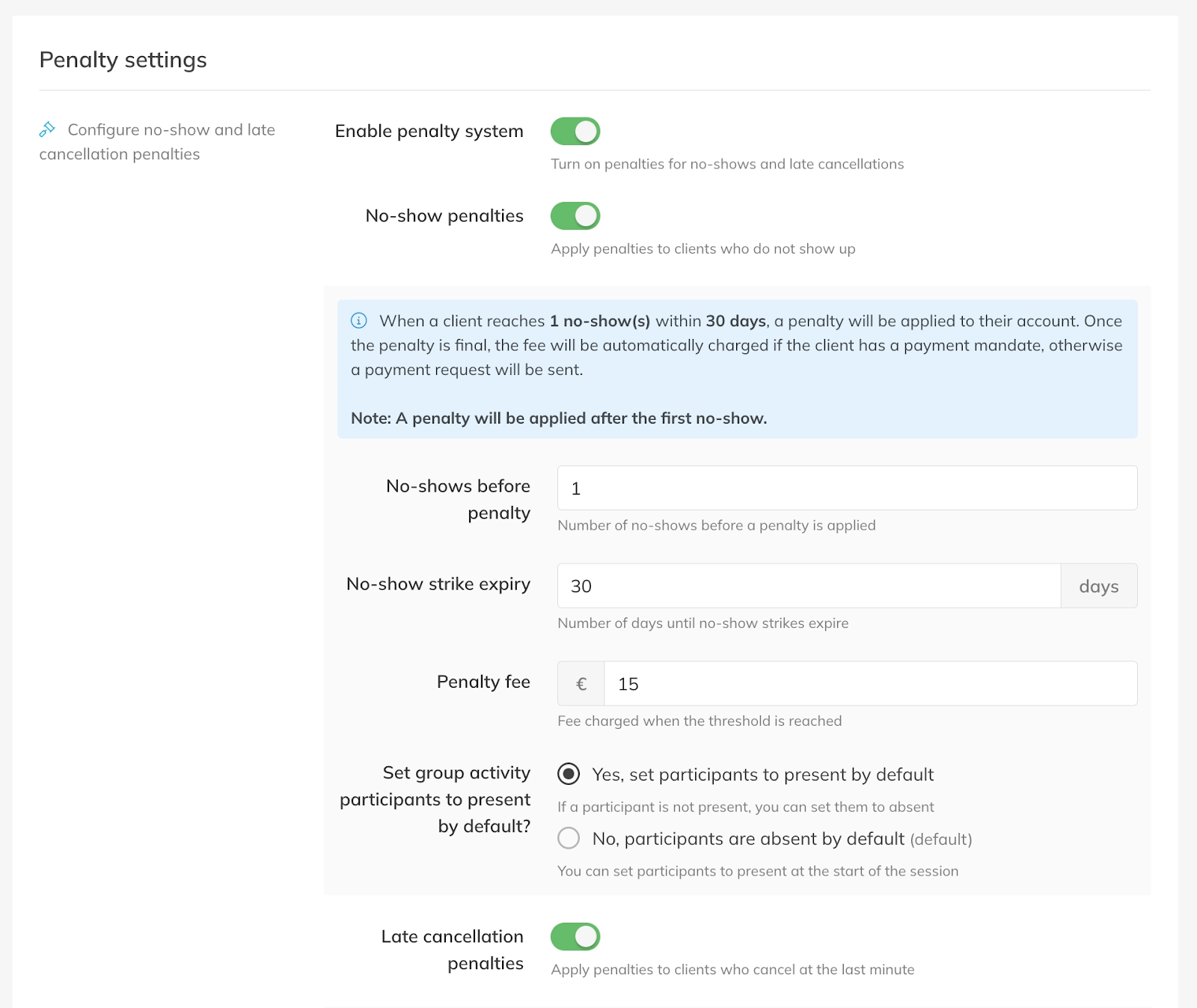
Step 4: Configure penalties per product and activity
– After activating the penalties, you must configure per product and activity whether you want it to be enabled. For detailed instructions, see the articles “How to enable penalties in your products” and “How to disable penalties for specific Activities.”
Best Practice
Clearly communicate your cancellation policy to clients before they book Activities.
Display the rules in your Product descriptions, onboarding messages, or Terms & Conditions so clients understand the consequences of late cancellations or no-shows.
Pro Tips
To enable notifications (email and push) to the client when a strike is registered, go to Settings > Client notifications.
Common Questions
What happens if a client cancels before the cancellation window?
– If the client cancels within the allowed time window, no penalty is applied.
Can penalties deduct Credits from a Credit Pack?
– No, penalties cannot be deducted as Credits from Credit Packs or Memberships. Penalties are fees that you can automatically charge.
Can I change the penalty rules later?
– Yes, you can adjust the penalty configuration at any time in your settings.
Do penalties apply to all Activities automatically?
– Penalties apply according to the configuration set in your Activity settings.
If you would like to know more about our Pro, Premium or Add-Ons, send us an email to support@trainin.com.
Related Articles
– How to enable penalties in your products
– How to disable penalties for specific Activities
– How to get insight and view reports on strikes and penalties
– How to manage penalties and strikes for a customer
– How to can my customers view their strikes and their penalties