How to create a workout plan template for your customers
Estimated Reading Time: 4 minutes
Applies to: Premium / Pro or Starter with Add-On
Quick Summary
Workout plan templates allow trainers to build structured training programs for clients. You can create workouts using Trainin’s exercise database with more than 2500 exercises, or add your own custom exercises.
Once created, these templates can be reused and assigned to multiple clients.
Why This Matters
Structured workout plans help trainers deliver consistent coaching.
By creating workout templates, you can:
– Build professional training programs faster
– Reuse workout structures across multiple clients
– Standardize coaching across your team
– Combine exercises from the built-in exercise database or your own custom exercises
Step by Step Instructions
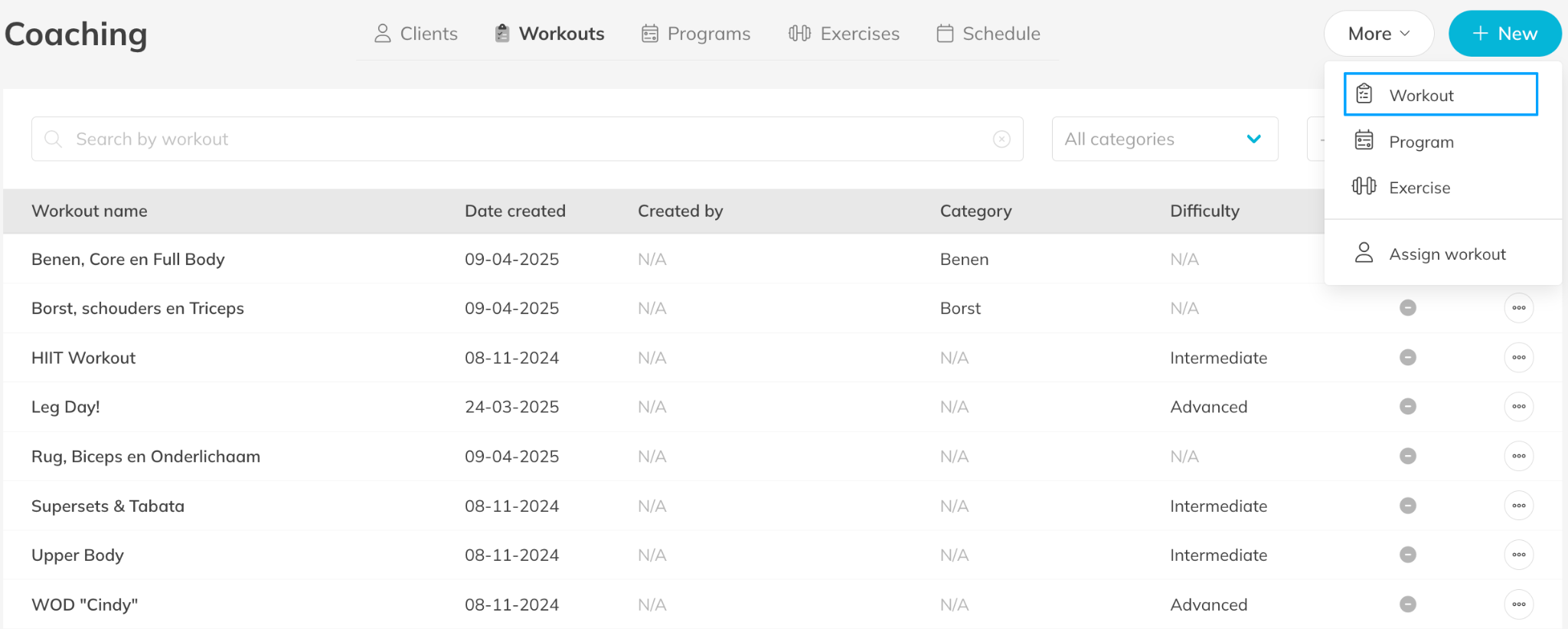
Step 1: Open the workout plan section: Coaching > Workouts
– This section allows you to create and manage workout templates for your clients.
Step 2: Create a new workout plan template: Workouts > + New > Workout
– Enter a clear name for the workout template so trainers can easily identify it.
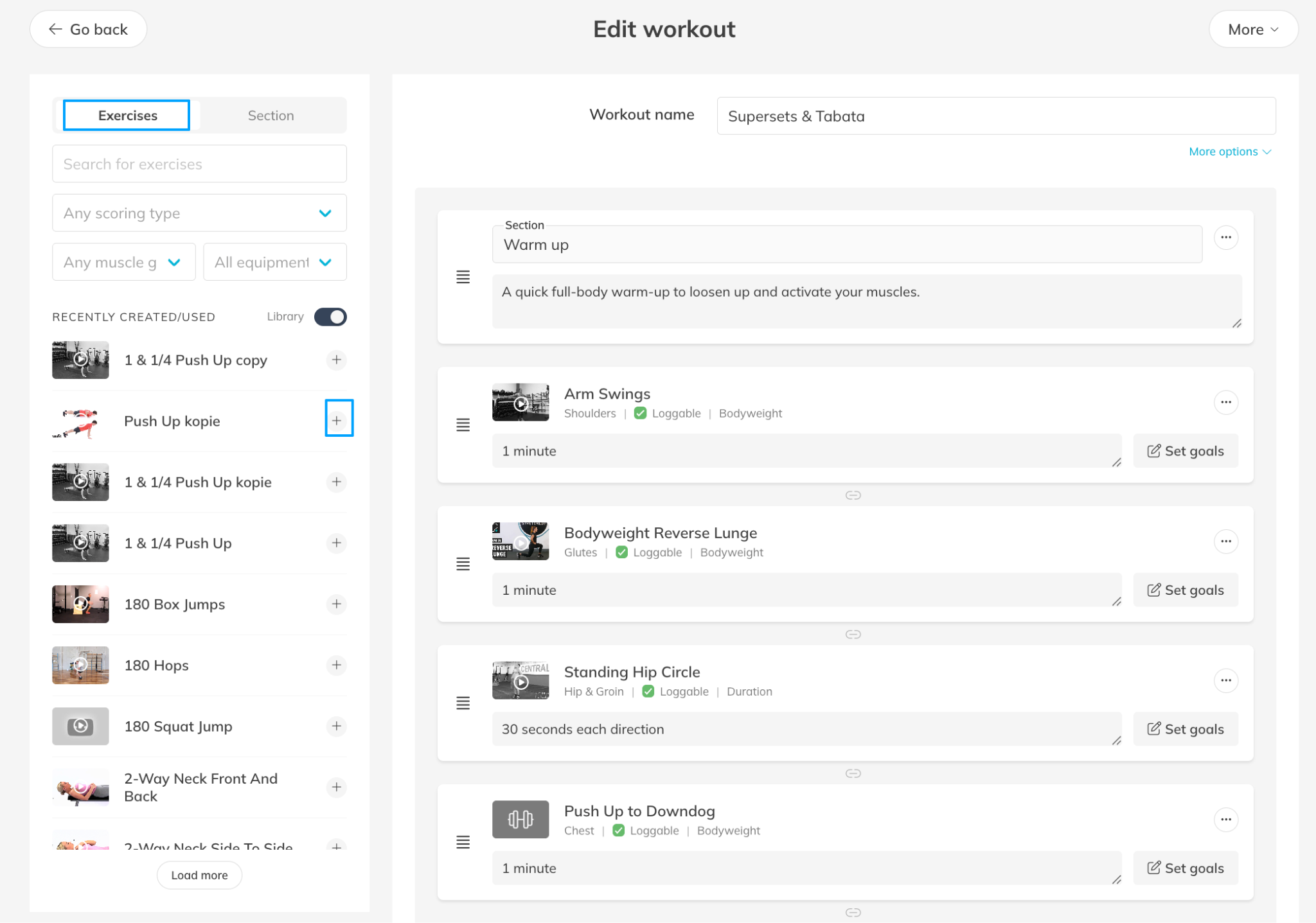
Step 3: Add an exercise to the template: Edit Workout > + Exercise
– Trainin provides access to a library with more than 2500 exercises that you can add directly to workouts.
– You can add your own exercises when something is not available in the standard exercise database or when you want to make it more branded.
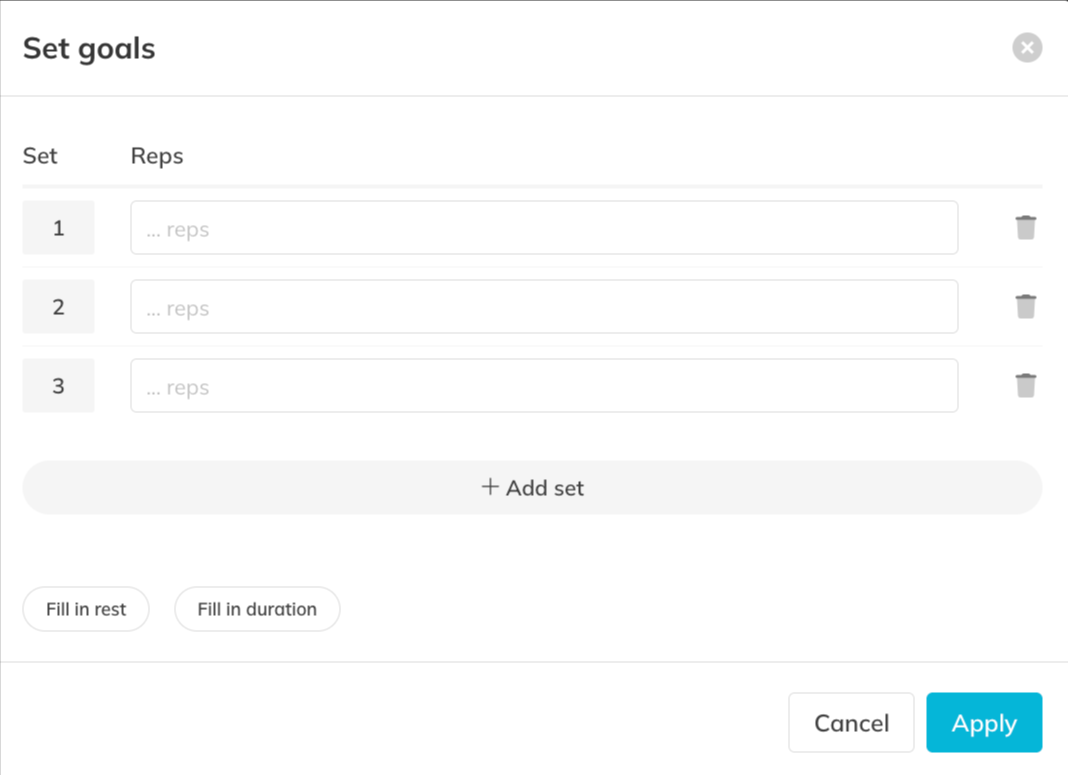
Step 5: Configure exercise goals: Exercise details in Workout Plan > Set Goals
– Define the training goals so clients clearly understand how to perform each exercise.
– Tip: Define the training goals when you customize a workout for a client.
Step 6: Organize the workout structure: Workout Plan > Exercise Order / Sections
– Arrange exercises in the correct sequence to build a clear and structured workout session and add different sections within the workout.
Step 7 (optional): Create supersets: Workout Plan > connection icon between exercises
– Connect exercises to create supersets in the workout plan. You can create a superset with multiple exercises.
Step 8: Save the workout plan template: Workout Plan > Save
– The template will now be available to assign to clients.
Best Practice
Create templates for common goals such as strength training, rehabilitation, or beginner programs.
This allows trainers to quickly assign structured plans while still customizing them for individual clients.
Pro Tips
Start with a base template and set goals when you customize a workout plan for an individual client.
Use clear naming conventions for templates so trainers can quickly identify the correct program.
Combine exercises from the standard exercise library with custom exercises specific to your training method.
Common Questions
How many exercises are available in the exercise library?
– Trainin provides a database with more than 2500 exercises that you can add directly to workout plans.
Can I create my own exercises?
– Yes. You can create custom exercises and use them in workout templates alongside the existing exercise library.
Can I reuse workout templates?
– Yes. Once created, templates can be reused and assigned to multiple clients.
Workout plans and coaching tools are available in the Premium plan or Pro/Starter plan with Add-On.
This feature allows trainers to build structured training programs and manage client progress directly in Trainin.
Related Articles
– How to upload your own custom exercises for coaching
– How to enable and set preferences for the coaching and body metrics module
– How to create a workout program for your customers
– How to assign a workout to your customers for training
– How to follow the activity and metrics progress of your customer
– How to create a Workout of the Day (WOD)