How to Process a Refund or a Partial Refund
Estimated Reading Time: 4 minutes
Applies to: All Plans
Quick Summary
Once an invoice is final and published, it cannot be edited or changed in Trainin. If you need to correct the amount, product, or payment, the only way to adjust the invoice is by creating a credit invoice.
A credit invoice allows you to process a full refund or a partial refund while keeping your financial administration accurate.
If an order has been paid without an invoice, you can still credit the amount. In this case, the order will be cancelled and removed from Finances after the credit is processed.
Why This Matters
Invoices in Trainin are part of your financial records. Because of this, published invoices cannot be modified. This ensures that your bookkeeping remains accurate and compliant.
When a correction is required, creating a credit invoice records the change properly and maintains a clear link between the original invoice and the refund.
For paid orders without an invoice, the refund process works slightly differently because the order will be cancelled after the credit is created.
Steps for Fully Crediting the Invoice / Order
Step 1: Locate the original order or invoice: Go to Finances > Sales / Invoices
– Find the order or invoice that you want to refund or adjust. You can find this either via Finance or at the specific client profile.
Step 2: Open the order details: Go to Finances > Sales / Invoices > Select the relevant Order/Invoice
– This opens the order/invoice and payment overview. You can also approach this menu via the icon with the three dots.
Step 3: Start the credit process: Go to Finances > Sales / Invoices > Click the three-dot menu > Credit amount/invoice
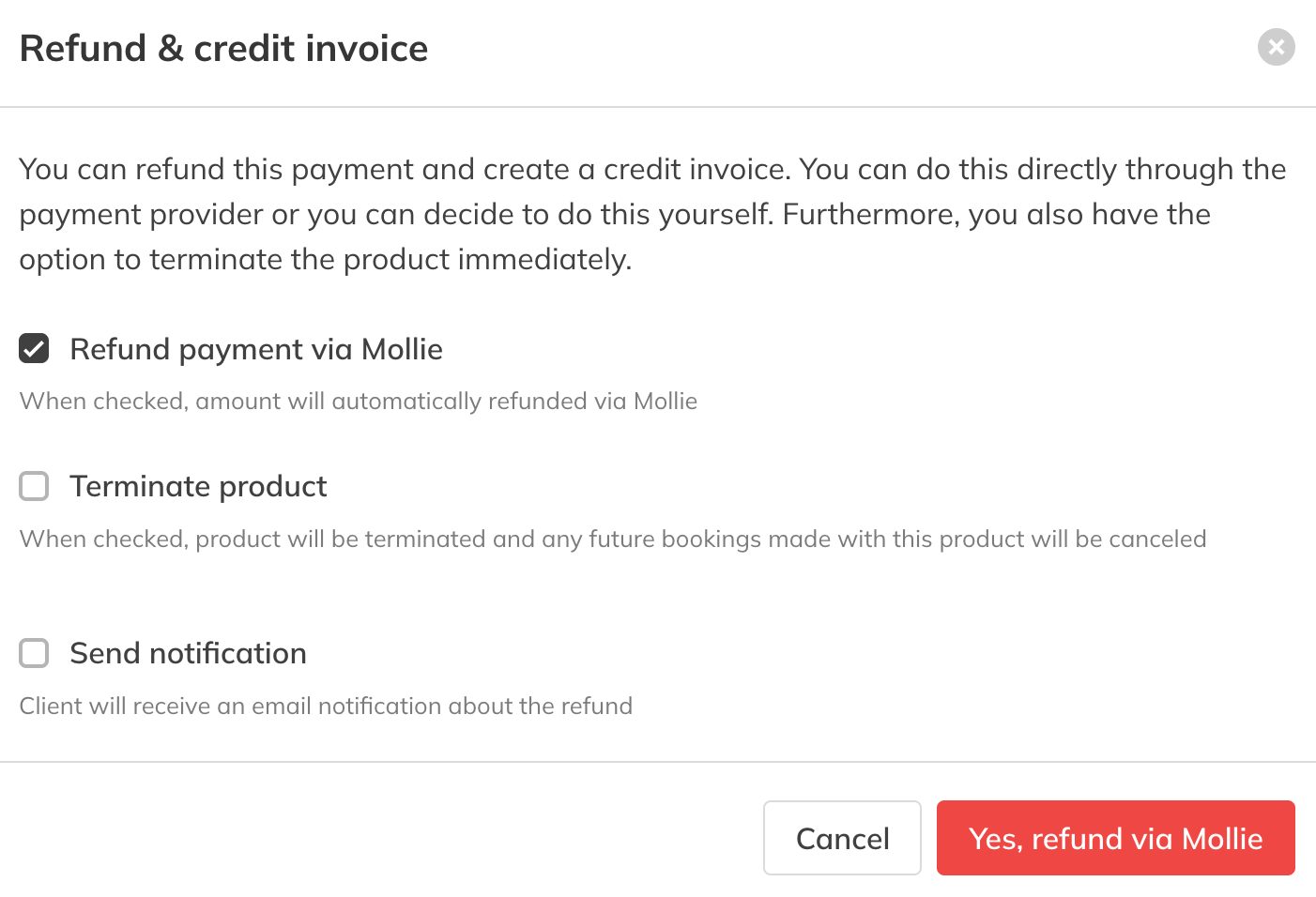
– This creates a credit invoice or just credits the amount (in case of an order without invoice) linked to the original invoice so the refund is correctly recorded. You will have the following options:
Refund the payment via Mollie: this is only applicable when the payment was done via Mollie in the first place.
Terminate product: selecting this option leads to the immediate termination of the client product (subscription or package for example).
Send notification: optionally, you can send the client a notification of this action by email.
For an order without an invoice, this is similar. The only difference is that the negative amount is not shown in Sales, but the original order gets cancelled.
Image credit invoice options:
Steps for Partially Crediting the Invoice
A partial credit note cannot be created directly from the original invoice. Instead, you create a new invoice with a negative line to correct the amount.
Step 1: Open the client’s invoices: Go to Clients > Select Client > Finances > Invoices
– This shows all invoices linked to the client.
Step 2: Create a new invoice: Click Create Invoice
– This invoice will be used to register the correction amount.
Step 3: Add a custom line with a negative amount: Add custom line
– Enter the amount that needs to be credited as a negative value. This creates a partial credit note that offsets part of the original invoice.
Step 4: Save the invoice: Click Save
– The negative invoice amount will appear in the client’s financial overview and correct the balance accordingly.
Best Practice
Always review the original invoice carefully before creating the credit invoice. This helps ensure the refund amount and invoice lines are correct.
Pro Tips
Use a partial credit invoice if only part of the service or product needs to be refunded.
Add an internal note explaining the reason for the refund for future reference.
Remember that the credit invoice corrects the administration, but the actual money refund may still need to be processed through your payment provider.
Common Questions
Why can’t I edit an invoice after it is published?
– Invoices are part of your official financial records. Once published, they cannot be changed to maintain correct bookkeeping and legal compliance.
How do I correct a mistake on a published invoice?
– You must create a credit invoice. This reverses the original invoice fully or partially and records the correction properly.
Can I refund only part of an invoice?
– Yes. When creating the credit invoice, you can adjust the amount or invoice lines to issue a partial refund.
Does creating a credit invoice automatically refund the client?
– No. The credit invoice corrects the financial administration. Depending on the payment method, the actual refund may still need to be processed via your payment provider.