A location is a branch or address where you hold sessions. Within a location you can create rooms, fields or equipment. You'll find everything under My company → Locations.
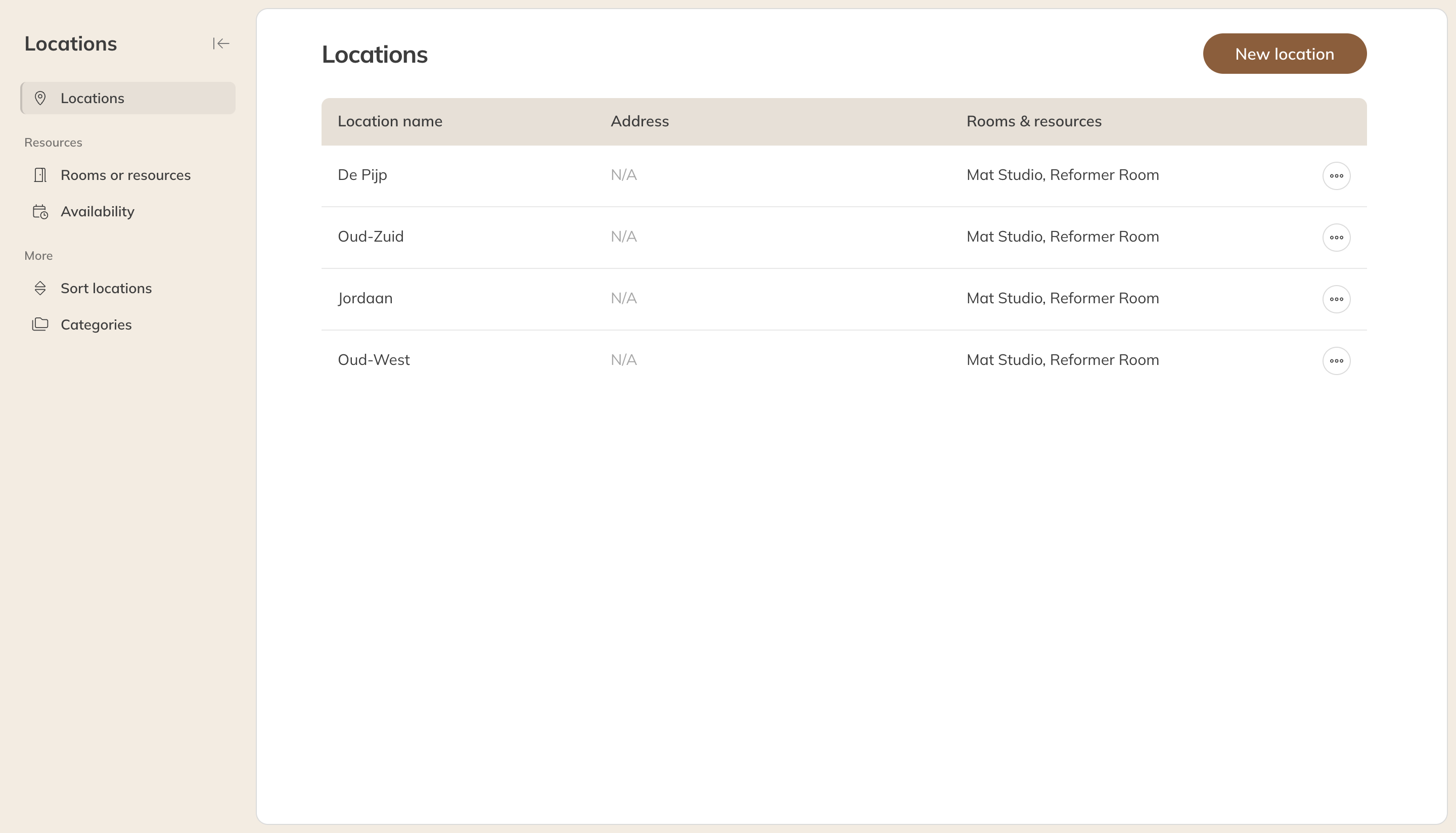
Your locations with their rooms
Creating or changing a location
- Click New location, or click an existing location.
- Fill in the name, the address and, if you like, a category, color, photo and facilities (such as changing rooms or showers).
- Click Save. Changes apply immediately to all future sessions.
In the Premium plan, under Booking & registration settings, you can also set per location:
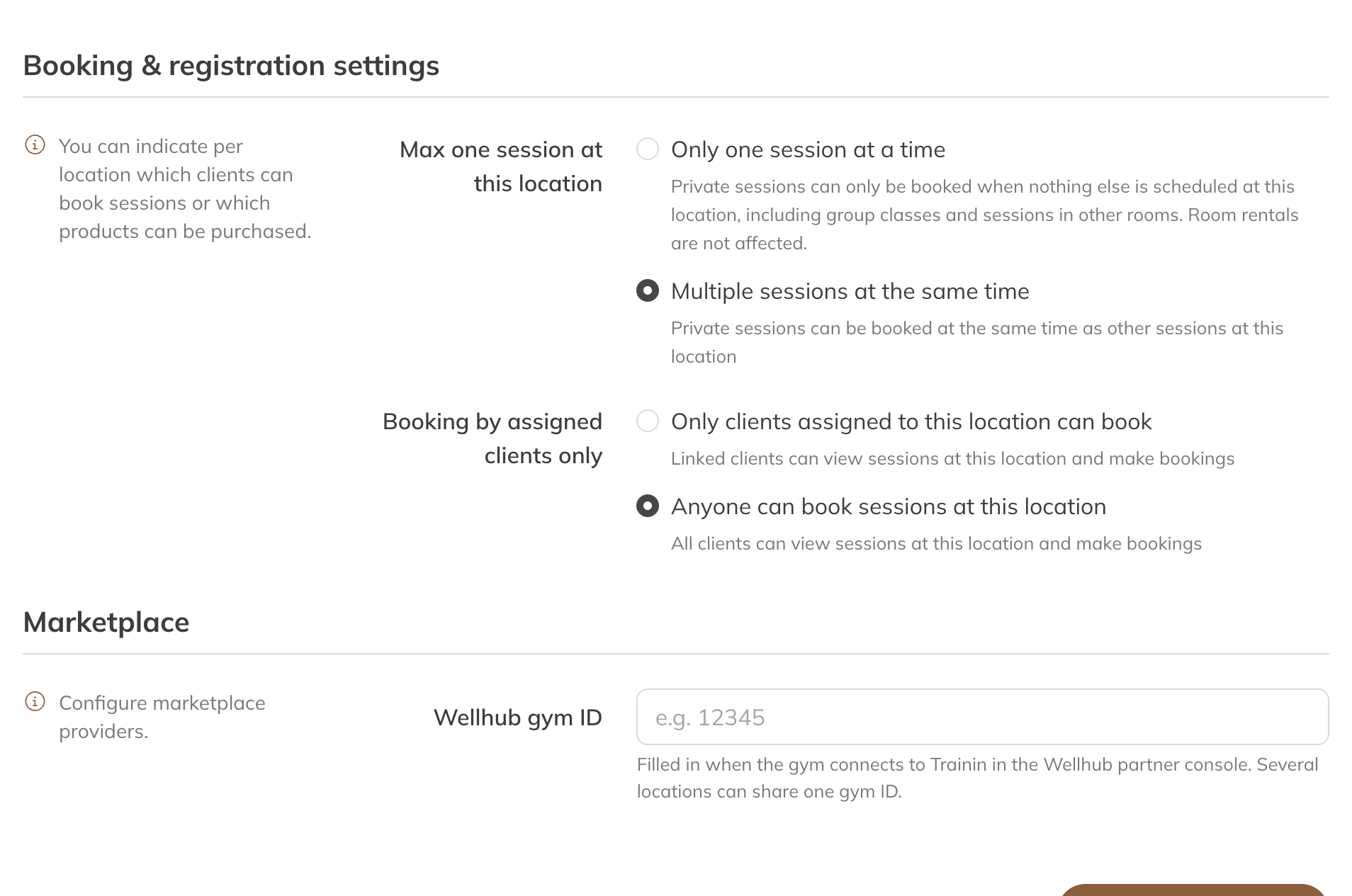
Booking settings per location
- Max one session at this location: with Only one session at a time, a private session can only be booked if nothing else is scheduled at the location at that moment, not even a group class. Rentals aren't restricted. Handy for a small studio with one instructor.
- Booking by assigned clients only: only clients linked to this location can see and book sessions there.
Rooms, fields and resources
Rooms are available in the Premium plan, or in the Pro plan with the rooms and spot booking add-on.
- Open the location and, under Rooms & resources, click Add room or resource. Or go to Locations → Rooms or resources and click New room or resource.
- Choose the type, give it a name and, under Max. number of spots, enter how many people it can hold at once.
- Under Visible to client, choose whether clients see which room their session is in.
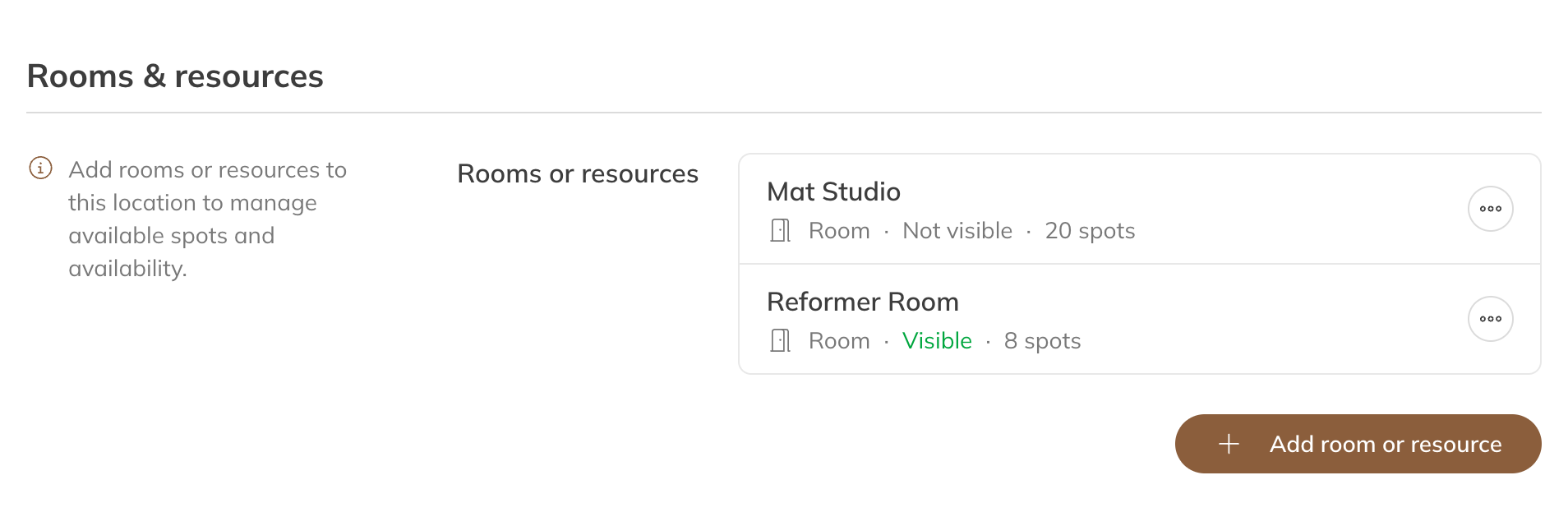
A location's rooms
| Type | Example |
|---|---|
| Room | A hall, studio or treatment room |
| Equipment | A machine or apparatus, such as a spinning bike |
| Field | A football pitch, tennis court or padel court |
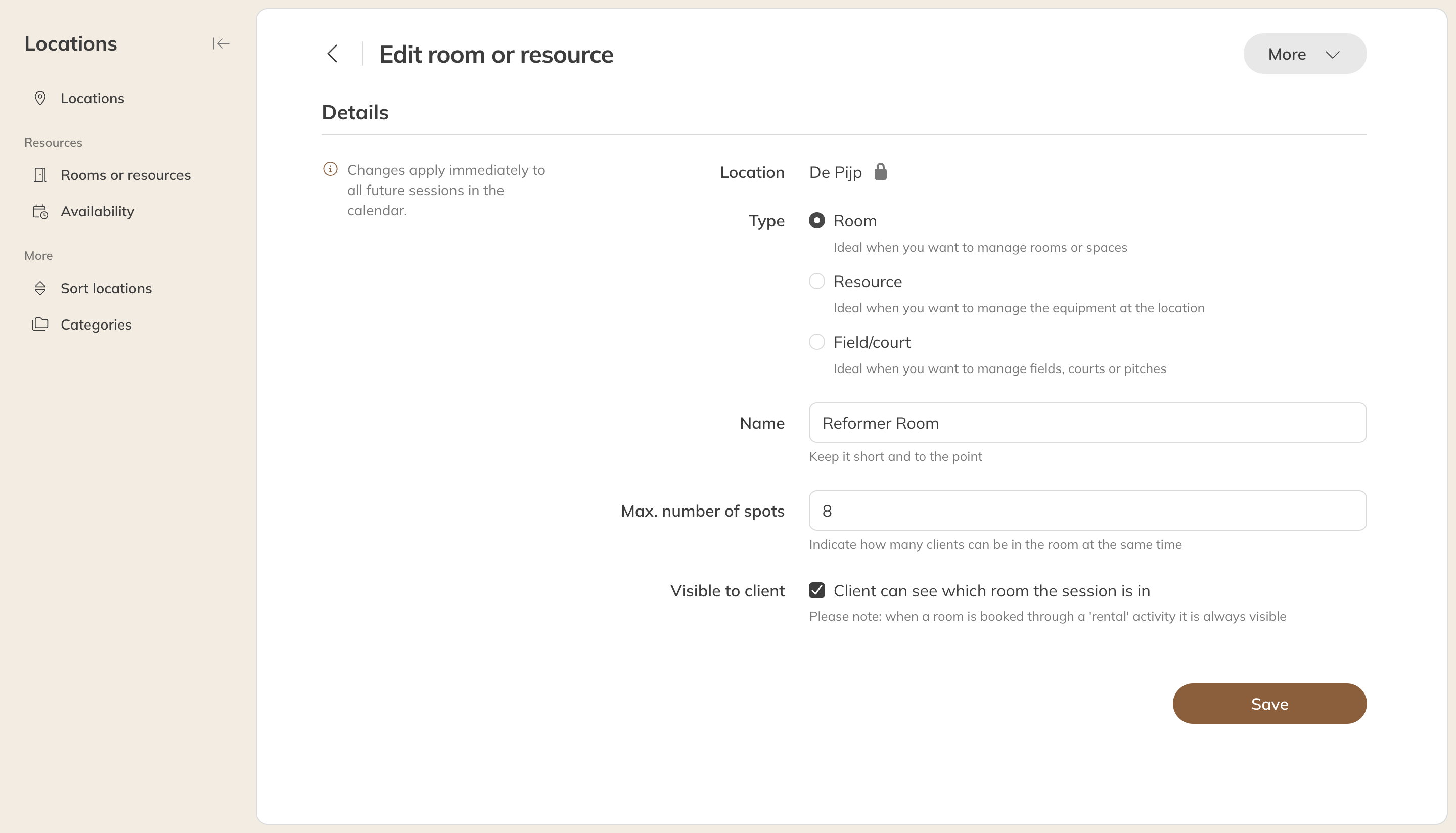
Editing a room
How to use rooms
- Link the rooms to an activity under Link rooms or resources. When you schedule a session, you then choose the room.
- The number of spots lets you keep an eye on capacity. If, for example, a hall holds 10 people and there's a group class of 8 in it, there's still room for 2.
- For rentals, you give the room availability. See Renting out a room or resource.
- A floor plan for spot booking also belongs to a room. See Spot booking.
Tip: In the calendar you can show a day in columns per room. See The calendar: views, filters and your preferences.