Both reports are under Reports → Sessions and are available in the Pro and Premium plans.
Cancellations
For each activity you see Sessions, Participants, Cancellations and No refund.
- Cancellations are cancellations by the client and by your team.
- No refund means the client cancelled too late: the credit was not returned.
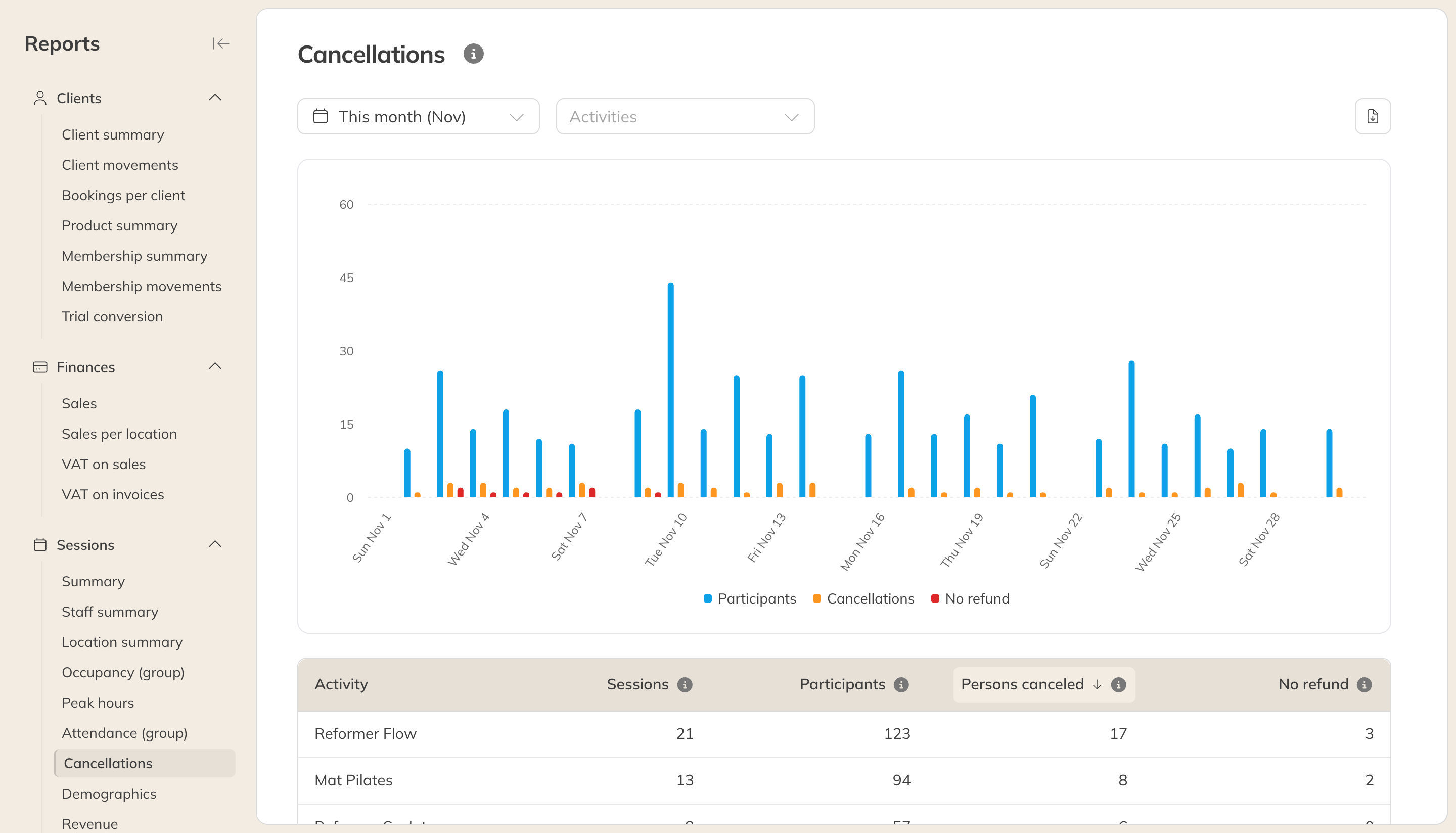
The Cancellations report
Want to see the cancellations themselves, with the client's name and who cancelled? Use the Cancellations list under Bookings & sessions. See Lists of bookings and sessions.
Demographics
Who comes to your sessions: for each activity, the Avg age and the percentage of men and women.
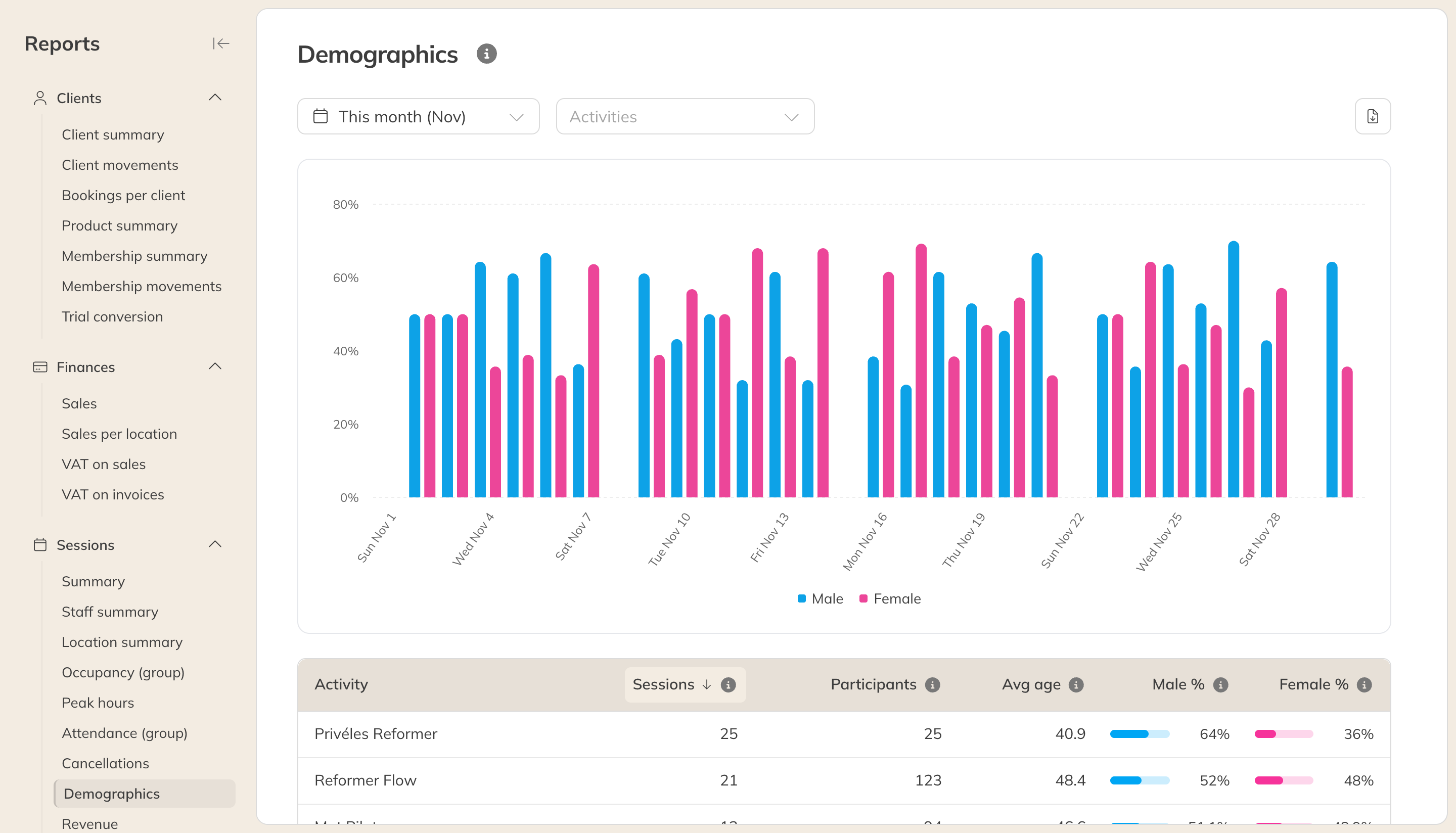
The Demographics report
Note: The age only counts clients with a date of birth, and the split only counts clients who filled in their gender. For better figures, have clients fill in these details when they sign up.