These three reports are under Reports → Clients and are available in the Pro and Premium plans.
Product summary
Your clients' active products on a chosen day, by type: Memberships, Credit packs, Single sessions and Passes. For each product you see the number, the change from the previous month, the number of clients and the share.
- A product is active as long as it still gives access. Expired, used-up or ended products don't count, and neither do planned products. Free products do count.
- A client can have several products. That's why the client numbers per type can add up to more than the total.
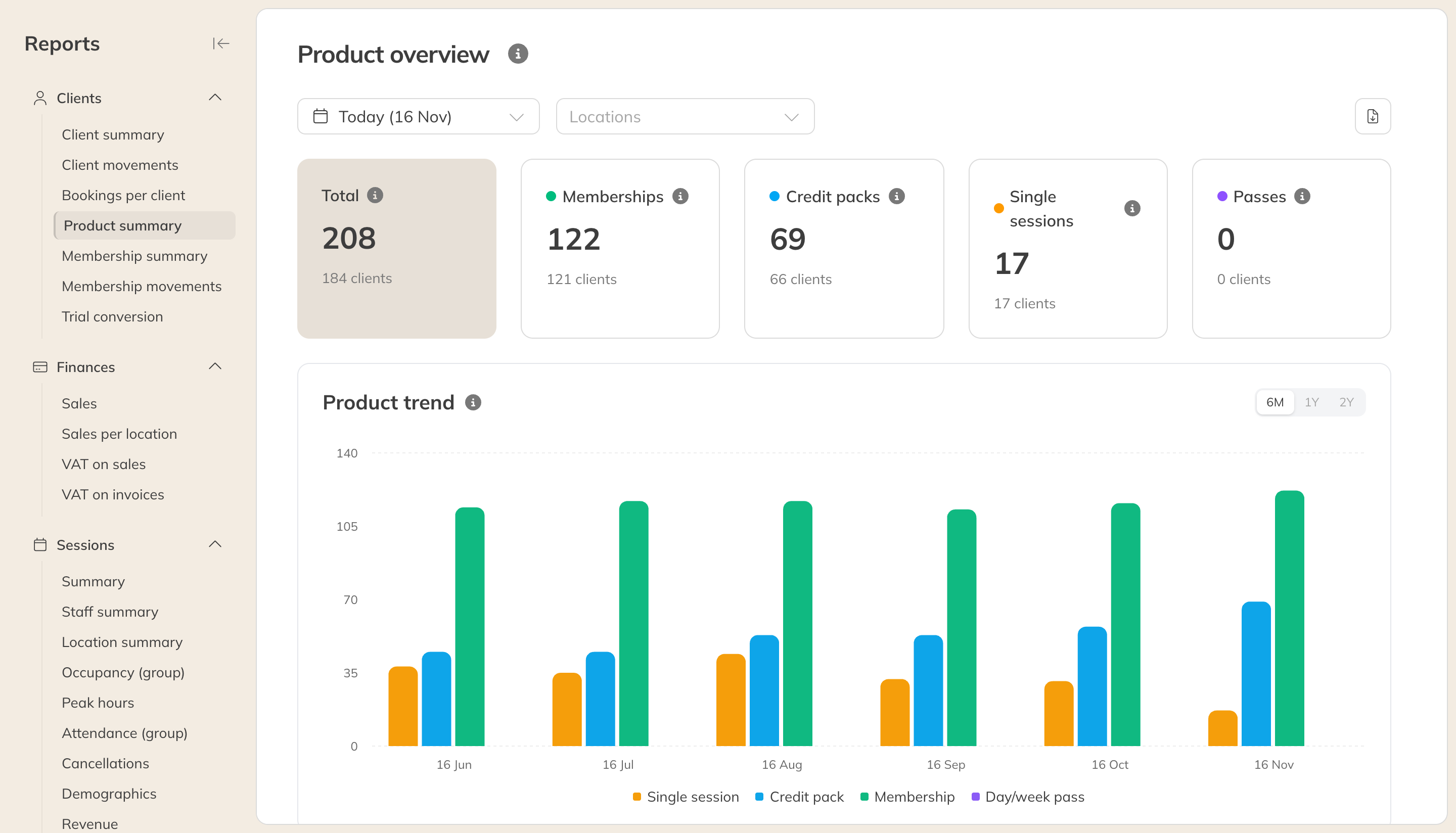
The product summary
Membership summary
The state of your memberships: Total current, Active, Paused, Blocked (usually after a failed payment) and Scheduled, with the Avg. monthly price, the Monthly revenue and the Active rate. Each membership is converted to an amount per month, so you can compare memberships with different billing periods.
With Paid only (on by default) you leave out free memberships. That's why the total can be lower than in the Product summary.
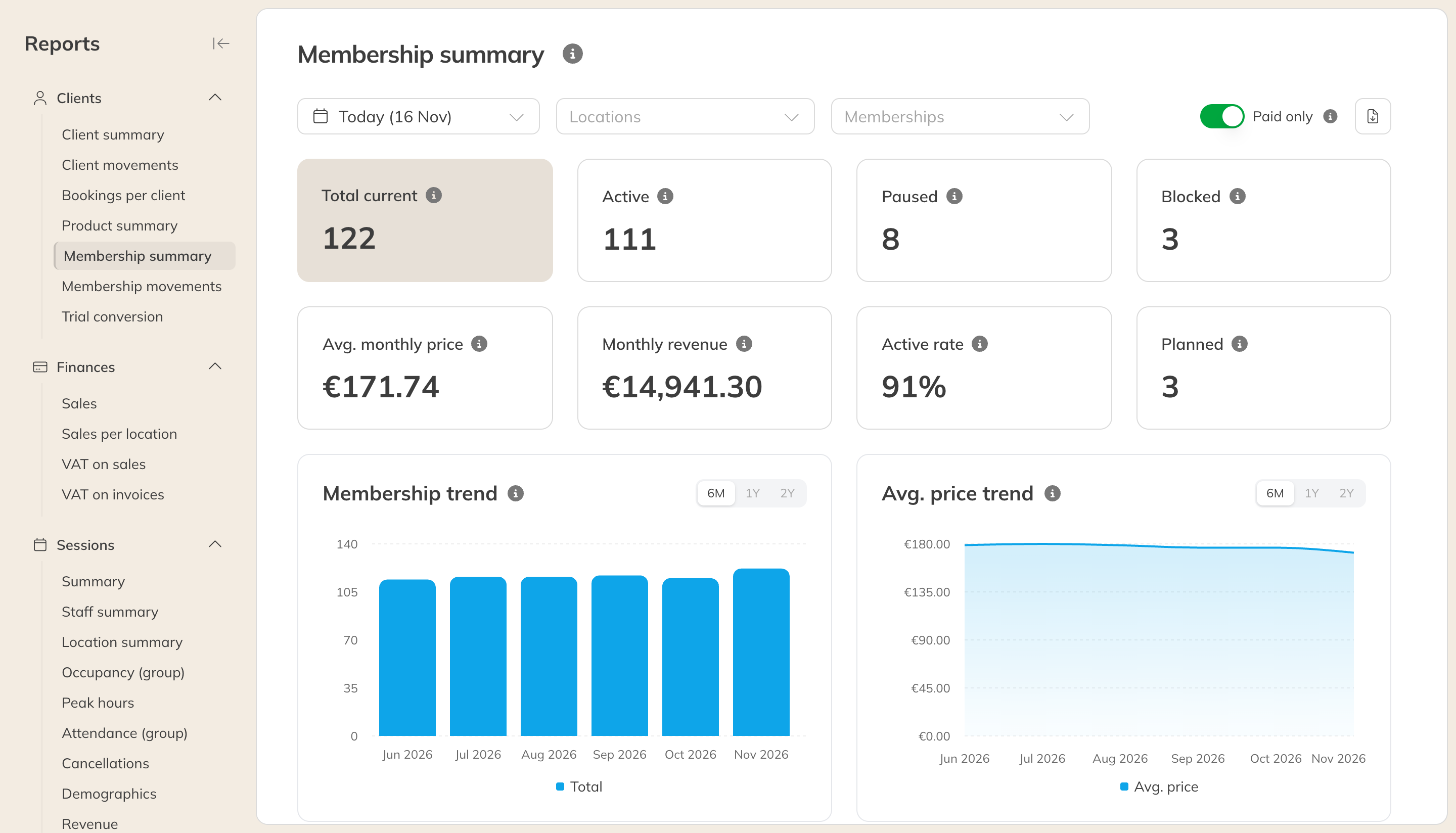
The membership summary
Membership movement
How your memberships change over a period: New, Churned, Net growth, the growth, churn and retention rates and an estimated LTV. The table of new memberships also shows how the client found you and which membership they had before, if any.
An upgrade or downgrade doesn't count as new or churned: the client is still a member.
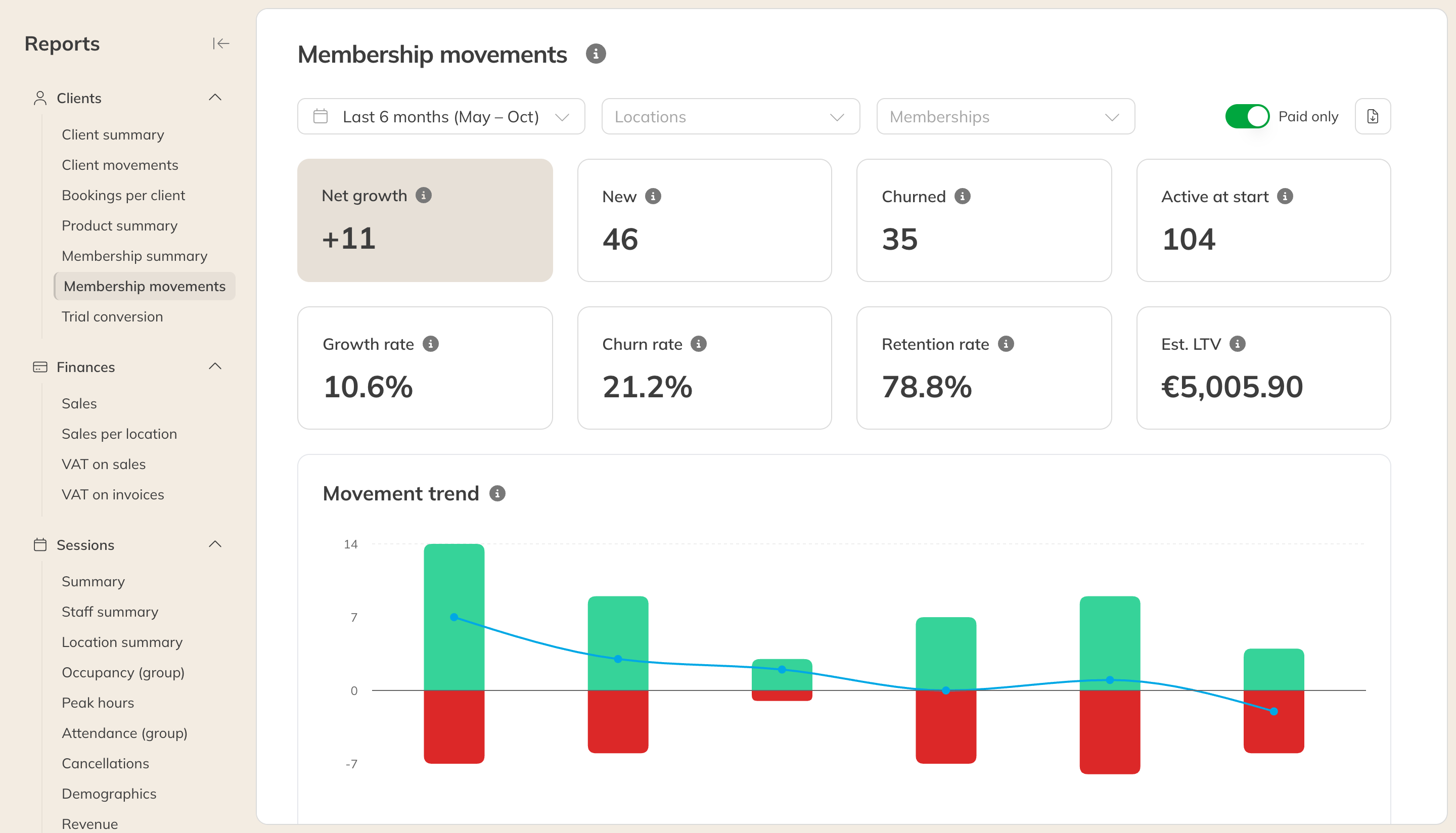
The membership movement