How to Set Business Hours and Block Holidays in the Calendar
Estimated Reading Time: 6 minutes
Applies to: All Plans
Quick Summary
You can define your Business Hours and block Holidays directly in your calendar.
This ensures clients can only book Activities when your business is open and prevents bookings during days when your studio is closed.
Why This Matters
If your availability is not configured correctly, clients may be able to book Activities outside your working hours.
Blocking Holidays and closing days prevents confusion, cancellations, and manual corrections in your Schedule.
Step by Step Instructions
Step 1: Open your calendar: Schedule
– Go to your Schedule to manage availability and calendar settings.
Step 2: Set your available days and hours: Schedule > Availability
– Use the Availability settings to define which days and hours your business is available so clients can only book the private activities during these times. For the group activities, you schedule your own hours in the calendar.
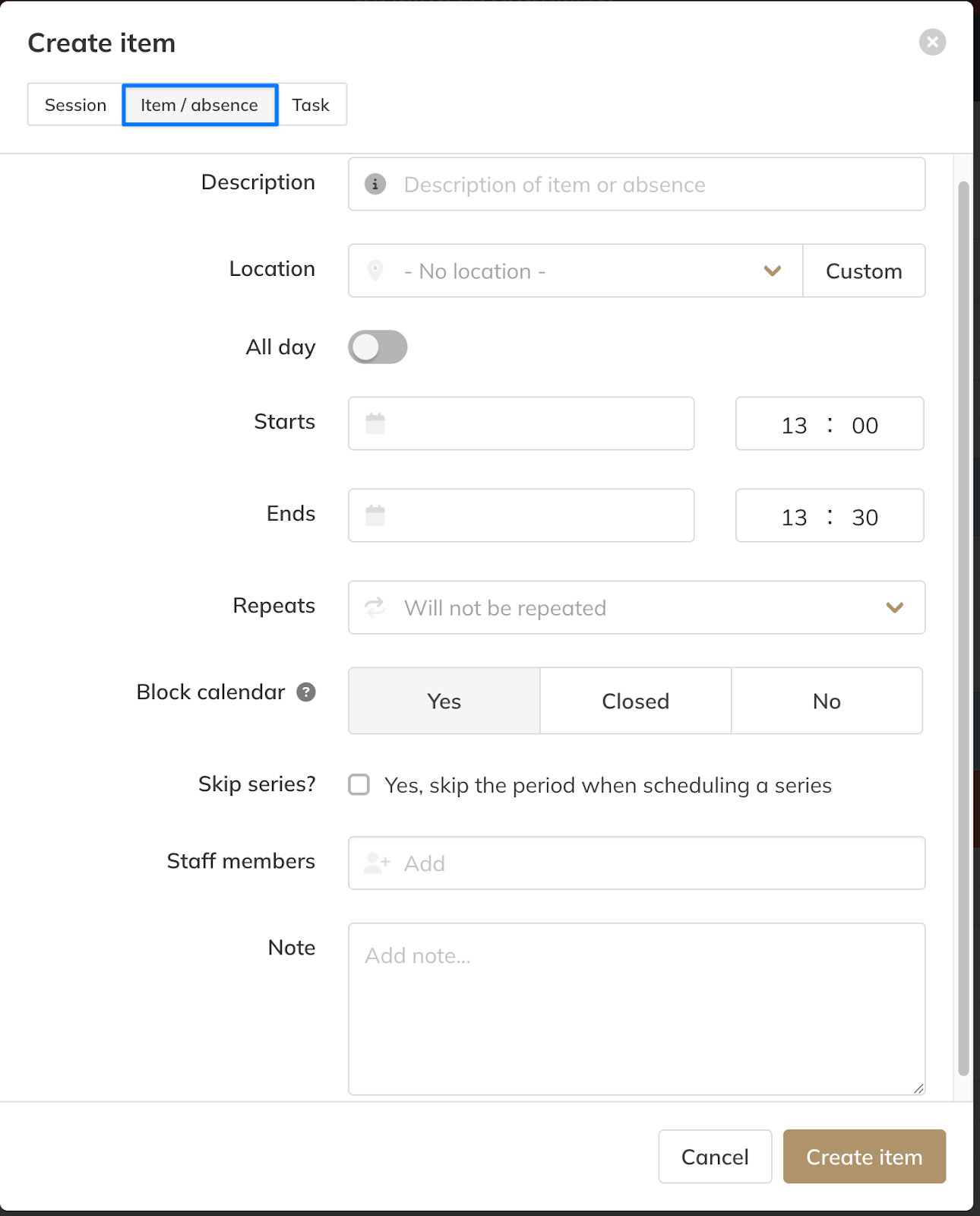
Step 3: Create a calendar item for a Holiday: Schedule > Add Calendar Item
– Add a new calendar item on the specific date when your business is closed.
Step 4: Block the full day if needed
– Select the option to create an all-day event to block the entire day from bookings.
Step 5: Set the closure as recurring if needed.
– If the closure repeats (for example every year or every week), configure the calendar item as recurring.
Step 6: Save and review your calendar.
– Review your Schedule to confirm the blocked days and Business Hours are correctly displayed.
Best Practice
Always block Holidays and special closures in advance.
This prevents clients from booking Activities when your studio is closed and avoids manual corrections or cancellations later.
Common Questions
Will blocking a Holiday automatically cancel booked Activities?
– No. Existing bookings remain in the Schedule and must be handled manually if needed.
Can I block only part of a day instead of the full day?
– Yes. You can create a timed calendar item to block specific hours.
Can I create recurring Holidays?
– Yes. Calendar items can be set as recurring for annual or repeating closures.
Do Business Hours affect all Activities?
– Yes. Business Hours control when clients can book Activities through the Schedule.
If you would like to know more about our Pro, Premium or Add-Ons, send us an email to support@trainin.com.
Related Articles
– How to Add Activities to Your Schedule to Let Customers Book– How to Create Private Activities and Appointments (Personal Training Sessions)