If you have several locations, the Premium plan lets you view revenue per location.
1. Turn it on
- Go to My company → Settings and choose Payment settings.
- Set Link sales to a location to Enabled and save.
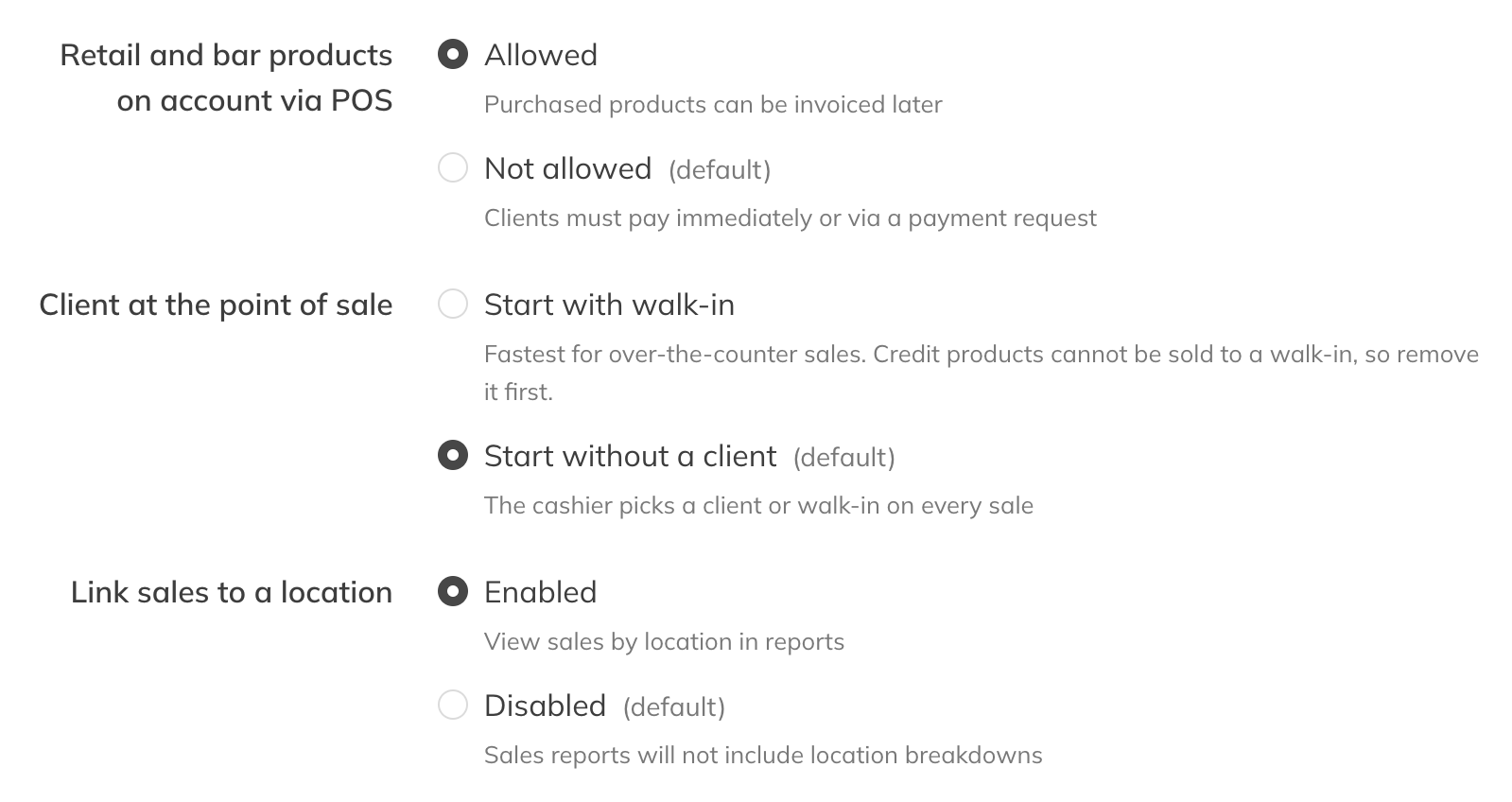
Link sales to a location
2. Link clients to a sales location
- Open the client and go to the Assignments block.
- Under Sales location, choose the location this client's purchases belong to.
- Tick Correct sales location of past payments if earlier purchases should move to that location too.
You can also give an individual order a different sales location yourself, from the order under Finances.
3. The report
Under Reports → Sales per location you see the same columns per location as in Sales. Sales without a sales location are listed under Other.
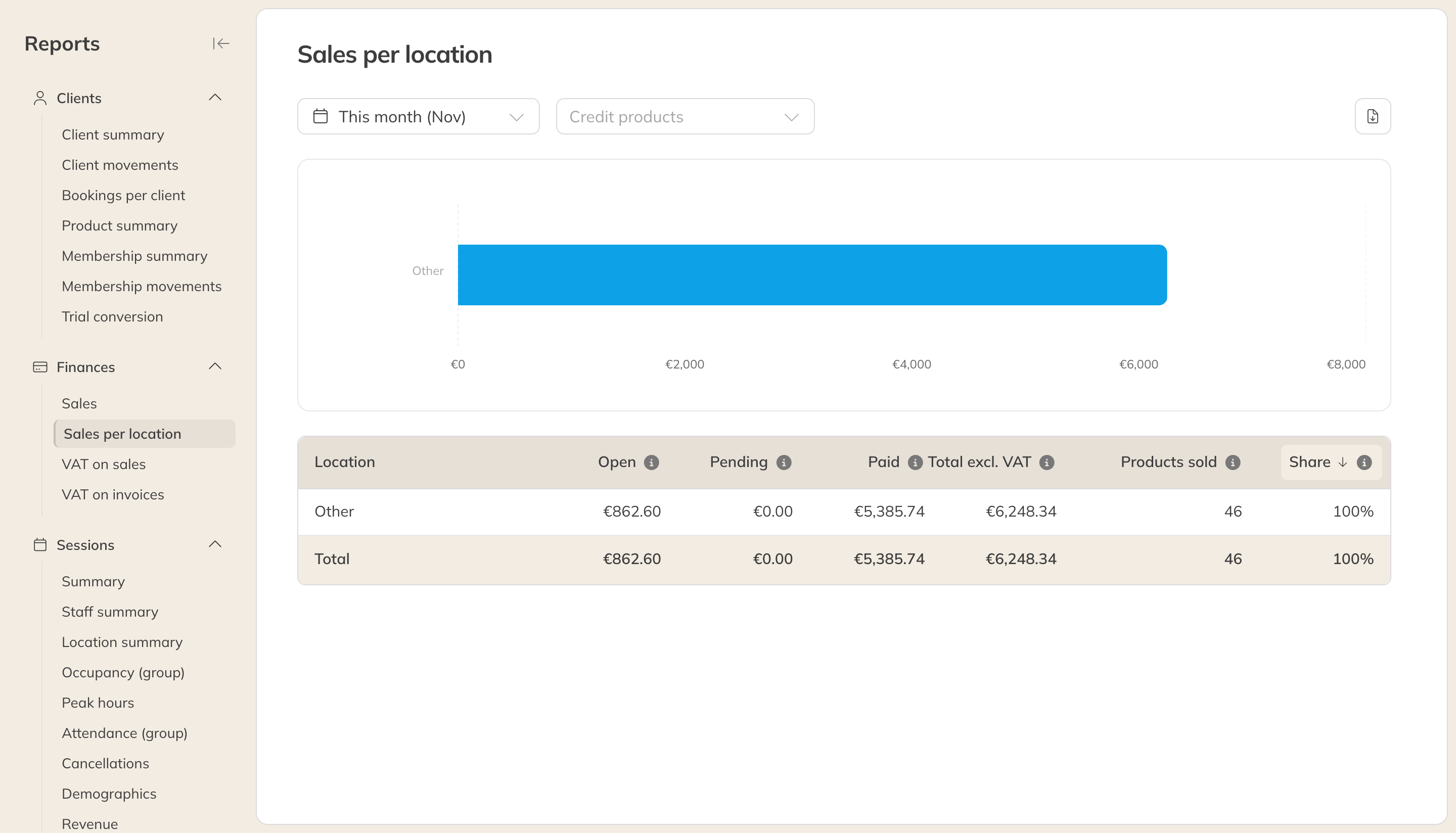
Sales per location
Under Finances you can also use the location column and filter in the sales, and include them in an export.